Testimonials
Collect customer testimonials, style them, and embed them on your own site.
Testimonials gathers what customers say about you into collections you can style and embed anywhere — your website, a landing page, a proposal.
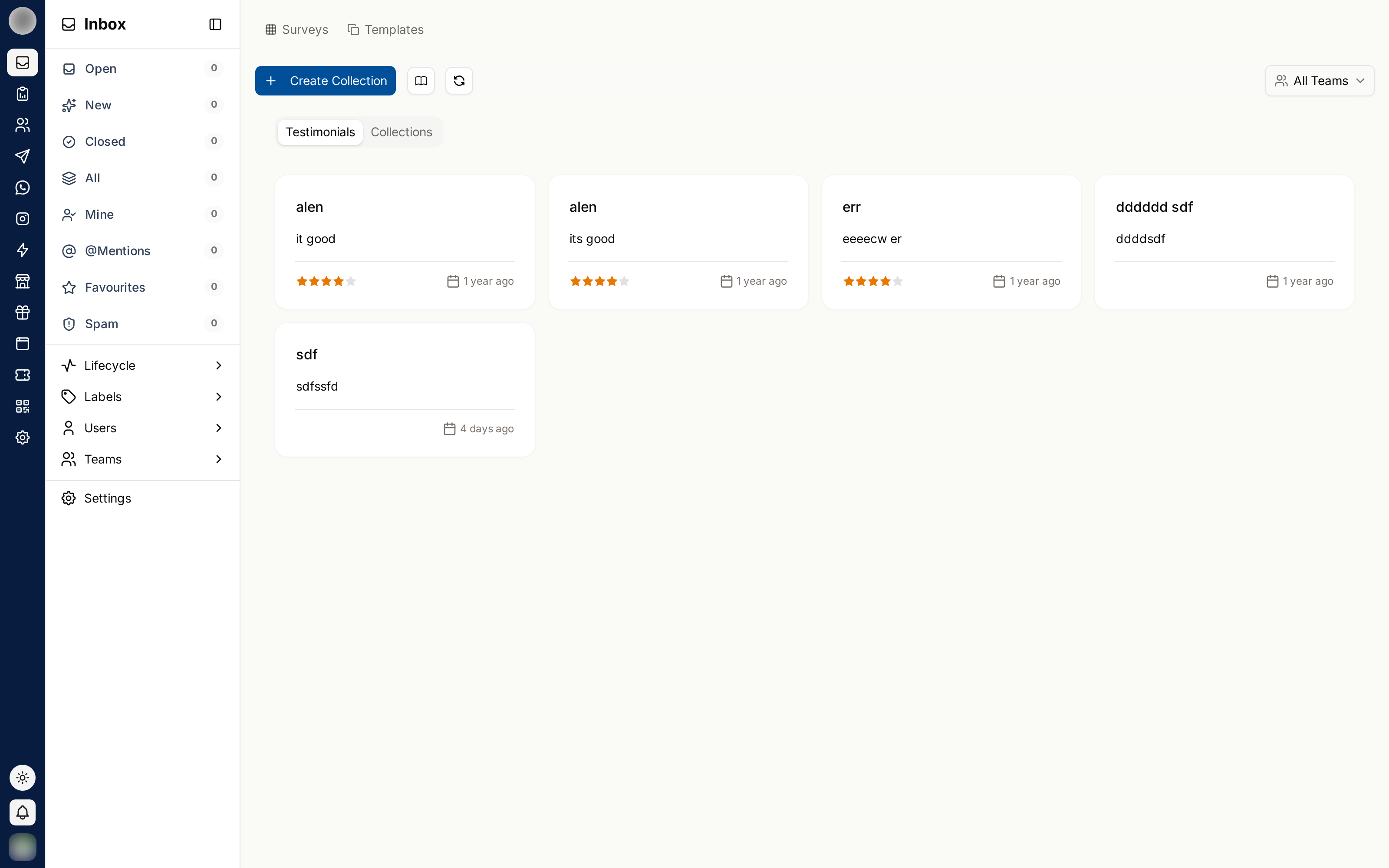
Collections
A collection is a set of testimonials you present together. Keep separate collections for separate purposes — one for the homepage, one per product, one per market.
Click Create Collection.
Enter a collection name — it cannot be blank.
Open the collection and add testimonials to it.
Where Testimonials Come From
Testimonials are drawn from your survey responses. Filter by:
| Filter | Use |
|---|---|
| Survey | Responses from a specific survey, or All Surveys |
| Team | One team's responses, or All Teams |
| Date | When the response came in |
| Length | Short or longest responses |
Filter by longest first. A specific, detailed testimonial persuades far more than five short ones saying "great service".
Styling
Customize and Edit Testimonial Style control how a collection looks when embedded:
| Setting | Controls |
|---|---|
| Layout | How cards are arranged |
| Background Color | The card background |
| Color | Text colour |
| Change Font | Typeface |
| Font Size | Text size |
| Font Weight | Text weight |
Match your own site rather than RateUp's defaults — an embed that looks foreign reads as an advert and gets ignored.
Embedding
Open the collection and choose the share option.
Copy code — you will see "Copied code" when it is on your clipboard.
Paste it into your site where the testimonials should appear.
Restyling the collection updates the embed — you do not need to paste the code again.
Managing
| Action | Notes |
|---|---|
| Edit | Change a testimonial's presentation |
| Delete testimonials | Removes selected testimonials from the collection |
| Delete Testimonial Collection | Removes the whole collection |
Deleting a collection breaks any embed pointing at it. Check where a collection is used before removing it.
Getting Better Testimonials
- Ask right after a good outcome, not weeks later
- Ask a specific question — "what changed for you?" beats "any feedback?"
- Use a web form or a WhatsApp flow so answering takes seconds
- Always get permission before publishing someone's words with their name
Related Pages
- Web Forms — where responses are collected
- Survey Results