Working with Tickets
Assignees, labels, due dates, checklists, comments, attachments and the link back to the Inbox.
A ticket is one card on a board. This page covers everything you can put on one.
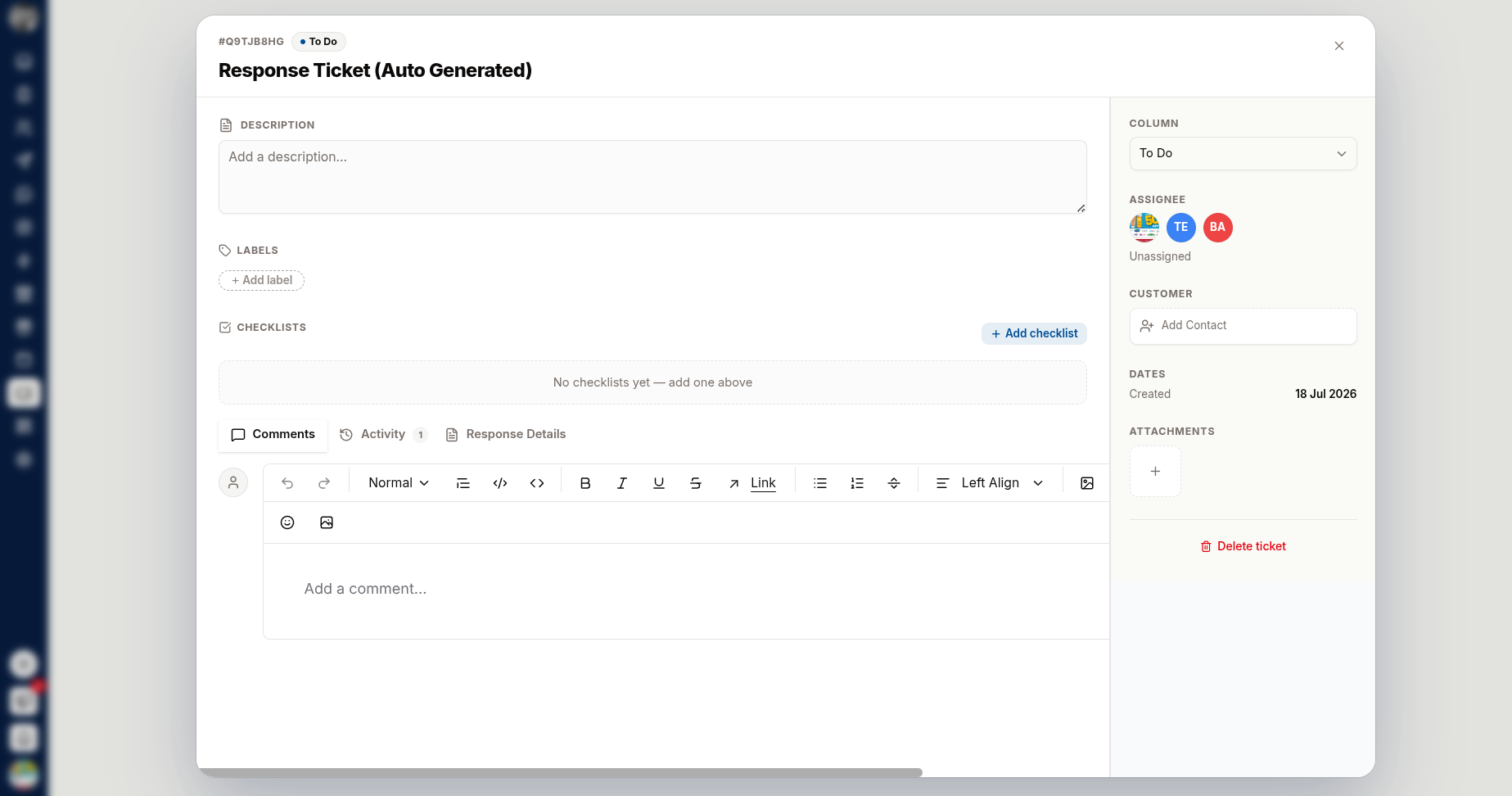
Creating a Ticket
Open the board and add a ticket to a column.
Give it a title. A ticket left as "Untitled Ticket" will be ignored by everyone.
Add a description — click Add a description… and explain what needs doing and why.
The Fields
| Field | Purpose |
|---|---|
| Assignee | Who is doing it. Unassigned means nobody is |
| Teams | Which teams the ticket belongs to |
| Column | The stage it has reached |
| Labels | Board labels for severity, area or type |
| Due date | When it needs to be done. Late tickets show Overdue |
| Customer | The contact it relates to — search and attach one |
| Created / Created by | Recorded automatically |
Checklists
Checklists break a ticket into steps that can be ticked off.
Click Add checklist and name it.
Use Add an item for each step.
Tick items as they are completed.
Use them when a ticket has a known sequence — a release checklist, a refund approval path. If you have not added one yet you will see "No checklists yet — add one above".
Comments
Comments are the discussion thread on the ticket. Use Add a comment… to record decisions, blockers and updates.
Put the why in comments. The description says what needs doing; comments are where the reasoning lives, and that is what makes an old ticket readable.
Attachments
Attach screenshots, logs, documents or anything else the work needs. Use Delete Attachment to remove one.
Activity
The Activity feed records what happened to the ticket — moves, assignments, field changes. Before it has any history it reads "No activity yet."
Use it to answer "when did this stall, and on whom?"
Linking Back to the Inbox
Tickets raised from a customer conversation carry a Customer, and Open Chat In Inbox takes you straight to that conversation.
This is the loop that makes board tickets worth keeping: the developer fixing the bug can read exactly what the customer said, and the agent can tell the customer it is fixed.
Working a Board Well
- Move cards as work progresses, not in a weekly tidy-up
- Assign someone — an unassigned ticket is nobody's
- Set due dates only when they mean something; Overdue stops mattering if everything is
- Close the loop with the customer when a ticket that came from a conversation is done
- Delete duplicates rather than letting two cards drift apart