WhatsApp Catalog
The WhatsApp Catalog allows businesses to manage products, sync catalogs from Meta, and enable product-based conversations and orders directly on WhatsApp.
Accessing Catalogs
Catalogs are managed from WhatsApp → Catalog.
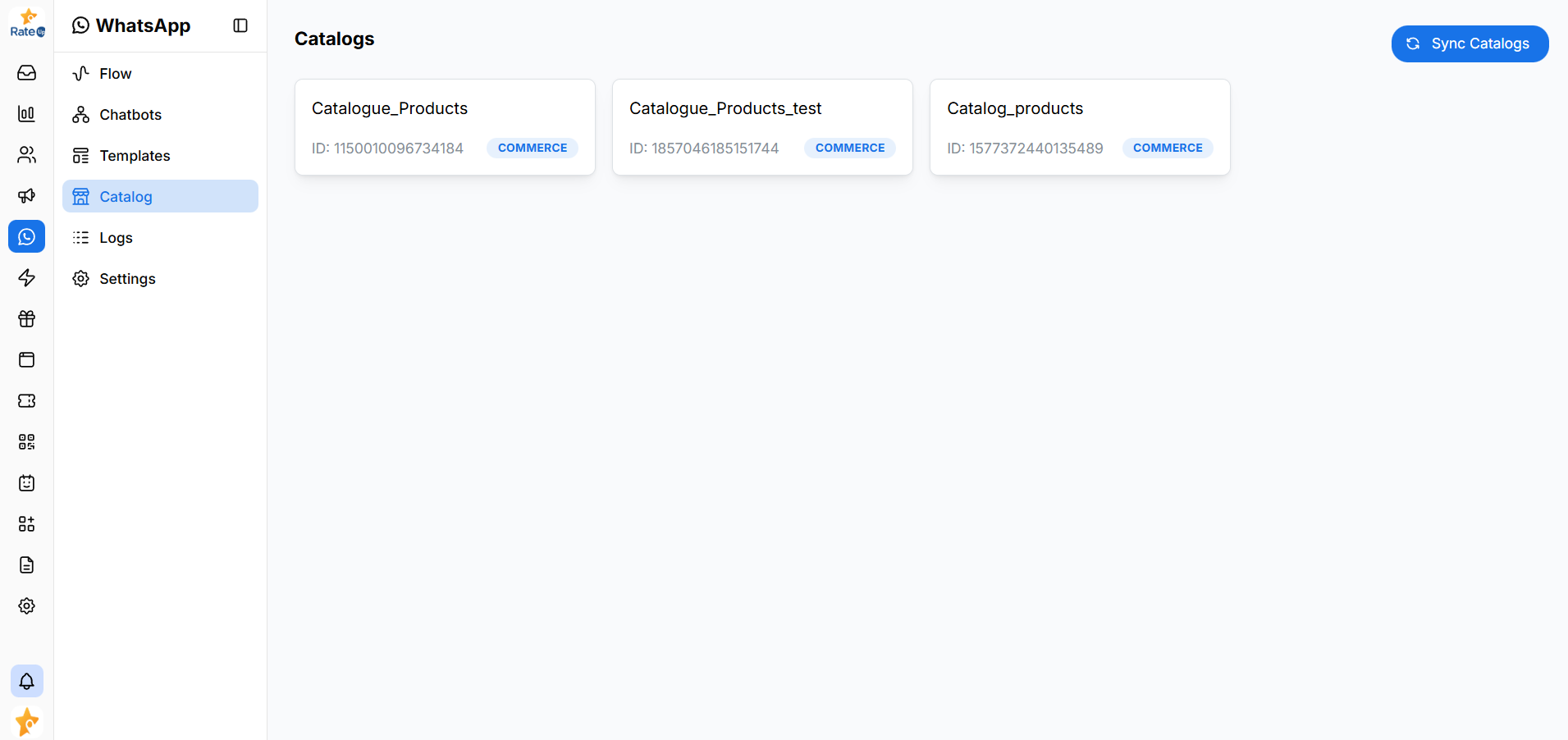
This page displays all catalogs connected to your WhatsApp Business Account.
Catalogs Overview
Each catalog appears as a card showing:
- Catalog name
- Catalog ID
- Catalog vertical (for example: Commerce)
This view helps you identify and select the correct catalog when managing products or orders.
Syncing Catalogs from Meta
To fetch the latest catalogs from Meta:
- Click Sync Catalogs (top-right)
- Wait for the sync to complete
This ensures your catalog list stays up to date with Meta.
Opening a Catalog
Click on any catalog card to open it.

Once opened, the catalog is divided into three sections:
- Products
- Orders
- Settings
Products Section
The Products tab displays all products inside the selected catalog.

From here, you can:
- View products
- Add new products
- Edit existing products
- Sync products from Meta
Adding a Product
To add a new product:
- Click Add Product
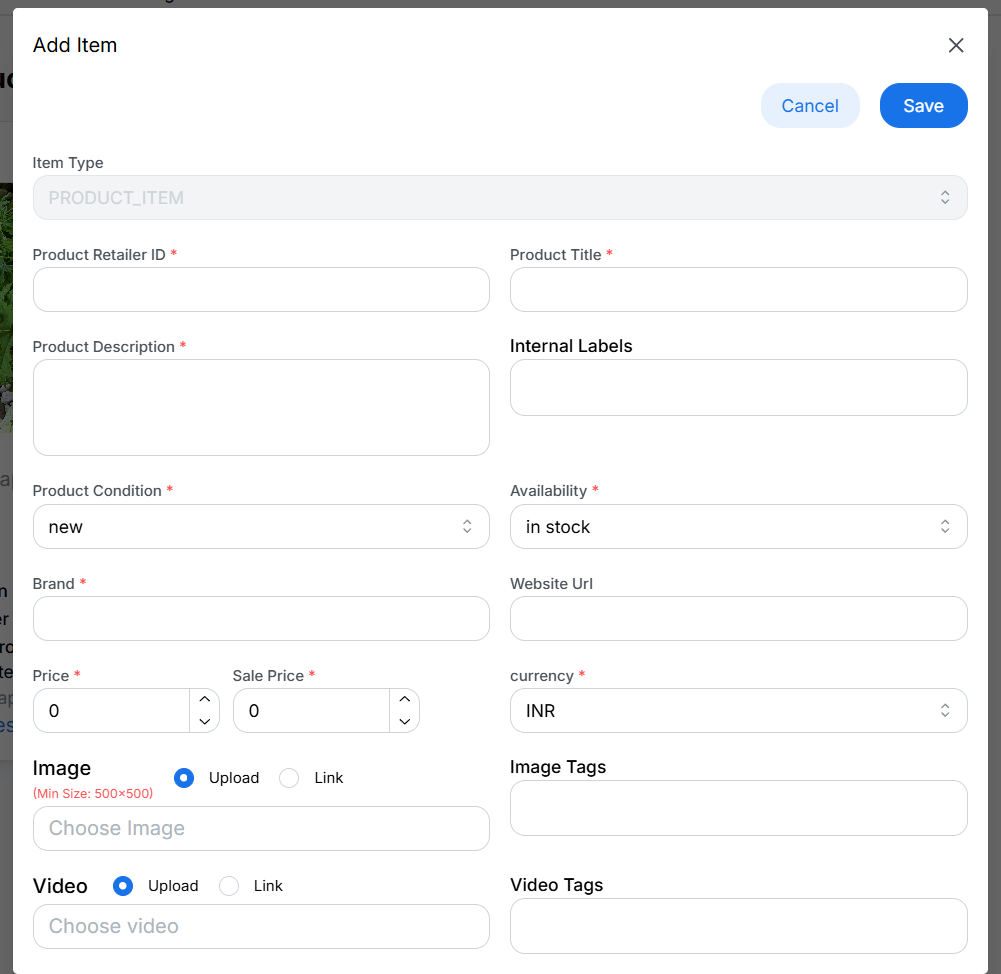
- The Add Item form opens
Product Details Configuration
Fill in the required product information:
Item Type
- Predefined product type (read-only)
Product Retailer ID
- Unique identifier for the product
Product Title
- Name shown to customers
Product Description
- Description of the product
Internal Labels
- Used for internal categorization and filtering
Product Attributes
Configure product attributes to improve discoverability:
- Product Condition (for example: new)
- Availability (in stock / out of stock)
- Brand
- Website URL
Pricing Information
Provide pricing details:
- Price
- Sale Price
- Currency
These values are shown to customers in WhatsApp product messages.
Uploading Images and Videos
Products support media uploads.

Image
- Upload or provide a link
- Minimum size: 500 × 500
Video
- Upload or provide a link
Tags can be added to both images and videos for internal reference.
Saving a Product
- Click Save to add the product
- Click Cancel to discard changes
Once saved, the product appears in the Products list.
Syncing Products from Meta
To fetch the latest products from Meta:
- Click Sync Products
- Wait for synchronization to complete
This updates product availability and details automatically.
Orders Section
The Orders tab shows all orders created through WhatsApp.
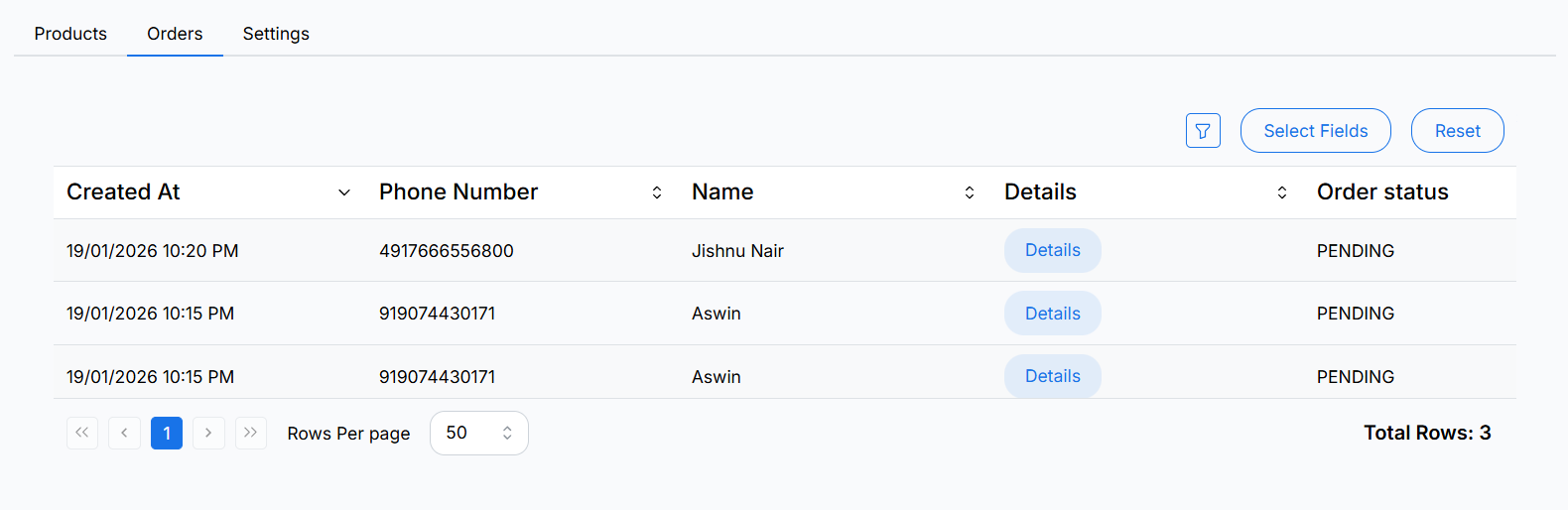
Each order row includes:
- Created date and time
- Customer phone number
- Customer name
- Order status
- Details button
Viewing Order Details
Click Details to view full order information.
This helps teams track order progress and customer activity.
Orders Table Controls
The Orders table includes:
- Column sorting
- Pagination
- Rows-per-page selection
- Total row count
These controls help manage large order volumes efficiently.
Settings Section
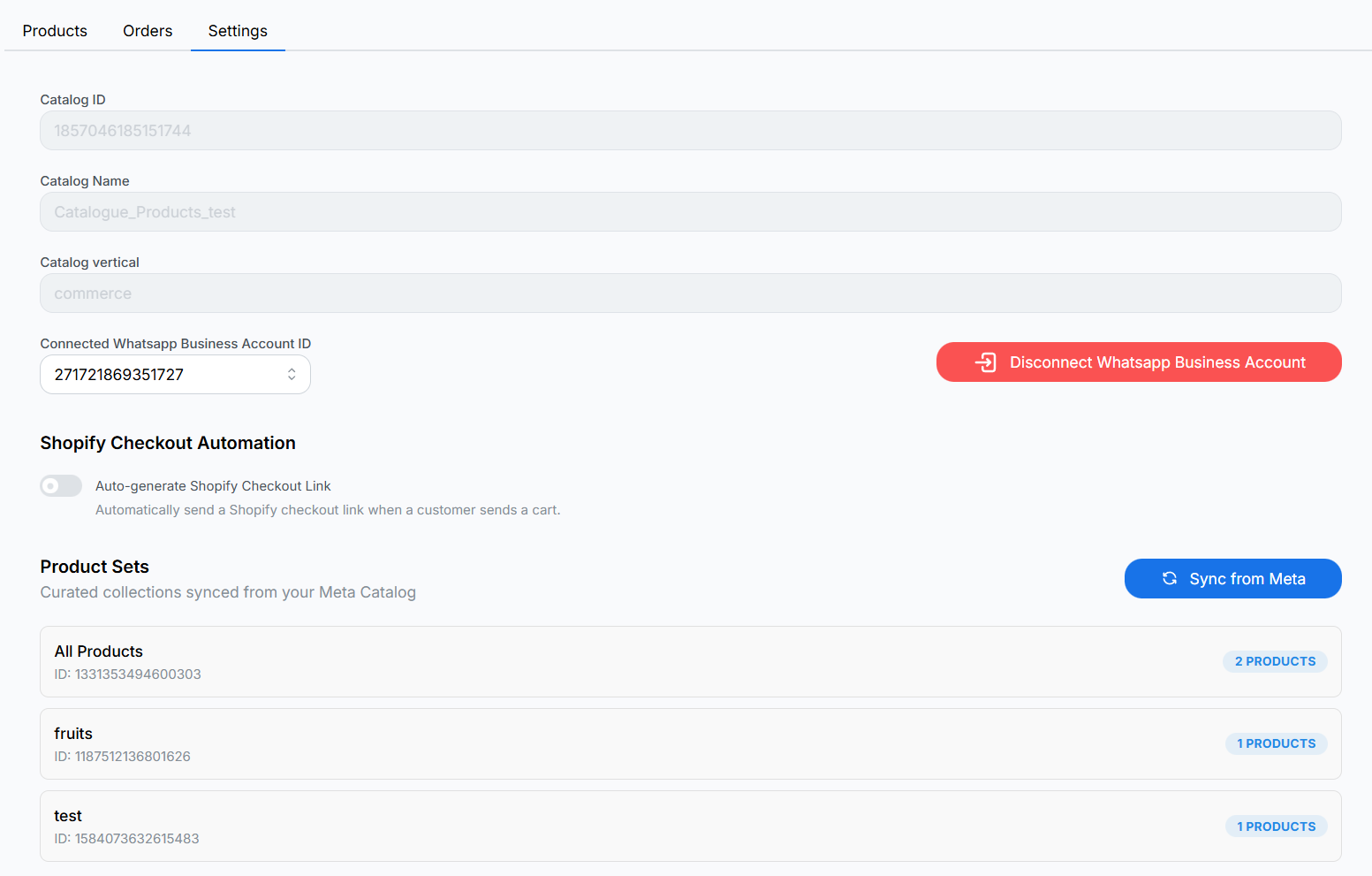
The Settings tab contains catalog-level configuration.
Catalog Information
This section displays:
- Catalog ID
- Catalog name
- Catalog vertical
- Connected WhatsApp Business Account
These fields are read-only and synced from Meta.
Disconnecting WhatsApp Business Account
To disconnect the linked WhatsApp Business Account:
- Click Disconnect WhatsApp Business Account
- Confirm the action
Disconnecting stops catalog syncing and product messaging.
Shopify Checkout Automation
Enable Shopify Checkout Automation to automate checkout flows.

When enabled:
- A Shopify checkout link is automatically sent
- Triggered when a customer sends a cart
Product Sets
Product Sets are curated collections synced from Meta.
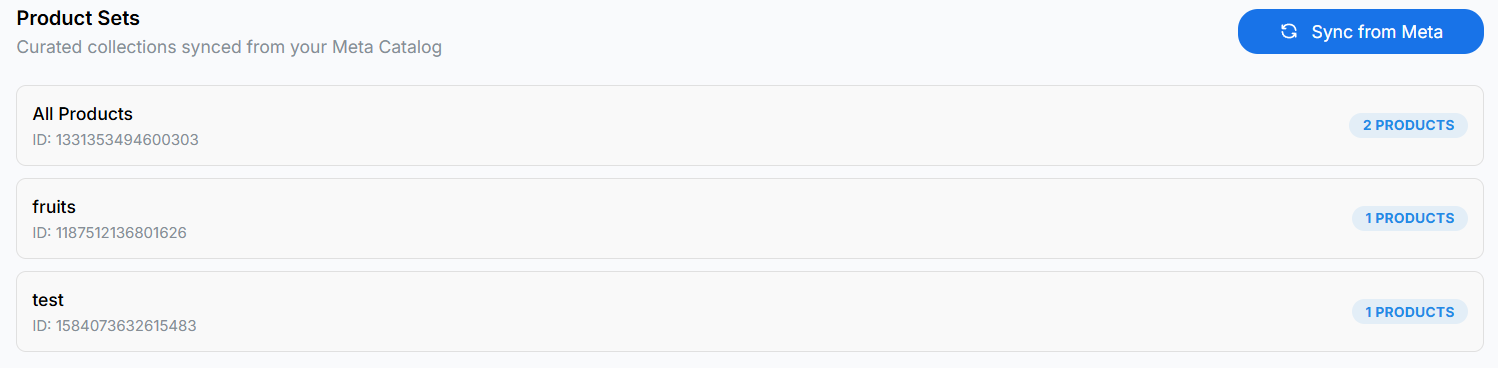
Each product set shows:
- Set name
- Set ID
- Number of products
Product sets help organize and group products logically.
When to Use Catalogs
Catalogs are used when:
- Sharing products in WhatsApp chats
- Enabling product-based conversations
- Managing orders from WhatsApp
- Integrating Shopify checkout flows
Best Practices
- Keep product titles and descriptions clear
- Use high-quality images
- Sync catalogs and products regularly
- Use product sets for better organization
- Review order status frequently
Why WhatsApp Catalog Matters
WhatsApp Catalog enables businesses to showcase products, manage orders, and drive conversions directly inside WhatsApp, creating a seamless commerce experience.