Campaigns Overview
Send an approved WhatsApp template to many contacts at once — as a one-off broadcast or a drip sequence.
A campaign sends an approved template to a set of contacts. It is how you start conversations at scale rather than one at a time. Campaigns are open on every plan, including Free.
Two Kinds of Campaign
| Type | Sends |
|---|---|
| Broadcast | "One template to everyone, once." You can pace it with a daily send limit and have Meta's blocks retried automatically |
| Drip | "A sequence of messages spread over days." Each stage is a template sent once, a set delay after the contact joins the campaign |
Broadcasts suit announcements and offers. Drips suit onboarding sequences and gradual re-engagement. The type is chosen when you create the campaign and cannot be changed afterwards — create a new campaign to switch.
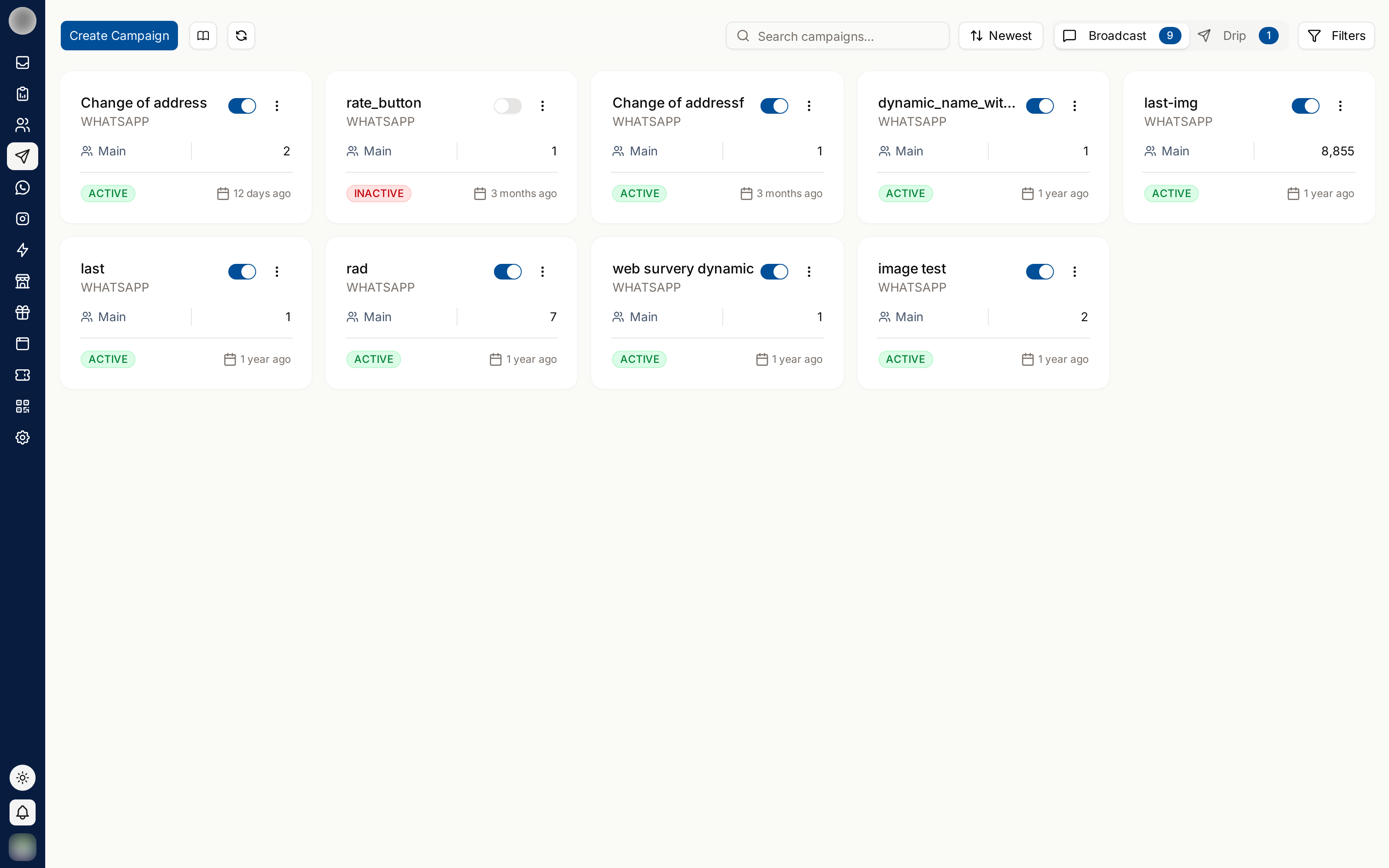
The Campaigns List
Campaigns in the sidebar opens the list at /dashboard/campaigns. Broadcasts and drips sit on
separate Broadcast and Drip tabs.
| Control | What it does |
|---|---|
| Create Campaign | Opens the creation wizard |
| Search campaigns... | Find a campaign by name |
| Sort | Order the cards, newest first by default |
| Filters | Narrow by Team and Status, then Apply — Reset clears both |
The line under the title counts your campaigns and drafts and, on a metered plan, shows how many campaign credits you have left.
Each campaign is a card. A Draft card shows Continue setup and reopens the wizard where you left off; any other card opens the campaign page. A campaign that has gone out shows "N% delivered · N% read"; one that has not shows "Not sent yet".
Campaign Statuses
| Status | Meaning |
|---|---|
| Draft | Being set up in the wizard. Nothing has been sent |
| Scheduled | Launched with a future send time, and waiting for it |
| Sending | Messages are going out. Has a moving dot |
| Retrying | The first send has finished and an automatic retry is booked for later. Nothing is going out in the meantime |
| Pausing | You pressed Pause and the queue is being emptied |
| Paused (amber) | You paused it. Recipients not yet messaged are waiting for you to resume |
| Paused (red) | RateUp paused it because your account could not send — see auto-pause |
| Completed | Sending is finished. Delivery and read receipts keep arriving afterwards |
| Failed | The campaign stopped on an error. Hover the badge to see why |
The Status filter uses the same labels, so Sending also catches a campaign that is still being queued, and Paused catches both kinds.
What's Here
Creating a Campaign
The six-step wizard: basics, template, audience, schedule, retries and review.
Campaign Details
Overview, Participants and Analytics tabs, exports, editing and deleting.
Pausing, Resuming & Retrying
Stopping a send, picking it back up, auto-pause, and re-sending to failed recipients.
Before You Send
Campaigns are the fastest way to damage a WhatsApp account. Sending an irrelevant message to a large list produces blocks and reports, which lower your quality rating and reduce how much you may send afterwards — a cost that outlasts the campaign by months.
| Check | Why |
|---|---|
| The template is approved | Only approved templates are listed in the wizard |
| The audience has given consent | Leave Only send to contacts who opted in switched on |
| The list is segmented | Relevance is what stops people blocking you |
| The variables map to the right fields | Use Send test to me on the Review step first |
Related Pages
- Message Templates — what campaigns send
- Audiences — building an audience
- Billing — campaign credits
- Message Analytics — how the send performed