Loyalty Overview
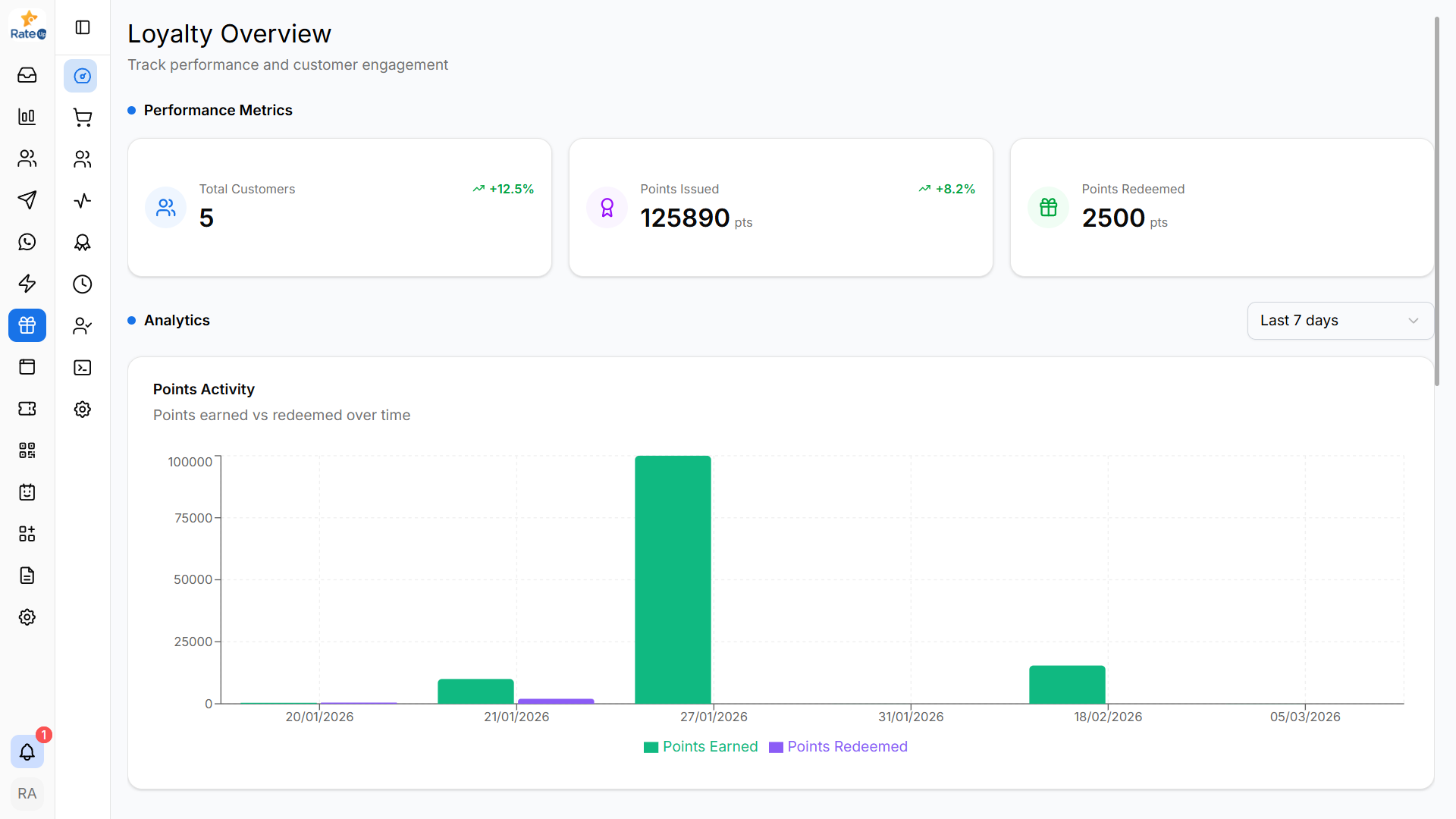
The Loyalty Overview page provides a high-level view of your loyalty program. From this page, you can monitor customer participation, track points activity, and analyze reward engagement.
Opening the Loyalty Overview
To access the Loyalty dashboard:
- Open the Loyalty module from the sidebar.
- Click Overview.
The page loads with performance metrics and analytics for the loyalty program.
Viewing Performance Metrics
The Performance Metrics section shows a quick summary of your loyalty program.

To review the key metrics:
- Look at the cards displayed at the top of the page.
- Monitor the following statistics:
- Total Customers – Number of customers enrolled in the loyalty program.
- Points Issued – Total loyalty points issued to customers.
- Points Redeemed – Total points redeemed for rewards.
These metrics help you understand the current usage of the loyalty program.
Analyzing Points Activity
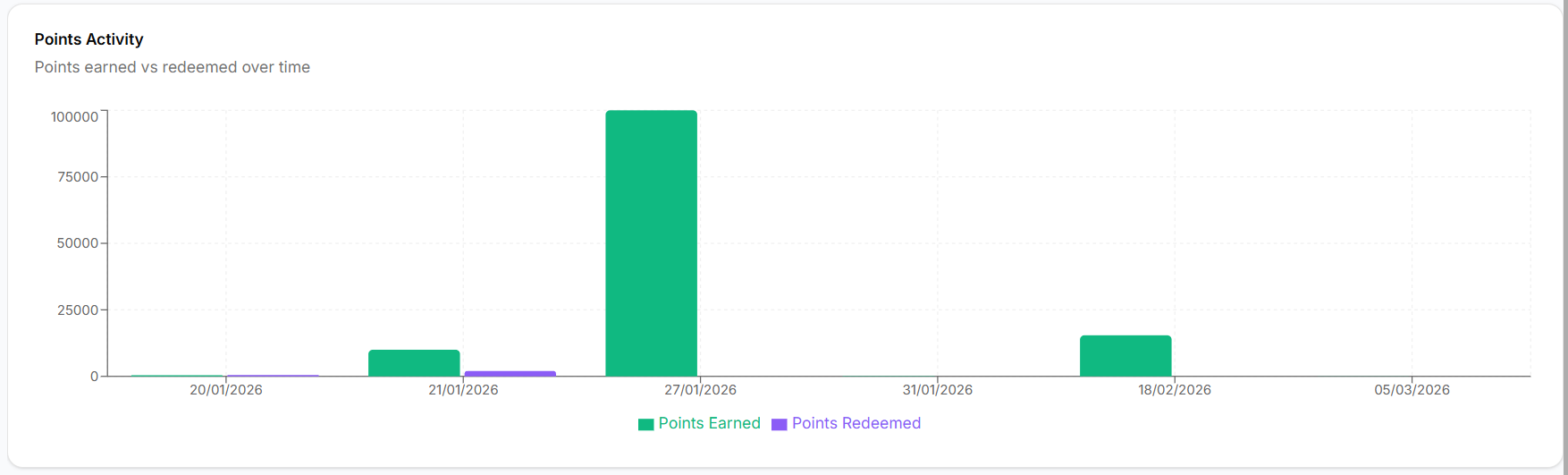
The Points Activity chart displays how points are earned and redeemed over time.
To analyze points activity:
- Review the Points Earned bars to see how many points customers earned.
- Review the Points Redeemed bars to see how many points were used for rewards.
- Compare both trends over time to understand engagement.
You can also adjust the time filter (for example, Last 7 days) to change the reporting period.
Tracking Customer Growth
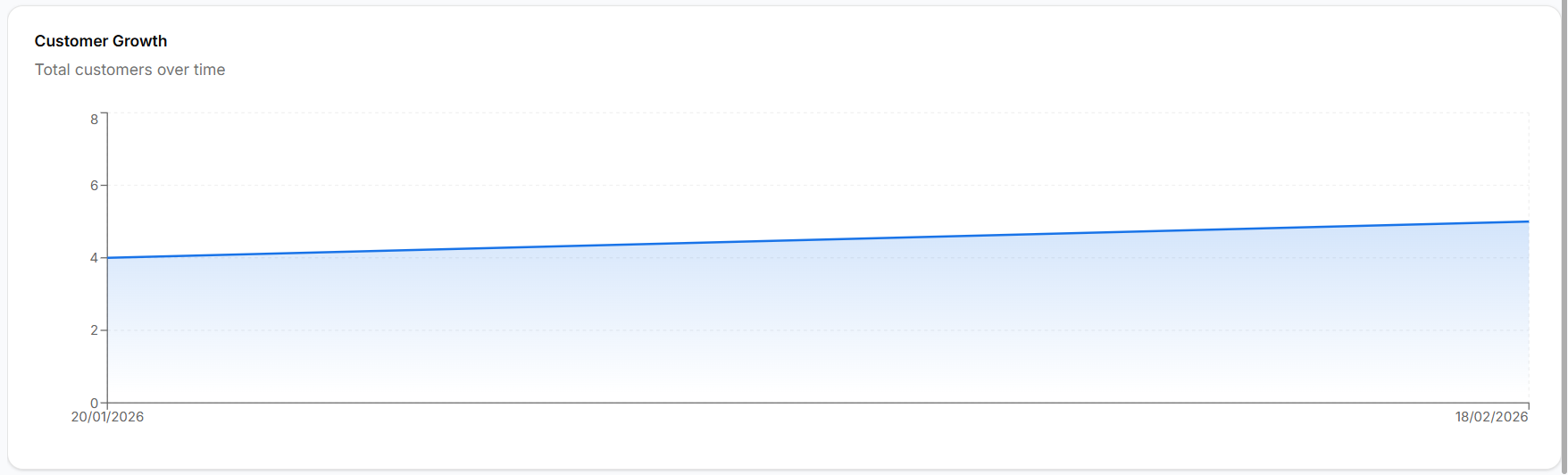
The Customer Growth chart shows how the number of loyalty customers changes over time.
To monitor customer growth:
- Review the growth line in the chart.
- Identify increases in the total number of customers.
- Track how quickly new customers are joining the loyalty program.
This helps evaluate the adoption of your loyalty program.
Understanding Customer Tier Distribution
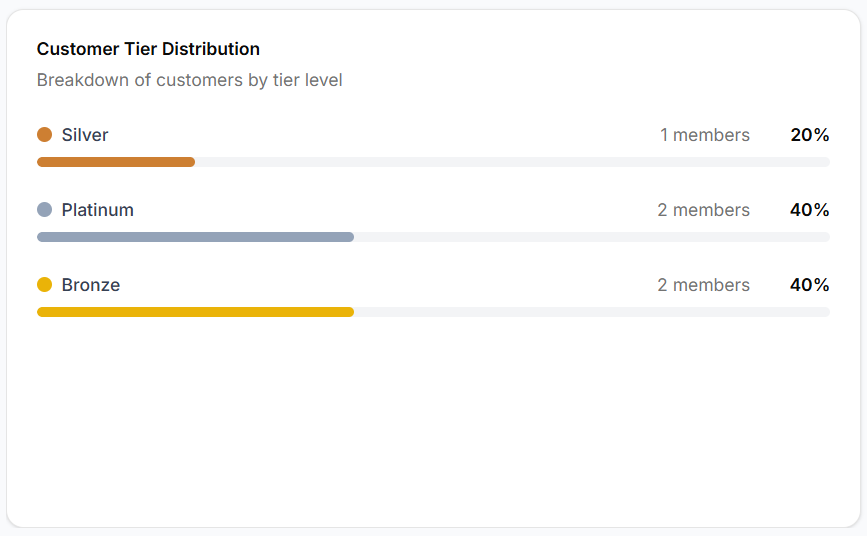
The Customer Tier Distribution section shows how customers are distributed across loyalty tiers.
To review tier distribution:
- Look at each loyalty tier shown in the section.
- Review the number of members in each tier.
- Check the percentage distribution across tiers.
Common tiers include:
- Silver
- Platinum
- Bronze
This section helps you understand how customers progress through loyalty levels.
Reviewing Most Popular Rewards
The Most Popular Rewards section highlights rewards that customers redeem frequently.
To review reward performance:
- Check which rewards appear in this section.
- Identify rewards that customers redeem the most.
- Use this information to optimize reward offerings.
Why the Loyalty Overview Matters
The Loyalty Overview helps teams:
- Monitor loyalty program performance
- Track customer engagement
- Analyze points earning and redemption trends
- Understand customer tier distribution
- Identify high-performing rewards
This dashboard provides a quick snapshot of how well your loyalty program is performing.