Configuring Loyalty Program Settings
Learn how to configure general loyalty program settings, notifications, points expiration, and program management options in RateUp.
The Loyalty Program Settings page allows administrators to configure the core behavior of the loyalty program.
Using these settings, you can:
- Configure program information
- Enable or disable loyalty features
- Manage notifications
- Configure points expiration
- Customize customer join messages
- Reset or delete the loyalty program
Open Loyalty Settings
To access loyalty settings:
- Open Loyalty from the sidebar
- Click Settings
- Open the General tab
Configure Basic Settings
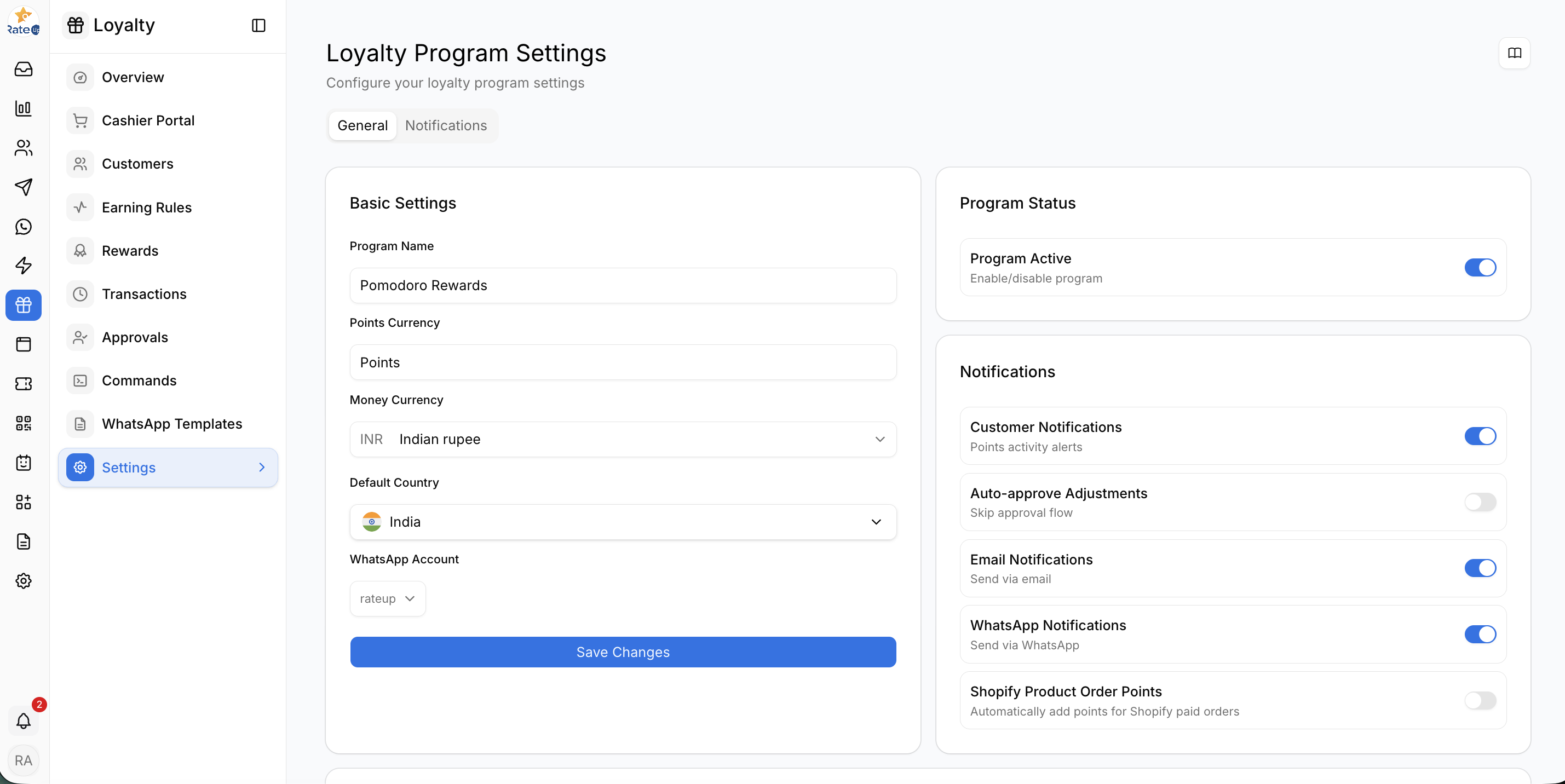
The Basic Settings section controls the primary loyalty program configuration.
Available Settings
Program Name
Defines the name of the loyalty program displayed to customers.
Example:
Pomodoro RewardsPoints Currency
Defines the loyalty points label used across the platform.
Example:
PointsMoney Currency
Select the currency used for loyalty transactions.
Example:
INR - Indian RupeeDefault Country
Choose the default country for customer registration and phone number handling.
WhatsApp Account
Select the connected WhatsApp account used for loyalty messaging and automation.
Save Basic Settings
After updating the settings:
- Review the changes
- Click Save Changes
Configure Program Status
The Program Status section allows administrators to enable or disable the loyalty program.
Program Active
- Enable the toggle to activate the loyalty program
- Disable the toggle to temporarily stop loyalty activities
When disabled:
- Customers cannot earn points
- Rewards cannot be redeemed
- Loyalty automations may stop functioning
Configure Notifications
The Notifications section controls automated loyalty communication and workflows.
Available Notification Settings
Customer Notifications
Enables customer activity alerts and loyalty updates.
Auto-approve Adjustments
Automatically approves point adjustments without manual approval flow.
Email Notifications
Sends loyalty notifications through email.
WhatsApp Notifications
Sends loyalty notifications through WhatsApp.
Shopify Product Order Points
Automatically awards loyalty points for eligible Shopify paid orders.
Configure Points Expiration
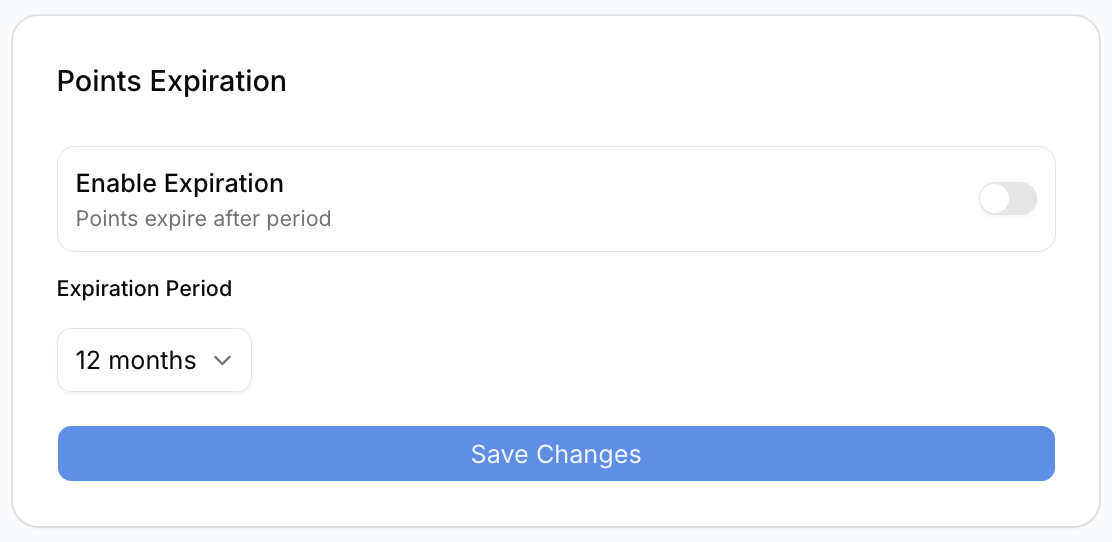
The Points Expiration section allows administrators to automatically expire loyalty points after a selected period.
Enable Points Expiration
- Enable the Enable Expiration toggle
- Select the expiration duration
Available Expiration Example
12 monthsAfter the selected period, unused loyalty points may automatically expire.
Save Expiration Settings
Click Save Changes after updating expiration settings.
Configure Join Program Message
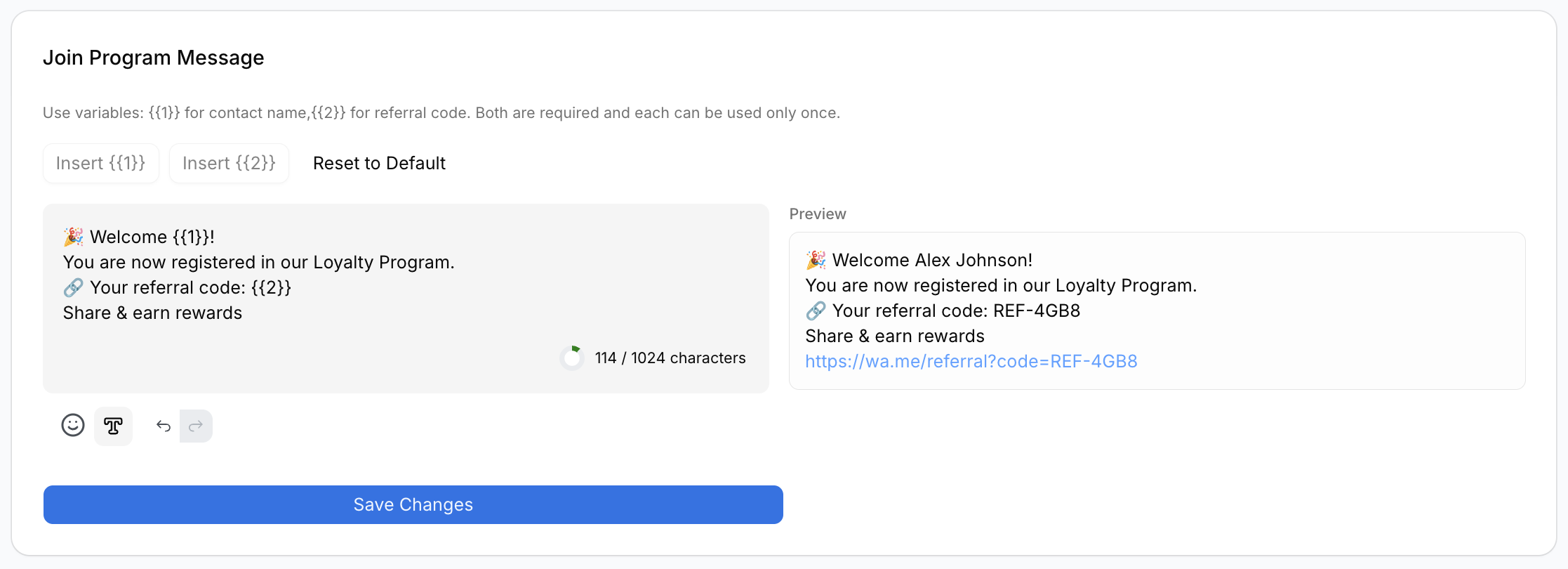
The Join Program Message section customizes the welcome message customers receive after joining the loyalty program.
Supported Variables
The message editor supports dynamic placeholders.
Available Variables
{{1}}– Customer Name{{2}}– Referral Code
Example Message
🎉 Welcome {{1}}!
You are now registered in our Loyalty Program.

🔗 Your referral code: {{2}}
Share & earn rewards
Live Preview
The preview section displays how the final message will appear to customers.
Reset Message
Click Reset to Default to restore the original message template.
Save Changes
After editing the message:
- Review the preview
- Click Save Changes
Danger Zone
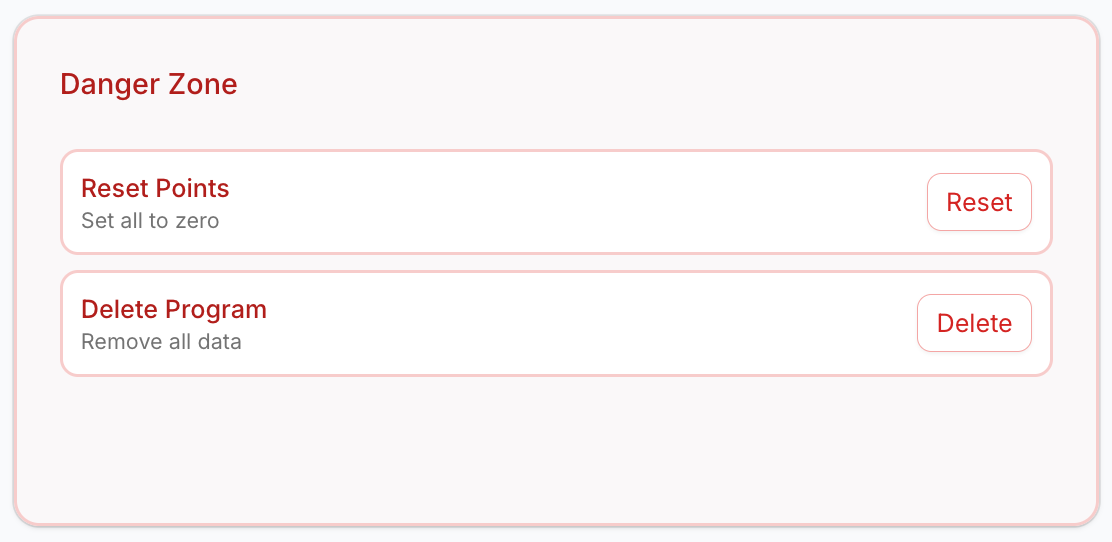
The Danger Zone section contains irreversible loyalty management actions.
Reset Points
The Reset Points action sets all customer loyalty points to zero.
Important Notes
- This action affects all customers
- Existing point balances will be permanently removed
- This action may not be reversible
Use this option carefully.
Delete Program
The Delete Program action permanently removes the loyalty program and related data.
What Gets Removed
- Customer loyalty data
- Points history
- Rewards data
- Loyalty configurations
Warning
This action is permanent and cannot be undone.
Important Notes
- Save changes after updating each settings section
- Notification behavior depends on connected communication channels
- WhatsApp features require an active WhatsApp integration
- Expiration settings affect future loyalty point calculations
What’s Next?
Continue to the Notifications tab to configure loyalty notification templates and communication settings.