Loyality
Transactions
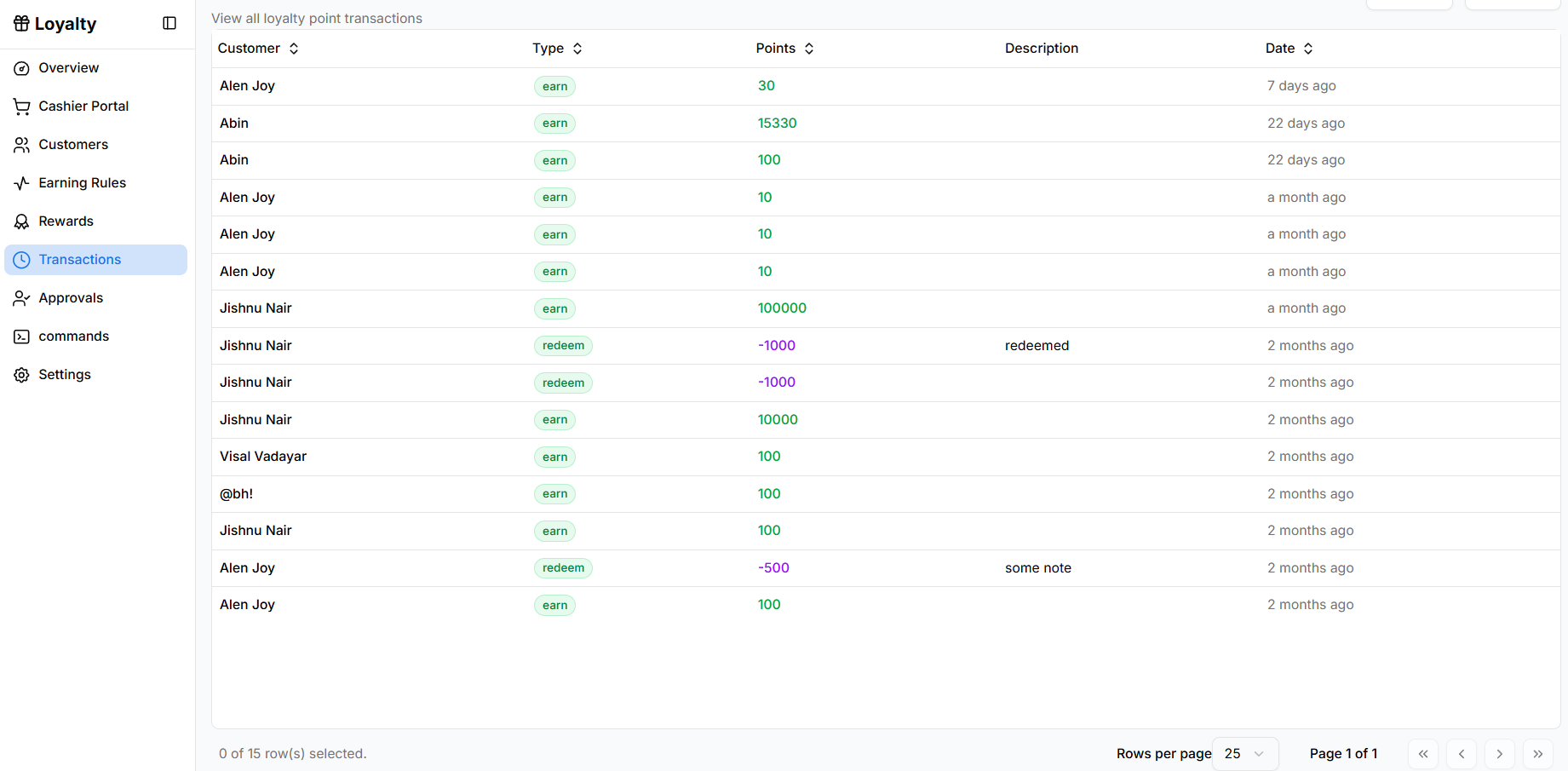
The Transactions page shows the history of loyalty point activities across all customers.
It helps administrators monitor how points are earned and redeemed in the loyalty program.
Opening Transactions
To access the transactions page:
- Open Loyalty from the sidebar.
- Click Transactions.
The page displays a table containing all loyalty point transactions.
Transactions Table
Each row represents a loyalty points transaction.
Customer
Shows the customer associated with the transaction.
Type
Indicates the transaction type:
- earn – Points added to the customer account.
- redeem – Points deducted when a reward is redeemed.
Points
Displays the number of points involved in the transaction.
- Positive values indicate points earned.
- Negative values indicate points redeemed.
Description
Shows additional notes related to the transaction, if provided.
Date
Displays when the transaction occurred.
Purpose
The Transactions page helps administrators:
- Track loyalty point activity
- Review earned and redeemed points
- Maintain a record of loyalty transactions