Approvals
The Approvals page allows administrators to review and approve pending loyalty point requests.
This ensures that point adjustments or special requests are verified before they affect customer balances.
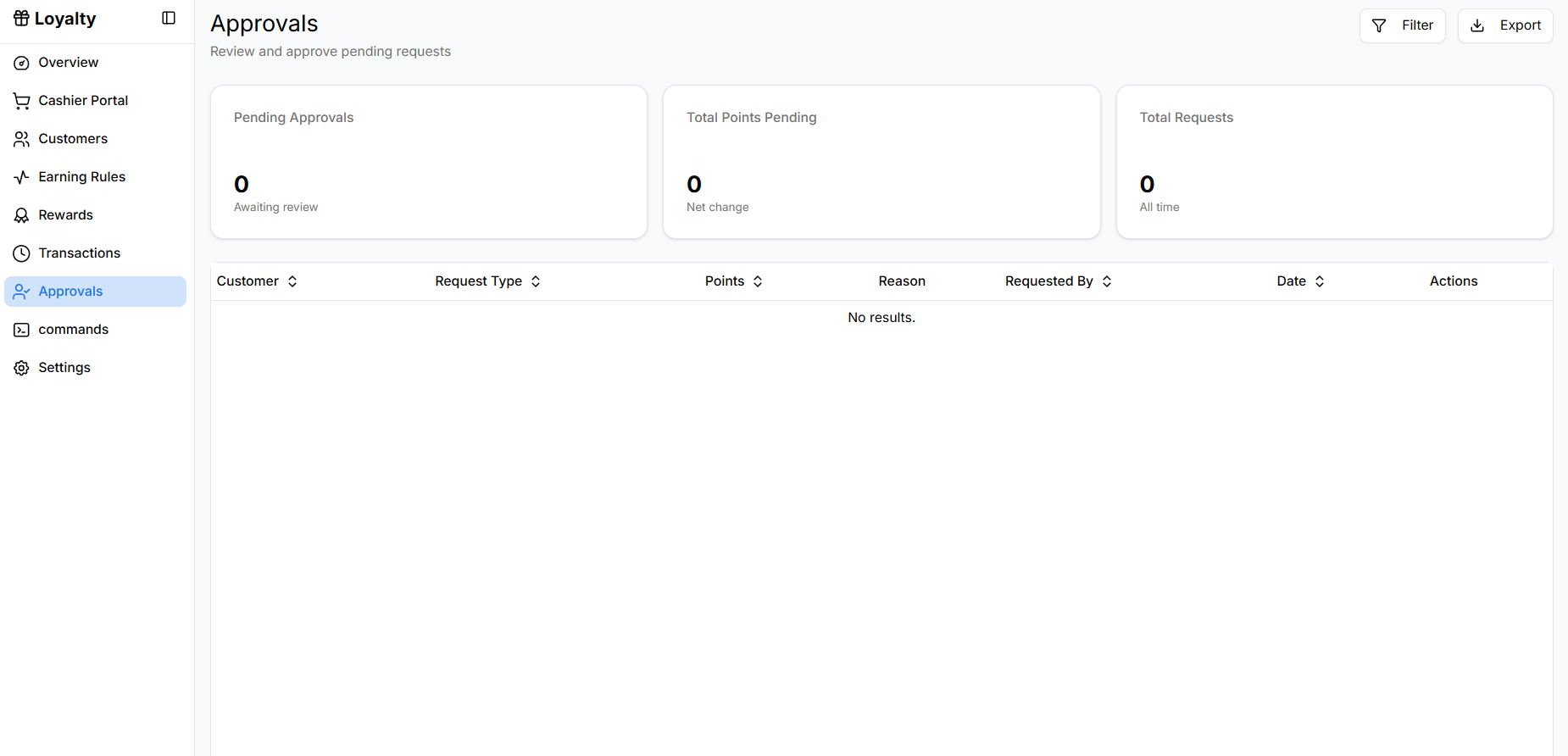
Opening Approvals
To review approval requests:
- Open Loyalty from the sidebar.
- Click Approvals.
The page displays all pending approval requests related to loyalty points.
Viewing Approval Metrics
At the top of the page, summary cards provide an overview of approval activity.
Pending Approvals
Shows the number of requests waiting for review.
Example:
- 0 Awaiting review
This helps administrators quickly identify how many requests require attention.
Total Points Pending
Displays the total number of points involved in pending requests.
This value represents the net change that will occur if all requests are approved.
Total Requests
Shows the total number of approval requests submitted.
This metric includes both current and past requests.
Understanding the Requests Table
The table lists all approval requests and their details.
Customer
Displays the customer associated with the request.
Request Type
Indicates the type of action requiring approval.
Examples may include:
- Manual points addition
- Points adjustment
- Special reward request
Points
Shows how many points will be added or deducted if the request is approved.
Reason
Provides the explanation for the request.
Example reasons:
- Manual correction
- Customer service adjustment
- Special promotion
Requested By
Displays the staff member who submitted the request.
This helps track accountability for manual changes.
Date
Shows when the request was submitted.
This helps prioritize older requests first.
Actions
Administrators can review and decide whether to:
- Approve the request
- Reject the request
Approving the request will apply the point adjustment to the customer's account.
Why Approvals Are Important
The Approvals system helps maintain accuracy and control within the loyalty program by:
- Preventing unauthorized point adjustments
- Ensuring all manual changes are reviewed
- Providing an audit trail for administrative actions