Managing WhatsApp Templates
Learn how to create, manage, and customize loyalty WhatsApp templates in RateUp.
The WhatsApp Templates section allows administrators to create and manage WhatsApp message templates used across the loyalty platform.
Templates are used for:
- Customer registration messages
- Loyalty point notifications
- Reward redemption alerts
- Referral messages
- Tier upgrade notifications
- Birthday rewards
- Inactivity reminders
These templates are used in loyalty automations and customer notifications.
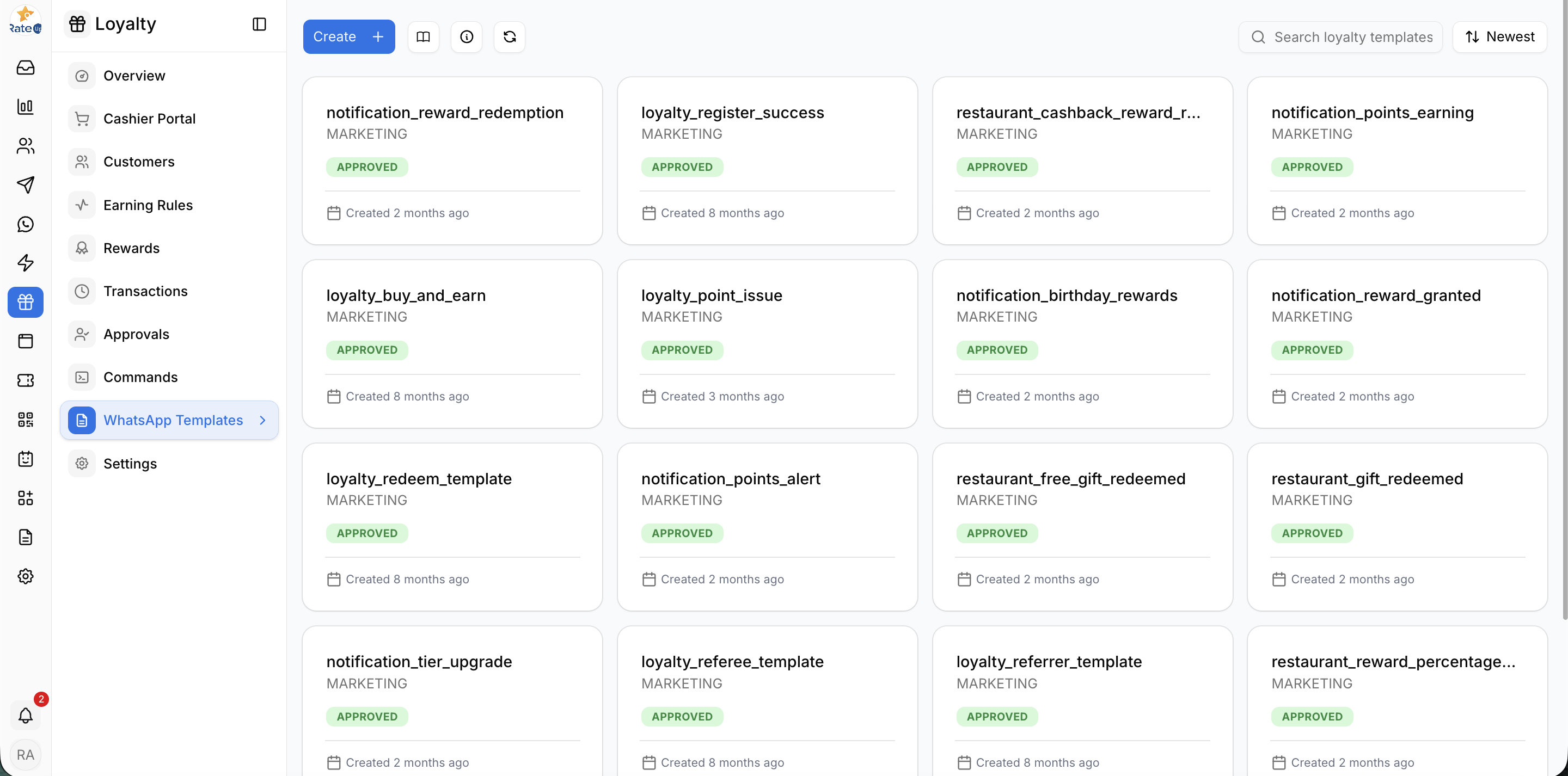
Open WhatsApp Templates
To access WhatsApp templates:
- Open Loyalty from the sidebar
- Click WhatsApp Templates
Understanding the Templates List
The Templates page displays all loyalty-related WhatsApp templates.
Each template card displays:
- Template Name
- Category
- Approval Status
- Created Date
Template Status
Templates may have statuses such as:
- Draft
- Approved
- Pending Review
- Rejected
Only approved templates can be used in live WhatsApp automations.
Create a New WhatsApp Template
To create a template:
- Click Create
- Select a predefined loyalty template
- Create a draft
- Configure the template details
- Submit the template for approval
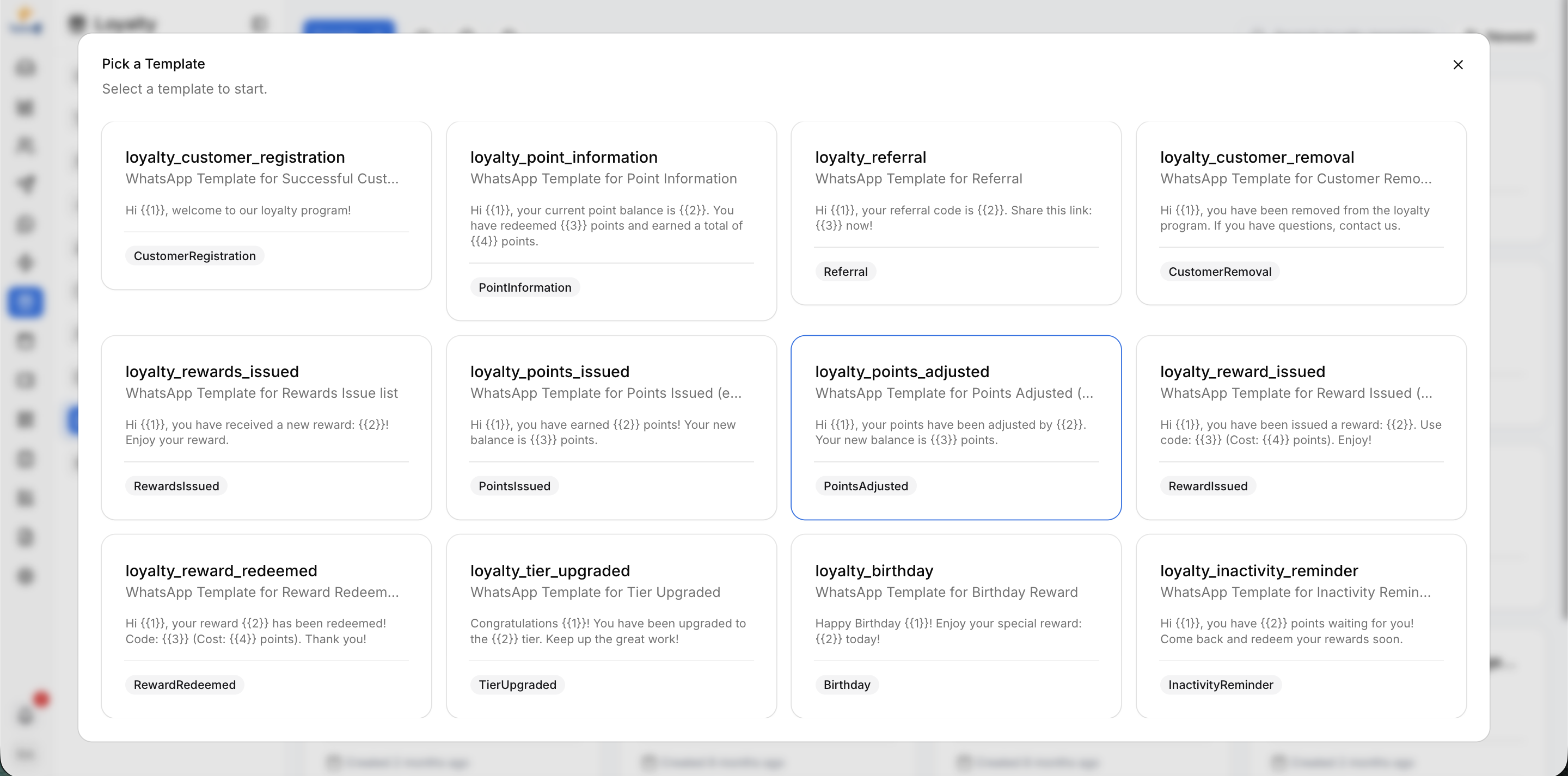
Select a Predefined Template
When creating a new template, the system displays predefined loyalty templates.
Available Template Examples
Examples include:
- loyalty_customer_registration
- loyalty_point_information
- loyalty_referral
- loyalty_reward_redeemed
- loyalty_tier_upgraded
- loyalty_birthday
- loyalty_inactivity_reminder
Each predefined template contains suggested message content and variables.
Create Draft from Template
After selecting a predefined template:
- Select the WhatsApp account
- Click Create Draft
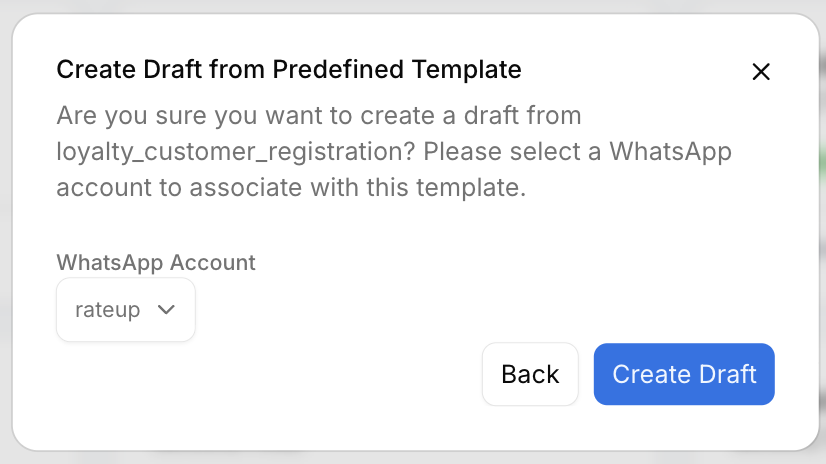
The system creates a draft template that can be customized before submission.
Configure Template Details
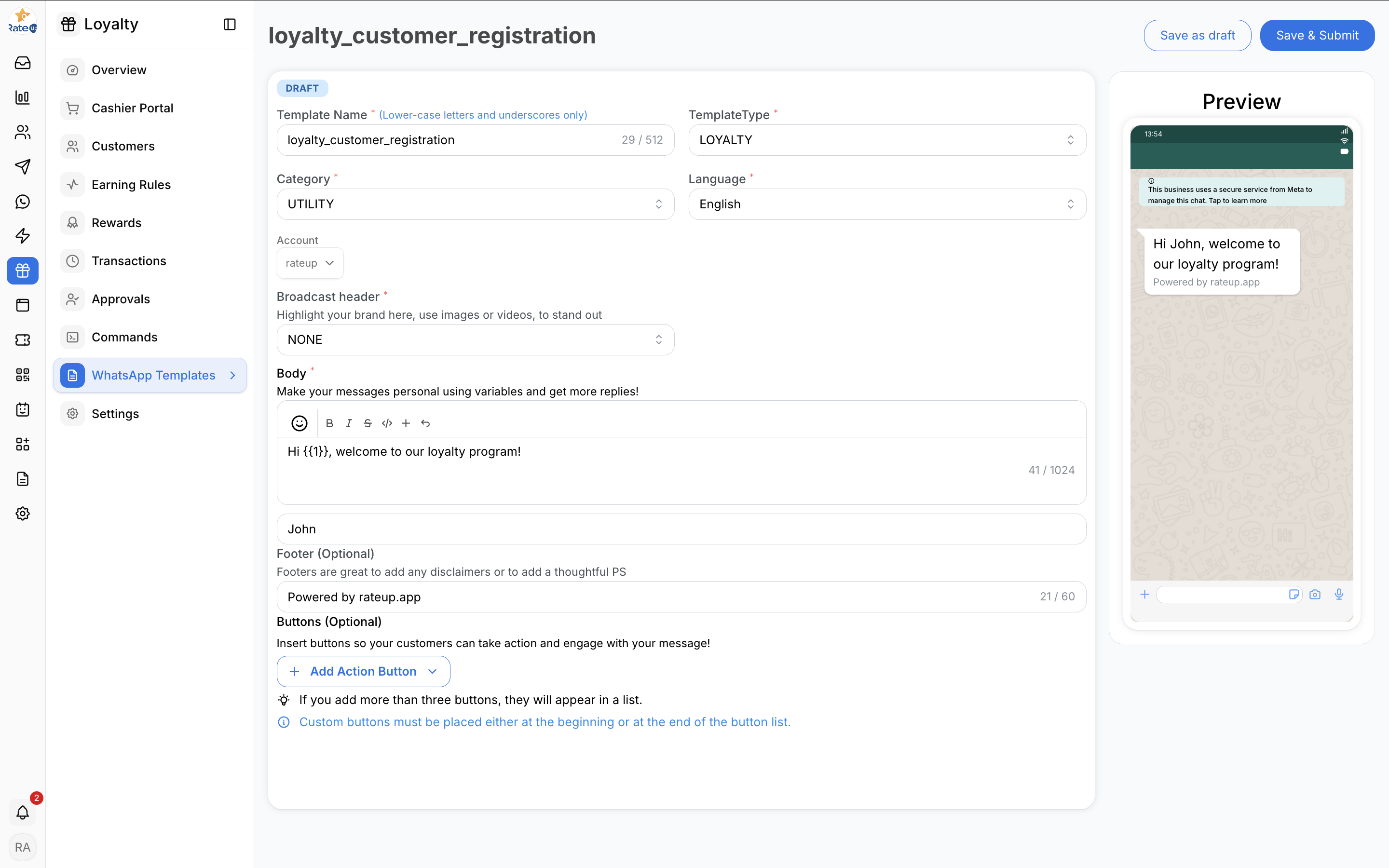
After the draft is created, the template editor opens.
Template Configuration Fields
Template Name
Defines the internal name of the template.
Requirements:
- Lowercase letters only
- Underscores supported
- Must be unique
Example:
loyalty_customer_registrationTemplate Type
Defines the type of loyalty template.
Example:
LOYALTYCategory
Defines the WhatsApp template category.
Example:
UTILITYLanguage
Select the template language.
Example:
EnglishBroadcast Header
The Broadcast Header section allows businesses to add optional media or branding.
Supported options may include:
- None
- Image
- Video
- Document
Configure Message Body
The Body section contains the customer-facing WhatsApp message.
Example
Hi {{1}}, welcome to our loyalty program!Dynamic Variables
Templates support dynamic placeholders.
Example:
{{1}}– Customer Name
These values are automatically populated during message delivery.
Footer
The Footer section allows optional disclaimers or additional information.
Example:
Powered by rateup.appAdd Action Buttons
Templates can include optional interactive buttons.
Supported Actions
Examples may include:
- Visit Website
- Call Phone Number
- Quick Reply
- Copy Coupon Code
Important Notes
- More than three buttons may appear as a list
- Custom buttons may need to be positioned correctly
Live Preview
The Preview section displays how the template appears inside WhatsApp.
This helps administrators:
- Review formatting
- Validate variables
- Test readability
- Verify branding
Save or Submit Template
After configuring the template:
Save as Draft
Click Save as Draft to continue editing later.
Save & Submit
Click Save & Submit to send the template for WhatsApp approval.
Only approved templates can be used in loyalty automations.