Knowledge
The business facts, FAQs, files and websites the agent answers from.
Knowledge is what the agent answers from: your business details, FAQs, documents and website pages. It sits on four tabs — Business info, FAQs, Files and Websites — and the step is ticked on the setup guide as soon as any one of them has something in it.
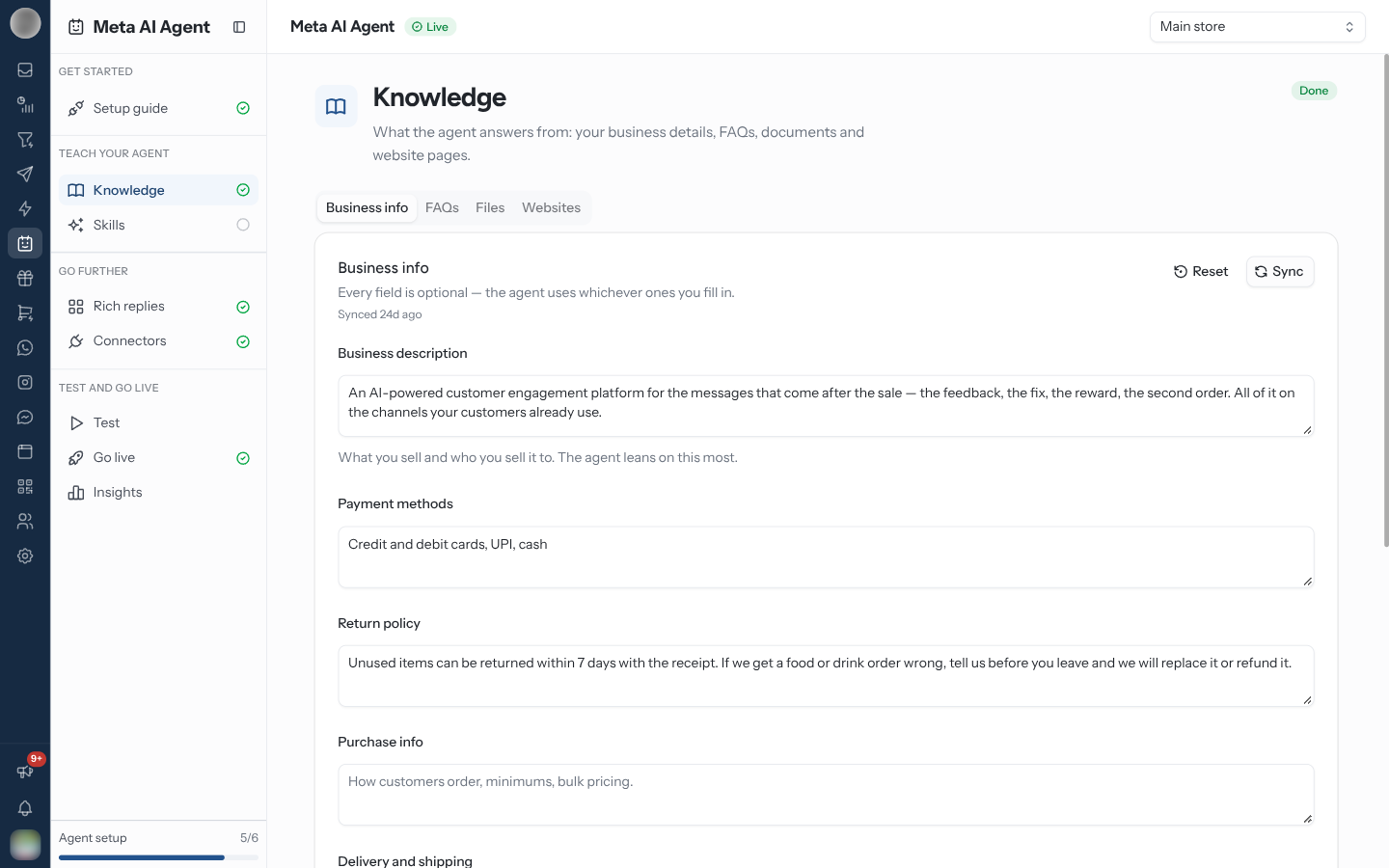
Fill In Business Info
Structured facts about the business, kept as fields rather than prose so the agent quotes them consistently. "Every field is optional — the agent uses whichever ones you fill in."
| Field | What goes in it |
|---|---|
| Business description | What you sell and who you sell it to. The agent leans on this most |
| Payment methods | For example: cards, UPI, net banking, cash on delivery |
| Return policy | For example: unopened items can be returned within 14 days |
| Purchase info | How customers order, minimums, bulk pricing |
| Delivery and shipping | Dispatch times, courier partners, shipping charges |
| Contact email, Address, Hours of operation | Under Contact info — where and when customers reach a human |
Click Save & push to Meta to store it.
Reset asks "Reset business info at Meta?" and clears every business info field Meta holds for this number. FAQs, files and websites are untouched.
Add FAQs
Question-and-answer pairs the agent can quote verbatim. Click Add FAQ, fill in Question and Answer, then Create FAQ. Editing one reopens it as Edit FAQ.
Anything a customer asks weekly and that has one correct answer belongs here rather than in a skill — an FAQ is the answer itself, a skill is the instruction for finding one.
Upload Files
Documents Meta indexes for the agent: price lists, policy PDFs, product sheets. Click Upload and
choose a .pdf, .doc, .docx, .png, .jpg, .jpeg, .csv or .xlsx file of up to 100MB.
Anything larger is refused before it is sent.
Add Websites
Pages Meta crawls and indexes for the agent. Enter a Page URL and click Add. It must be a
public https page — Meta's crawler does not sign in.
| Status | Meaning |
|---|---|
| Not started / Queued | Meta has not read the page yet |
| Crawling | Meta is reading it now |
| Crawled | Read and indexed |
| No content found | Meta reached the page but found nothing to index |
| Failed | Meta could not read it |
Crawl status does not refresh by itself — click Sync to fetch the latest.
Everything here is customer-facing by proxy. An out-of-date return policy or price list is worse in the agent's mouth than on a web page, because the customer will read it as a promise.
Keep RateUp and Meta in Step
Every tab has a Sync button that pulls Meta's copy into RateUp. Use it after changing anything directly at Meta, or when a save timed out. Business info also says when it was last synced — "Synced 5m ago", or "Never synced with Meta".
Related Pages
- Setup guide — where the step is ticked
- Skills — instructions, as opposed to facts
- Connectors — for data that changes per customer