Skills
Plain-language instructions for things the agent can do, each with a description of when to apply it.
A skill is a named block of instructions plus a description of when to apply it — taking a booking, checking an order. Knowledge tells the agent what is true; a skill tells it what to do.
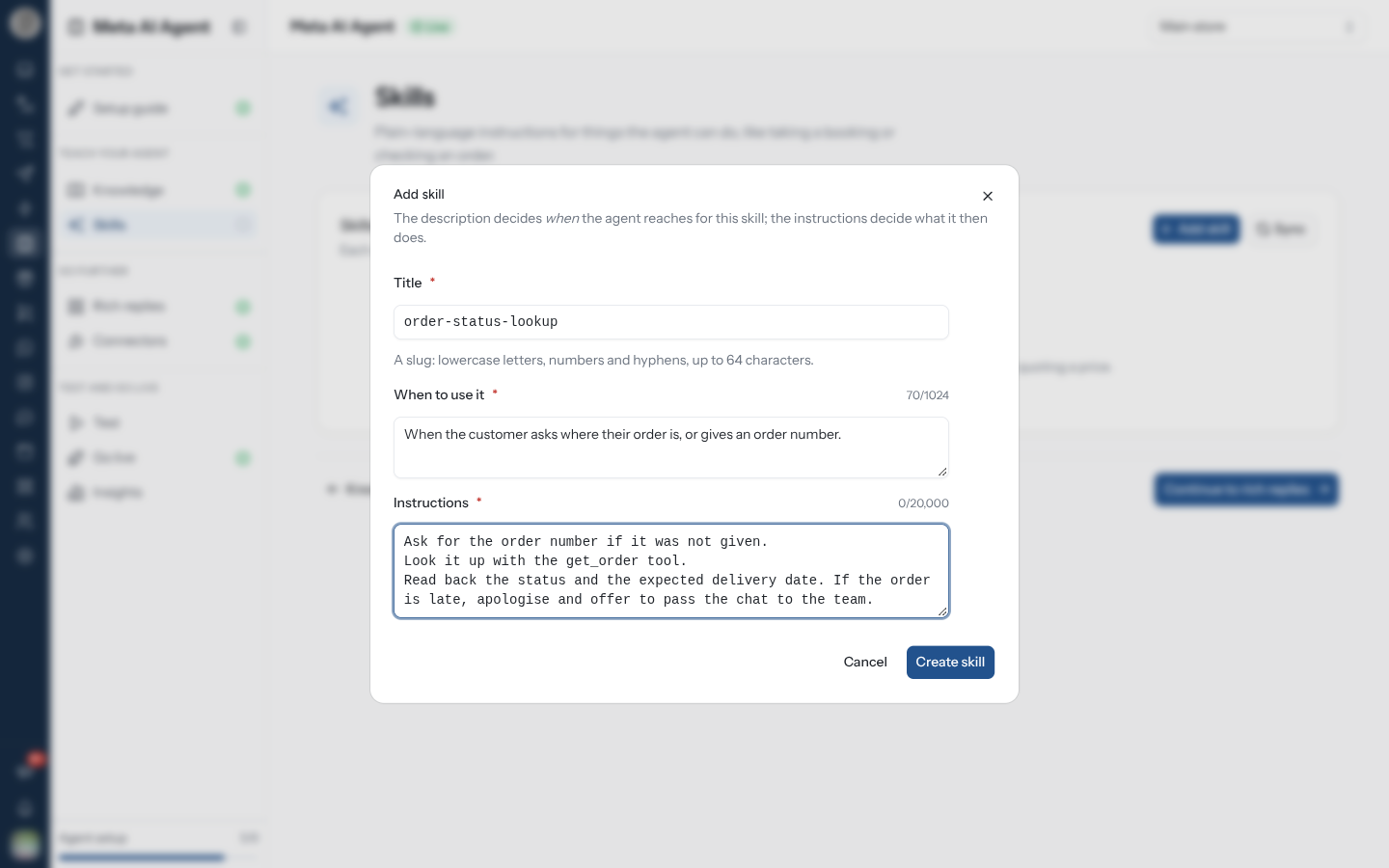
Create a Skill
order-status-lookup.Editing one opens Edit skill; Save changes stores it. Your first skill ticks the step on the setup guide.
Check Meta's Review
Meta reviews every skill's content. While it does, the skill shows In review; once it passes, the badge disappears.
A skill marked Blocked by review is never used by the agent — it sits in the list looking configured but does nothing. This usually means it asks for or mentions sensitive personal information, such as a date of birth or a national ID. Edit it to remove that, and it is reviewed again.
Write One That Works
| Do | Instead of |
|---|---|
| One situation per skill | A single skill covering everything |
| A concrete trigger in When to use it | "For order questions" |
| Instructions that say what to ask for | Instructions that assume the agent has the order |
| Naming the tool to call, e.g. "Look it up with the get_order tool." | Hoping the agent finds the right connector |
| Naming the limit — what it must not promise | Leaving refunds and dates open-ended |
The When to use it text is what the agent matches against, so it earns more care than the instructions. Two skills with overlapping triggers will compete.
If you installed the RateUp connector, a skill is where you tell the agent when to use it — for example "Route billing questions to the Billing team before handing over."
Related Pages
- Knowledge — the facts a skill draws on
- Rich replies — replying with buttons and carousels
- Test — try a skill before customers meet it