Groups
Explicit, team-owned lists of contacts — create them, manage members, import straight into them, and send campaigns to them.
A group is a list you put contacts into deliberately. Groups are what campaigns are sent to. Every group belongs to a team.
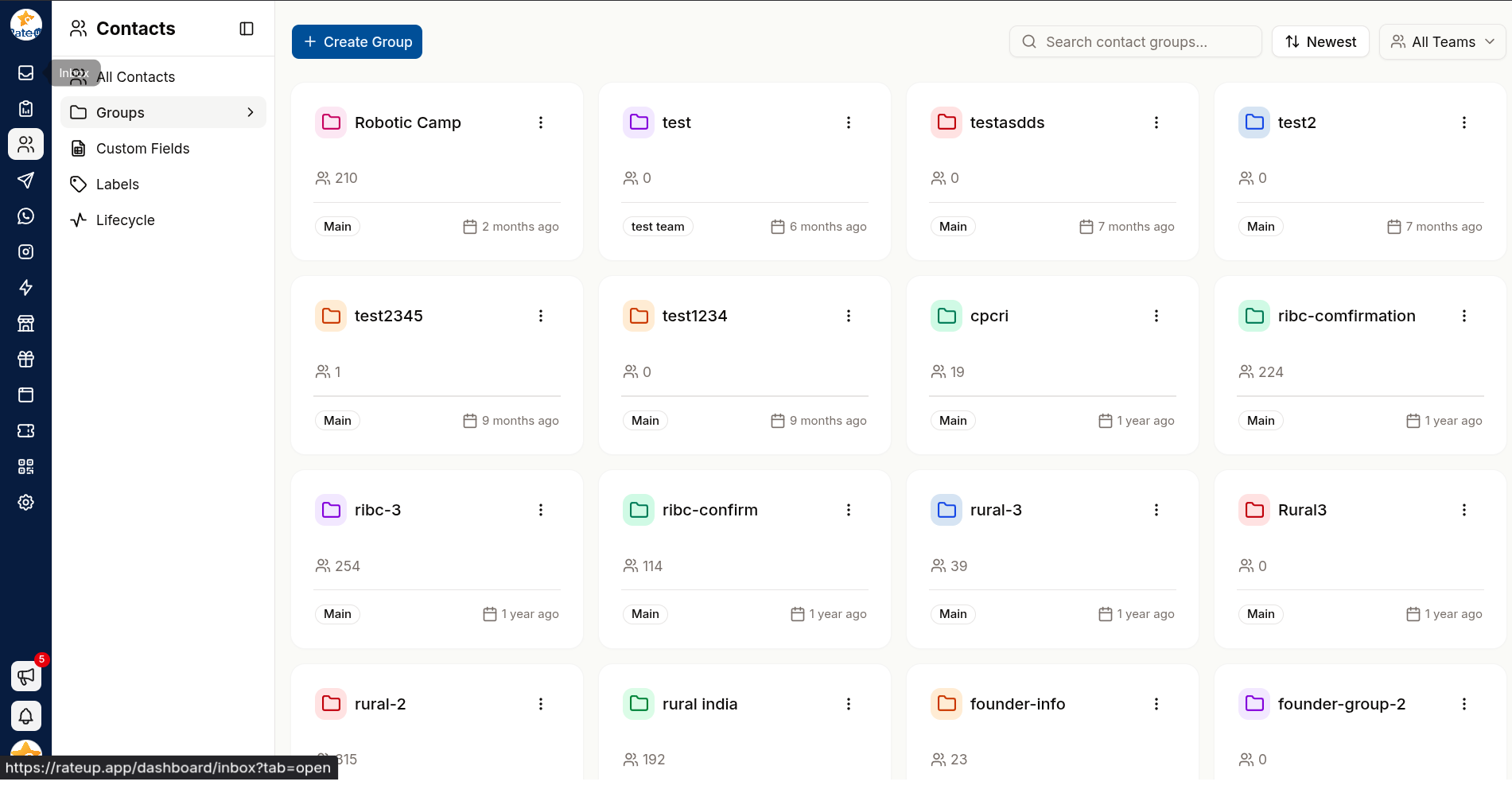
Each group is a card showing its icon, name, member count, owning team and creation date. Click a card to open the group. Use Search contact groups... to find one once you have several.
Create a Group
Click Create Group. The Create New Group dialog opens.
Enter a Group Name. Name the audience, not the campaign — Newsletter subscribers outlives March mailer.
Pick the team that owns it under Select Team. This is required.
Optionally Upload Icon — an image shown on the card.
Click Create Group.
To rename a group, change its team or icon, open the card's ⋮ menu and choose Edit Group.
Inside a Group
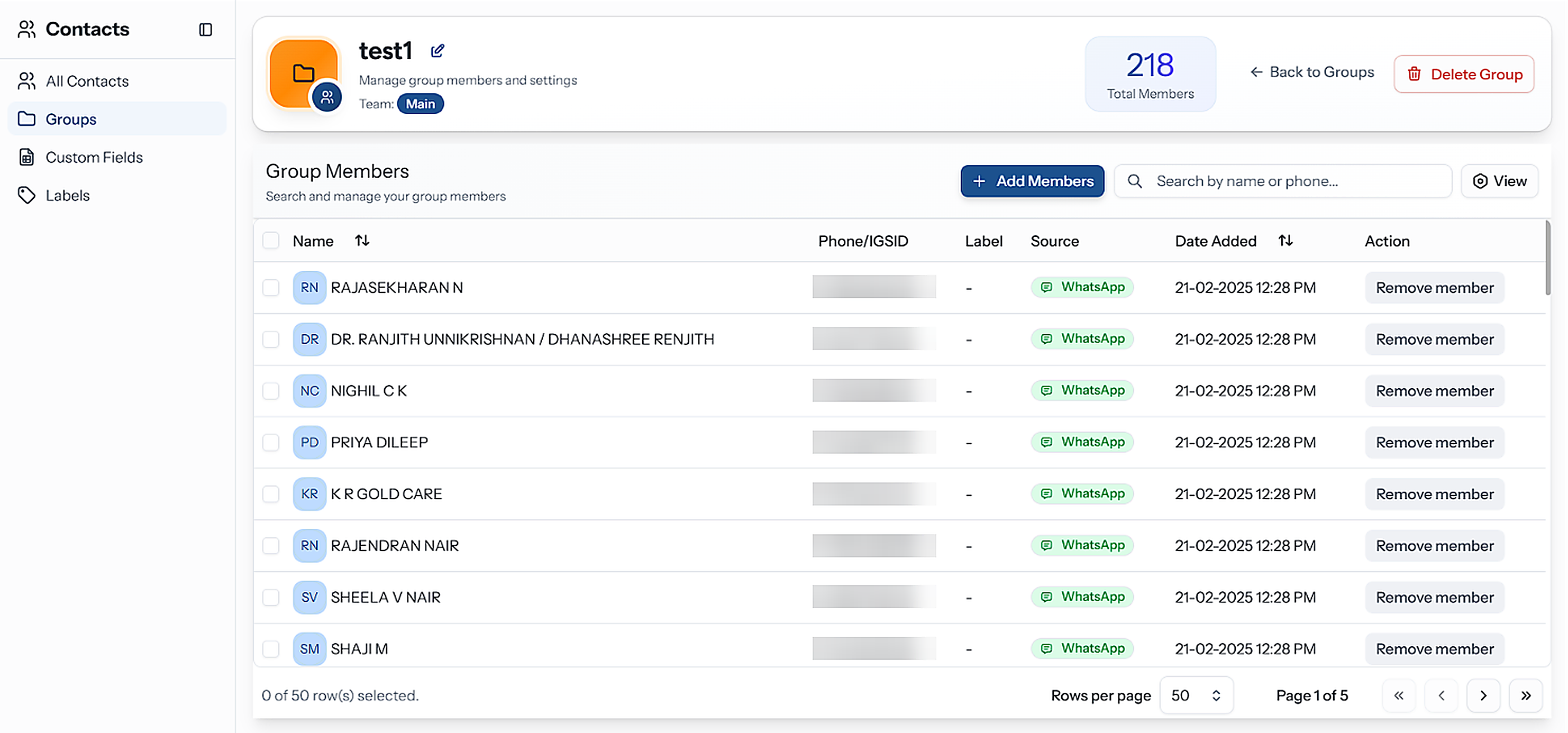
The top of the page shows the group's icon, name, Team and Total Members.
| Control | What it does |
|---|---|
| Pencil next to the name | Rename in place — Enter or ✓ saves, Esc or ✕ cancels |
| Icon | Click to change or remove the group's icon |
| Back to Groups | Return to the list |
| Delete Group | Delete the group — see below |
Below sits the Group Members table. Search it with Search by name or phone....
Add Members
There are three ways to put people in a group:
| From | How |
|---|---|
| The group page | Add Members — pick existing contacts, add a new one, or import a file |
| Contacts list | Tick contacts → Add to Group |
| A contact's details | Groups → Add to group, or the Group field when adding or editing a contact |
From the group page
Click Add Members.
Under Choose, pick Add Existing Contacts or Add New Contact.
Add Existing Contacts — search with Search Contact, or narrow with Filter contacts to pull people from other groups. Tick the ones you want, or Select All, then click Add Member. Contacts already in the group cannot be ticked again.
Add New Contact — choose Manual to type one person in, or Import CSV/XLSX to upload a file. Everyone created or imported this way lands in the group.
Importing here works like the main contact import — same demo file, same Update the existing data while importing and header-row switches — but every contact in the file is also added to this group.
Remove Members
Tick members in the Group Members table.
Click Remove (N). Clear unticks them instead.
You can also remove one person from a group in their contact details — click ✕ next to the group.
Removing someone from a group does not delete the contact — it only takes them off that list.
Delete a Group
Use Delete Group on the group page, or ⋮ → Delete Group on its card, and confirm.
Deleting a group removes the list only. Its members stay in your contacts, in their other groups, with everything else about them intact.
Groups vs Labels
This is the distinction people get wrong most often:
| Groups | Labels | |
|---|---|---|
| Are | Lists you build | Tags describing a trait |
| Answer | "Who should get this campaign?" | "What is true about this person?" |
| Owned by | A team | The whole organisation |
| Visible in the Inbox | No | Yes, on every conversation row |
| Typical name | Newsletter subscribers | VIP, Refund pending |
Rule of thumb: if you would ever want to send something to it, it is a group. If it describes what someone is, it is a label.
Designing Your Groups
- Keep them purposeful — a group nobody sends to is dead weight
- Prefer a few durable groups over one per campaign
- Review membership before big sends; groups drift
Related Pages
- Campaigns — the main consumer of groups
- Labels
- Managing Contacts