Configuring Loyalty Notification Settings
Learn how to configure loyalty notification automations, WhatsApp templates, reminders, and customer alerts in RateUp.
The Notifications tab allows administrators to configure automated loyalty notifications and reminders sent to customers.
Using these settings, businesses can:
- Send transaction notifications
- Notify customers about rewards and points
- Configure tier upgrade alerts
- Send inactivity reminders
- Configure birthday rewards and wishes
These notifications help improve customer engagement and loyalty participation.
Open Notification Settings
To access notification settings:
- Open Loyalty from the sidebar
- Click Settings
- Open the Notifications tab

Transaction Notifications
The Transaction Notifications section controls automated notifications related to loyalty activities.
Supported notifications include:
- Points Earned
- Points Adjusted
- Reward Assigned
- Reward Redeemed
Each notification can be individually enabled or disabled.
Points Earned Notification
The Points Earned notification informs customers when loyalty points are added after purchases.
Configuration
- Enable or disable the notification
- Select a WhatsApp template
- Configure template variables
Supported Variables
{{1}}– Customer Name{{2}}– Points Earned{{3}}– Current Balance
Points Adjusted Notification
The Points Adjusted notification is triggered when loyalty points are manually adjusted.
Supported Variables
{{1}}– Customer Name{{2}}– Adjusted Points{{3}}– Updated Balance
Reward Assigned Notification
The Reward Assigned notification informs customers when rewards are manually granted.
Supported Variables
{{1}}– Customer Name{{2}}– Reward Name{{3}}– Redemption Code{{4}}– Reward Cost
Reward Redeemed Notification
The Reward Redeemed notification confirms successful reward redemption.
Supported Variables
{{1}}– Customer Name{{2}}– Reward Name{{3}}– Redemption Code{{4}}– Reward Cost
Transaction Notification Templates
Each notification type supports WhatsApp template selection.
Administrators can:
- Enable or disable notifications
- Select the required WhatsApp template
- Review dynamic variables
- Save the configuration
Tier Updates
The Tier Updates section notifies customers when they move to a new loyalty tier.

Enable Tier Upgrade Notifications
- Enable the Tier Upgrade toggle
- Select the WhatsApp template
- Save the configuration
Customers will automatically receive notifications after reaching a new loyalty tier.
WhatsApp Template for Tier Upgrade
The selected template controls the tier upgrade notification message.
Supported Variables
{{1}}– Customer Name{{2}}– Tier Name
Tier Upgrade Preview
The Preview Message section displays how the notification will appear to customers.
Example:
Congratulations!
You've reached Gold Tier! Enjoy exciting new benefits.
Points Reminder
The Points Reminder section sends automated reminders to inactive customers who still have loyalty points available.
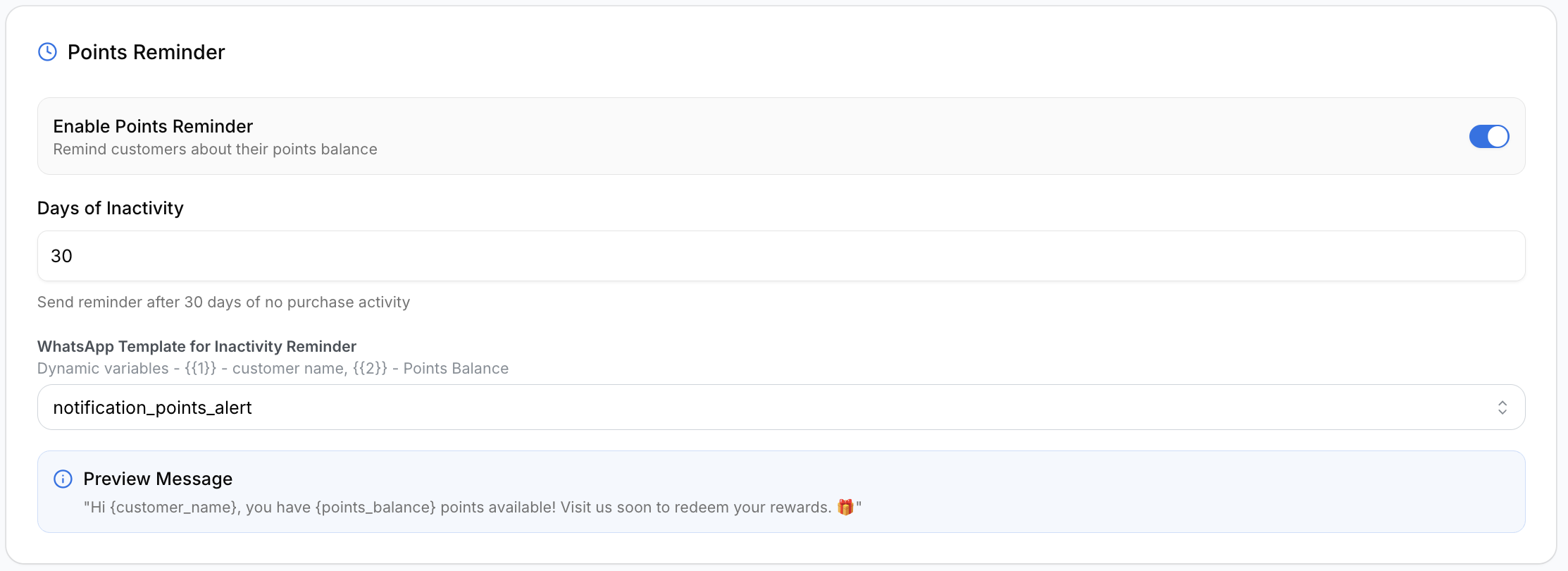
Enable Points Reminder
- Enable the Points Reminder toggle
- Configure inactivity duration
- Select the WhatsApp template
Days of Inactivity
This value determines when reminder messages are sent.
Example:
30This means reminders are sent after 30 days without purchase activity.
WhatsApp Template for Inactivity Reminder
The selected template is used for inactivity reminders.
Supported Variables
{{1}}– Customer Name{{2}}– Available Points Balance
Reminder Preview Message
The preview section displays the customer-facing inactivity reminder message.
Example:
Hi Alex Johnson, you have 250 points available!
Visit us soon to redeem your rewards.
Birthday Reminders
The Birthday Reminders section automatically sends birthday wishes and rewards to customers.
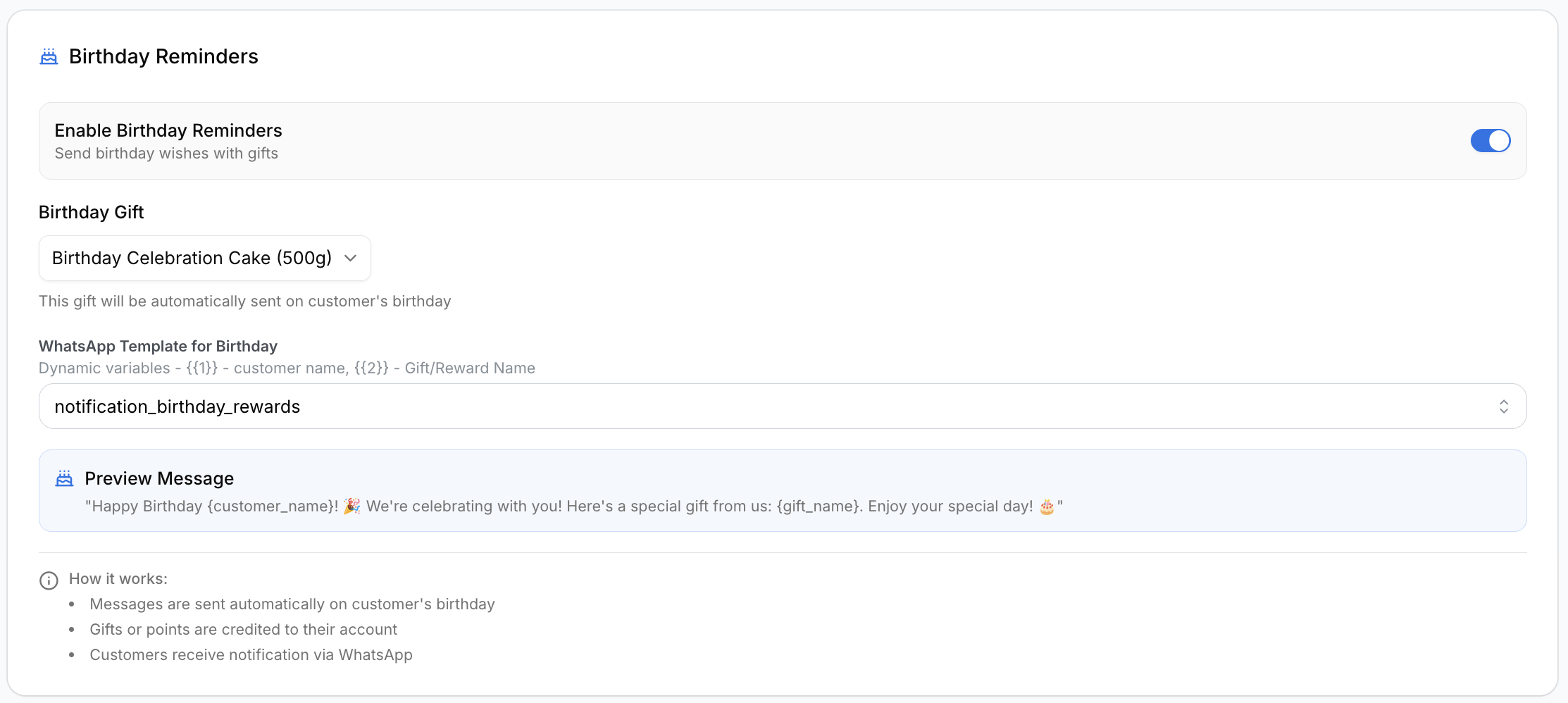
Enable Birthday Reminders
- Enable the Birthday Reminders toggle
- Select the birthday gift or reward
- Choose the WhatsApp template
Birthday rewards are automatically issued on the customer’s birthday.
Birthday Gift Configuration
The Birthday Gift dropdown allows administrators to select the reward customers receive.
Example:
Birthday Celebration Cake (500g)WhatsApp Template for Birthday
The selected WhatsApp template is used for birthday notifications.
Supported Variables
{{1}}– Customer Name{{2}}– Gift or Reward Name
Birthday Preview Message
The Preview Message section shows how the final customer message will appear.
Example preview:
Happy Birthday Alex Johnson!
We're celebrating with you! Here's a special gift from us.
Important Notes
- WhatsApp notifications require an active WhatsApp integration
- Selected templates must already exist and be approved
- Dynamic variables are automatically populated during message delivery
- Notifications are triggered automatically when qualifying events occur
Related Settings
For general loyalty configuration, see Loyalty Program Settings.