Configuring Referral Program Rewards
Learn how to configure referral rewards for both referrers and referees in the Loyalty Rewards module.
The Referral Program allows businesses to reward customers for inviting friends to join the loyalty program.
Using the Referral Program settings, you can:
- Reward the customer who shares the referral
- Reward the friend who joins
- Configure automatic referral incentives
- Choose between points or free gift rewards
Open Referral Program Settings
To configure referral rewards:
- Open Loyalty from the sidebar
- Click Rewards
- Select the Referral Program tab
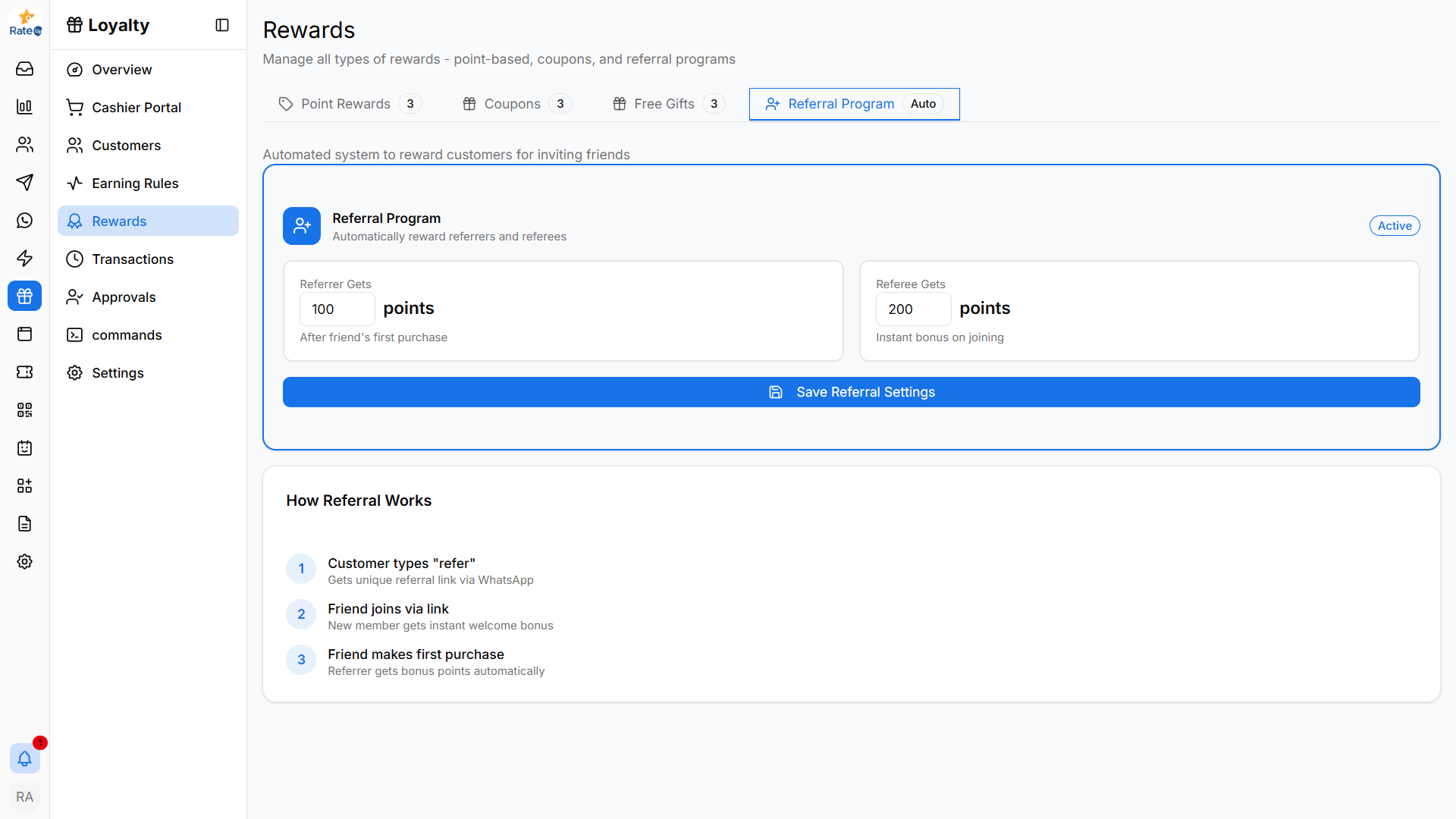
Understanding the Referral Flow
The Referral Program works in the following order:
- Customer shares referral link
- Friend joins using the referral
- Friend makes the first purchase
- Rewards are automatically issued
The flow is displayed visually in the Referral Program section.
Configure Referrer Reward
The Referrer Reward section controls the reward given to the customer who invites others.
Configure Referrer Reward
- Locate the Referrer Reward section
- Select when the reward should trigger
- Choose the reward type
- Enter the reward amount or gift configuration
- Save the changes
Available Reward Types
The reward type dropdown supports:
- Points
- Free Gifts
Reward Trigger
The reward is typically triggered after the referred customer completes their first purchase.
Configure Referee Reward
The Referee Reward section controls the reward given to the friend who joins.
Configure Referee Reward
- Locate the Referee Reward section
- Select the reward trigger condition
- Choose the reward type
- Configure the reward value
- Save the configuration
Available Reward Types
The reward type dropdown supports:
- Points
- Free Gifts
Reward Timing
The referee reward can be configured to trigger instantly after joining or after a qualifying action.
Save Referral Settings
After configuring both rewards:
- Review the referral settings
- Click Save Referral Settings
The referral program will automatically apply rewards based on your configuration.
How the Referral Program Works
The bottom section explains the customer referral journey.
Referral Journey
- Customer receives or shares a referral link
- Friend joins through the referral link
- Friend completes the first purchase
- Referral rewards are automatically issued
This process helps businesses increase customer acquisition through referrals.
Important Notes
- Referral rewards are issued automatically after trigger conditions are met
- Reward values depend on your loyalty configuration
- Referral links are typically shared through WhatsApp or supported communication channels
- Both customers can receive rewards if dual rewards are enabled
What’s Next?
Continue to the Customers section to monitor customer referrals, reward history, and referral activity.