Testimonials
Collect customer testimonials, style them, and embed them on your own site.
Testimonials gathers what customers write in a survey's Testimonial question into collections you can style and embed anywhere — your website, a landing page, a proposal.
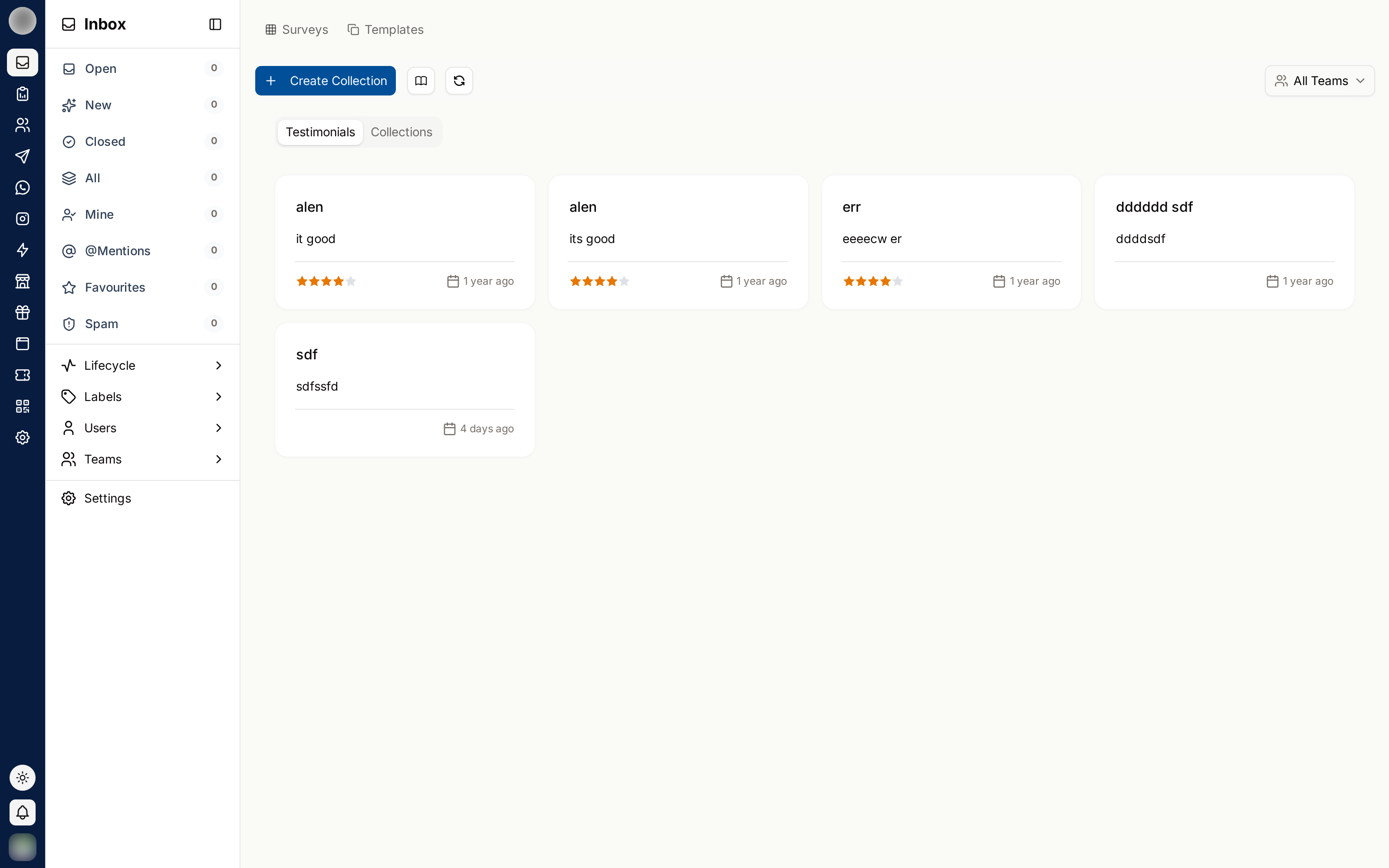
Testimonials now live under Surveys, at /dashboard/surveys/testimonials (previously
/dashboard/testimonial). The page has no sidebar entry or tab of its own: open that address
directly. It shows the Surveys and Templates tabs at the top, and its own Testimonials
and Collections tabs below them.
Collections
A collection is a set of testimonials you present together. Keep separate collections for separate purposes — one for the homepage, one per product, one per market.
On /dashboard/surveys/testimonials, click Create Collection.
Enter a collection name — it cannot be blank. The new collection opens straight away.
Add testimonials to it.
Where Testimonials Come From
Testimonials are drawn from the answers to Testimonial questions in your surveys. The Testimonials tab lists every one received ("No testimonials found" until the first arrives). Filter by:
| Filter | Use |
|---|---|
| Survey | Responses from a specific survey, or All Surveys |
| Team | One team's responses, or All Teams |
| Date | When the response came in |
| Length | Short or longest responses |
Filter by longest first. A specific, detailed testimonial persuades far more than five short ones saying "great service".
Styling
Customize and Edit Testimonial Style control how a collection looks when embedded:
| Setting | Controls |
|---|---|
| Layout | How cards are arranged |
| Background Color | The card background |
| Color | Text colour |
| Change Font | Typeface |
| Font Size | Text size |
| Font Weight | Text weight |
Match your own site rather than RateUp's defaults — an embed that looks foreign reads as an advert and gets ignored.
Embedding
Open the collection and choose the share option.
Copy code — you will see "Copied code" when it is on your clipboard.
Paste it into your site where the testimonials should appear.
Restyling the collection updates the embed — you do not need to paste the code again.
Managing
| Action | Notes |
|---|---|
| Edit | Change a testimonial's presentation |
| Delete testimonials | Removes selected testimonials from the collection |
| Delete Testimonial Collection | Removes the whole collection |
Deleting a collection breaks any embed pointing at it. Check where a collection is used before removing it.
Getting Better Testimonials
- Ask right after a good outcome, not weeks later
- Ask a specific question — "what changed for you?" beats "any feedback?"
- Add a Testimonial question to a short survey so answering takes seconds
- Always get permission before publishing someone's words with their name
Related Pages
- Question Types — the Testimonial question
- Sharing — getting the survey in front of customers
- Responses & Results
- Surveys Overview