m.me Links
Create m.me links and QR codes that open a Messenger chat with your Facebook Page and start the automation you choose.
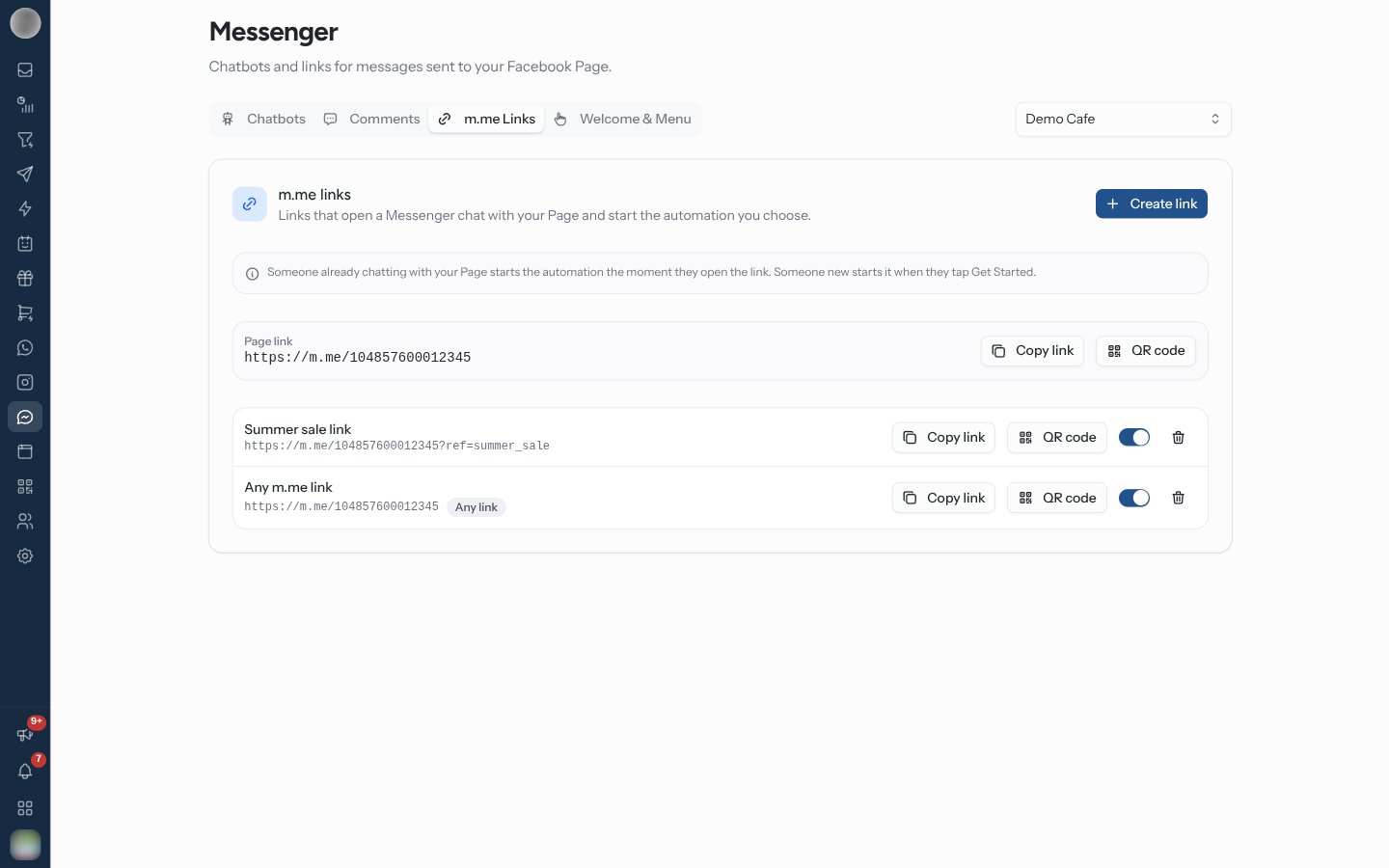
An m.me link opens a Messenger chat with your Page and starts an automation — "Links that open a Messenger chat with your Page and start the automation you choose." Put one on your website, in an ad or an email, or print it as a QR code. The m.me Links tab on Messenger lists the links for the Page selected at the top of the page.
Create an m.me Link
Each link is an automation rule with the m.me Link Opened trigger.
Open the m.me Links tab and click Create link. The rule builder opens with Messenger, the m.me Link Opened trigger and this Page selected. On Template, click Start from scratch to keep that trigger and Page.
On Conditions, enter a Link name — "Becomes the link's ?ref=", for example summer_sale.
The link appears underneath as https://m.me/<page id>?ref=summer_sale, with copy and QR buttons.
On Actions, choose what happens — Start a chatbot to run a Messenger chatbot, or Send a message.
On Review, name the rule and click Activate automation. The link is ready to share.
| Link name | Rule |
|---|---|
Letters, numbers, -, _ and = only | Anything else is refused — "Use letters, numbers, - _ and = only" |
| Case | Ignored when matching — Summer_Sale and summer_sale start the same rule |
| Left empty | "Leave it empty to answer every m.me link to this Page." The row shows an Any link badge |
When two rules could answer the same link, the one naming that exact link name wins over an Any link rule.
When the Automation Runs
"Someone already chatting with your Page starts the automation the moment they open the link. Someone new starts it when they tap Get Started."
| Who opens the link | The automation starts |
|---|---|
| Someone who has chatted with your Page before | The moment they open it |
| Someone new | When they tap the Get Started button |
For someone new, the link name only reaches RateUp with the Get Started tap. Without a Get Started button on the Page, new people arriving from your link never start its automation — set one up before you print a QR code.
A link opened by someone who has chatted before, with no link rule matching, is matched against your Message Received keyword rules as if they had sent the link name.
In the Inbox, a link visit shows in the conversation as "Opened a link (ref: summer_sale)", so agents can see where the person came from.
Share a Link or Print a QR Code
| Control | Does |
|---|---|
| Page link | https://m.me/<page id> with no name. Opens a chat but starts no particular rule |
| Copy | Copies the link |
| QR code | Downloads the link as a 1024-pixel PNG, named after the link — for example m-me-summer_sale.png |
Unlike ig.me links, m.me links show no open counts.
A printed code cannot be changed, but the rule behind it can. Point the QR at a link name and you can switch the chatbot it starts without reprinting anything.
Pause or Delete a Link
The switch on each row turns the link's rule on or off. Delete link asks first — "The link stops starting an automation. Anyone who opens it still reaches your Page in Messenger." Click the link's name to edit its rule.
With no links yet, the tab shows "No m.me links yet" and a Create link button.
Troubleshooting
| Symptom | Cause | Fix |
|---|---|---|
| New people open the link but nothing runs | The Page has no Get Started button | Set one on Welcome & Menu |
| "Pick a Page to see the link" in the rule builder | No Page ticked on Trigger | Tick the Page first |
| A link you made is not listed | It belongs to another Page | Switch the Page selector at the top |
| The wrong rule answers a link | An Any link rule answers links no named rule matches | Give the link its own name and rule |
Related Pages
- Welcome & Menu — the Get Started button new visitors tap
- Messenger Chatbots — what a link can start
- Triggers
- Ice Breakers, Menu & Links — ig.me links on Instagram
- QR Codes
Facebook Comments
Answer comments on your Facebook Page's posts with a private Messenger reply or a chatbot, and thank people publicly under the comment.
Welcome & Menu
Set the Get Started button, greeting, ice breakers and persistent menu people see when they open a Messenger chat with your Facebook Page.