Automation Overview
Build rules — from a template or from scratch — that react to messages, comments, contact changes and store events on WhatsApp, Instagram and Messenger.
Automation lets RateUp act on its own. A rule watches for something happening, checks whether conditions are met, and does something about it — no agent involved.
How a Rule Reads
Every rule has the same three-part shape, and the builder walks you through it in that order:
WHEN   something happens          (the trigger)
IF     these conditions hold      (filters — required for Message Received)
THEN   do this                    (one or more actions)
For example:
When a message is received · if the body contains "refund" · then assign the Billing team and attach the Refund label.
A rule runs on one or more platforms — WhatsApp, Instagram and Messenger — and on the accounts you pick for each. The builder asks in the order Trigger → Conditions → Actions, after an optional starting Template.
Creating a Rule
The step-by-step builder: Template, Trigger, Conditions, Actions and Review.
Triggers
The events that start a rule — messages, contact changes, store events, Instagram, Messenger, ad taps.
Conditions
Narrowing a trigger down so the rule fires only when it should.
Actions
What the rule does — assign, label, reply, close, call an API.
Abandoned-Cart Reminders
Remind Shopify shoppers who left a checkout, and see the revenue it brings back.
The Automations List
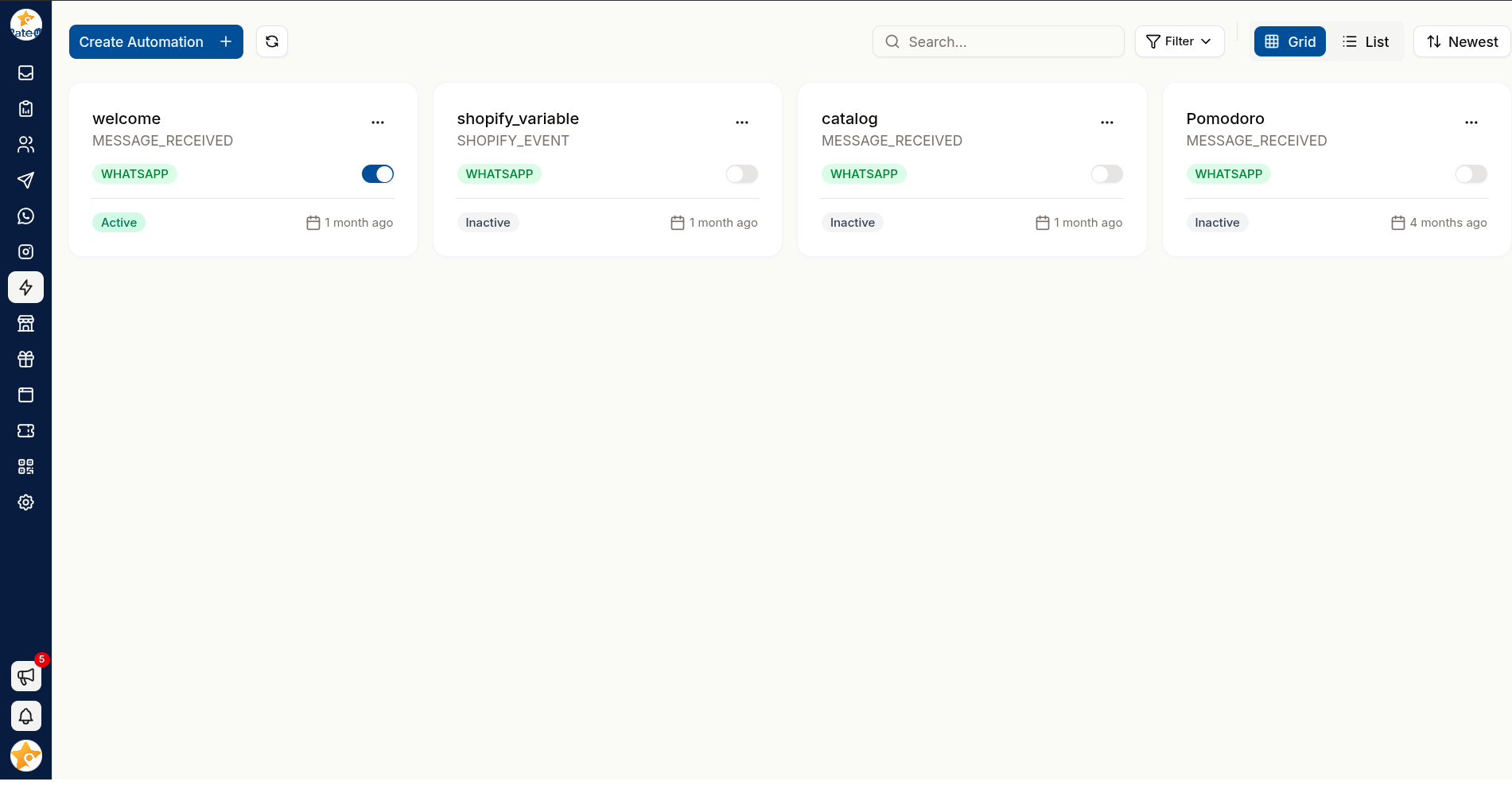
Automation in the sidebar opens every rule your organisation has.
| Control | Does |
|---|---|
| Create Automation | Opens the builder for a new rule |
| Search... | Filters by rule name |
| Filter | All, Active or Inactive |
| Grid / List | Cards, or a table with Name, Operator, Conditions, Actions, Status and Created |
| Sort | Newest, Oldest, Name (A-Z), Name (Z-A) |
Each card shows the rule's name, its trigger, a platform badge and an Active / Inactive switch. A Shopify On abandoned checkouts rule also shows what it recovered in the last 30 days — see Abandoned-Cart Reminders.
With no rules yet, the page shows "Start with a template" — four templates to pick from, and See all templates, or start from scratch for the rest. Picking one opens the builder on its Trigger step with the template filled in.
Turn a Rule Off Without Losing It
Flip the switch on the rule's card. An Inactive rule keeps its whole configuration and simply stops firing — use it while investigating, rather than deleting.
To remove a rule for good, use the card's menu and confirm Delete Rule.
Automations act on live customer conversations. Test a new rule with a narrow condition first — a specific keyword, a single account — before broadening it.
Where Automation Fits
| Tool | Use when |
|---|---|
| Automation rules | Something happens and you want a reaction — routing, labelling, replying |
| Chatbots | You want a full back-and-forth conversation (a rule starts it) |
| Inbox auto-close | You want idle tickets closed on a timer |
| Comments & Story Mentions | You are reacting to Instagram comments and story mentions |
| Facebook Comments | You are reacting to comments on your Facebook Page |
Related Pages
Welcome & Menu
Set the Get Started button, greeting, ice breakers and persistent menu people see when they open a Messenger chat with your Facebook Page.
Creating a Rule
The step-by-step automation builder — Template, Trigger, Conditions, Actions and Review — the phone preview, and sharing a keyword rule as a link.