Facebook Comments
Answer comments on your Facebook Page's posts with a private Messenger reply or a chatbot, and thank people publicly under the comment.
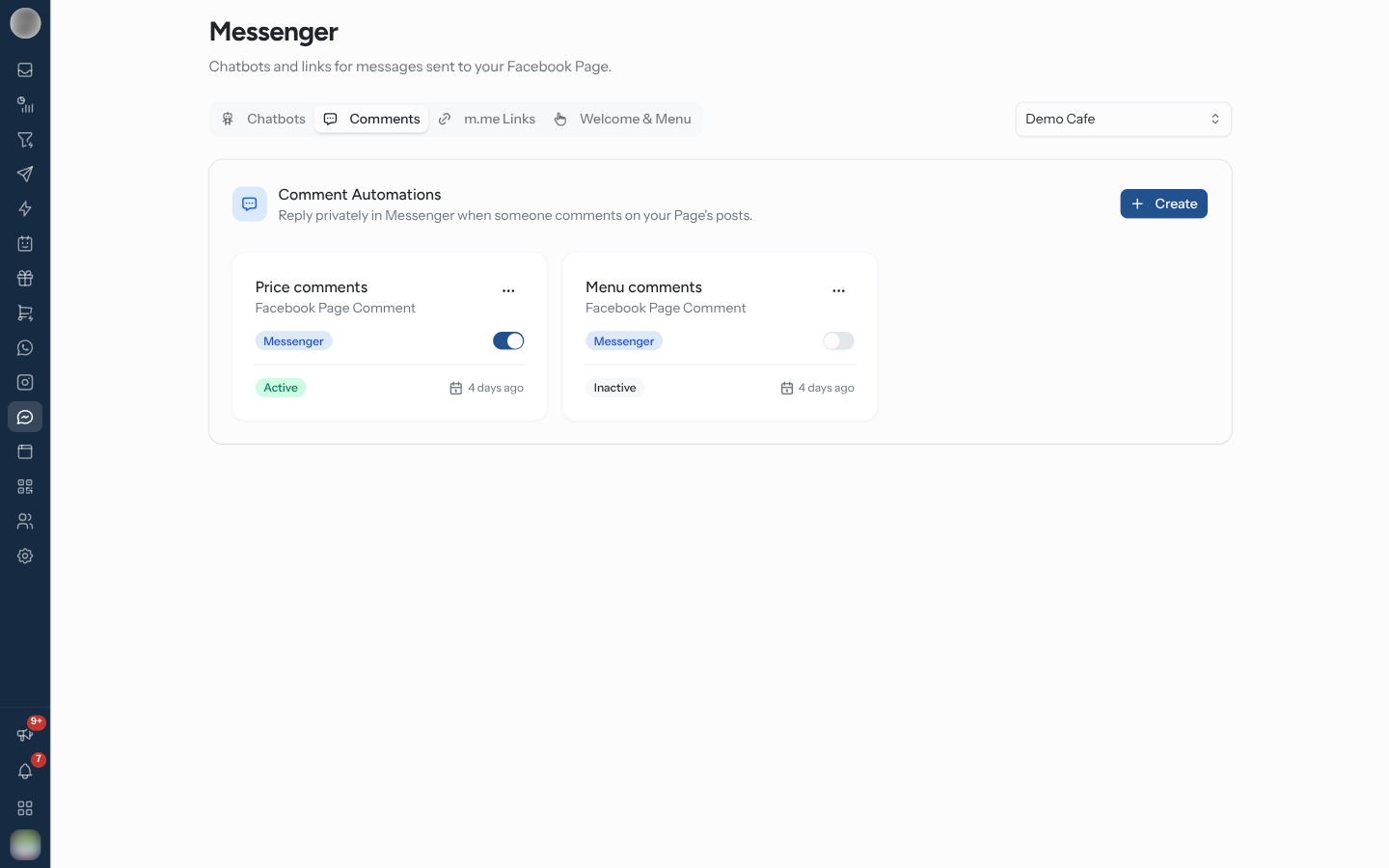
The Comments tab on Messenger lists your Comment Automations — "Reply privately in Messenger when someone comments on your Page's posts." Each one is an automation rule with the Facebook Page Comment trigger, for the Page selected at the top of the page.
Answer Comments Automatically
Click Create (or Create automation when the list is empty). The rule builder opens with Messenger, the Facebook Page Comment trigger and this Page selected. On Template, click Start from scratch to keep that trigger and Page.
On Conditions — "Which comments should it answer?" — add Message Body keywords such as
price, or leave it empty to answer every comment.
On Actions, add Send a message, or Start a chatbot to run a Messenger chatbot. The first message arrives as a private reply in Messenger.
Optionally fill in Reply in public (optional) under the actions (below). On Review, name the rule and click Activate automation.
The rule answers comments on every post of the Page — there is no post picker, unlike Instagram comments. Comments the Page itself writes are ignored, and each comment is answered once.
How the Private Reply Works
A comment does not tell RateUp who wrote it in Messenger terms. The first message the rule sends goes out as a private reply to the comment; Meta's answer names the person, and only then do the rule's later actions know who they are acting on. The Conditions step says so — "a comment only tells us who someone is once that reply reaches them, so put label, assign and lifecycle actions after it."
| Order of actions | Result |
|---|---|
| Reply first, then Add a label, Assign to a team | The label and team land on the person who commented |
| Add a label first, then reply | The label has nobody to go on yet |
Once the private reply reaches someone, the comment is filed in their conversation in the Inbox. A comment no rule answered stays out of the Inbox.
Meta allows a private reply to a comment for 7 days after it was posted, and only one until the person writes back. Keep the first message to a single text that invites a reply — "Thanks! Want the price list? Reply YES."
Reply in Public
Reply in public (optional) posts a comment under theirs, so other people see you answered — "Sent you a DM 📩". Click Add a public reply, then Add a variation for more.
| Rule | Detail |
|---|---|
| Variations | Up to 10. One is picked at random each time |
| Length | Up to 2200 characters each |
| When | Posted after the rule's actions have run |
| Empty variations | Dropped when you save |
A public reply that fails does not stop the private reply or the rest of the rule.
Turn a Rule On or Off
Each rule appears as a card. Use the card's switch to pause or resume it, the delete action to remove it, or click the card to edit it in Automation.
Troubleshooting
| Symptom | Cause | Fix |
|---|---|---|
| Comments get no answer at all | The Page's connection does not include the permissions Meta needs to send comments to RateUp | Reconnect the Page under Channels and allow everything Meta asks for |
| The private reply arrives but the public reply does not | Meta refused the public reply — it needs the permission to manage the Page's engagement | Reconnect the Page and allow every permission |
| A label or assignment did not apply | The action ran before the private reply | Move it below the reply action |
| Old comments get no answer | More than 7 days old | Nothing to fix — Meta no longer allows a private reply |
| A rule you made is not on the tab | It belongs to another Page | Switch the Page selector at the top |
Related Pages
- Messenger Chatbots — what a comment rule can start
- Triggers
- Actions
- Comments & Story Mentions — the Instagram equivalent
- Inbox