Creating a Form
Start blank or from a template, add questions, and preview before you share.
Start Blank or From a Template
Click Create Survey.
Choose Start Blank, or Create Survey from Template to begin with a ready-made form.
Name it and select the team it belongs to.
The editor opens on the Questions tab.
Templates are worth browsing even if you end up starting blank — Try this Template shows how a well-structured form is put together. If none match, you will see "No templates found".
Adding Questions
The editor has three parts: the question list down the left, the Page Editor in the centre with a Preview button in its header, and the Add Element pane you pick new questions from.
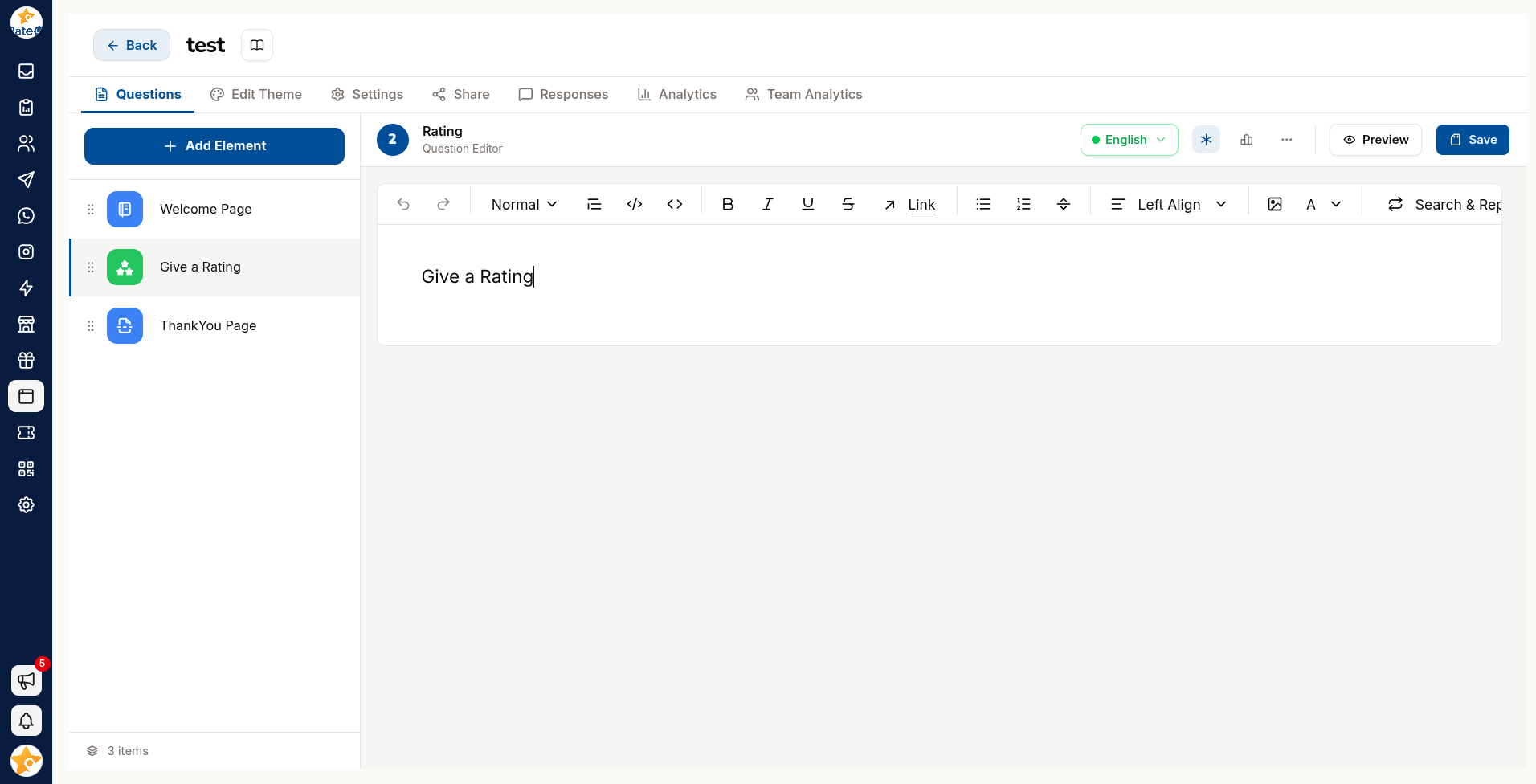
Click Add Question, then pick a type from Add Element. The tiles are grouped by category — type in Search elements… to jump straight to one.
Write the question in Enter question here.
Add a description if the question needs context — but if it needs a paragraph, rewrite the question.
Configure the type-specific options.
Reorder questions from the sidebar by dragging.
Writing Questions People Answer
Completion rate is decided almost entirely by the questions, not the design.
| Do | Instead of |
|---|---|
| Ask one thing per question | Bundling two into one sentence |
| Use the customer's words | Internal jargon |
| Make optional questions optional | Requiring everything |
| Put the easy questions first | Opening with a long free-text box |
| Stop at five or six questions | Twenty "while we have you" extras |
Every extra question costs completions. Before adding one, ask what decision its answer will change — if there is no answer to that, cut it.
Previewing
Use Preview to take the form as a customer would. Check it on a phone: most responses arrive on one, and layouts that work on a laptop often do not.
The editor flags problems with an Issue with your survey warning — resolve those before sharing.
Status
A form is Active or Paused. Paused forms do not accept responses, which is the safe way to stop collection without deleting anything.