Design
Themes, colours, logos and the welcome, survey, thank-you and language pages.
A form is a public-facing page with your name on it. Design controls how it looks and how much it feels like you.
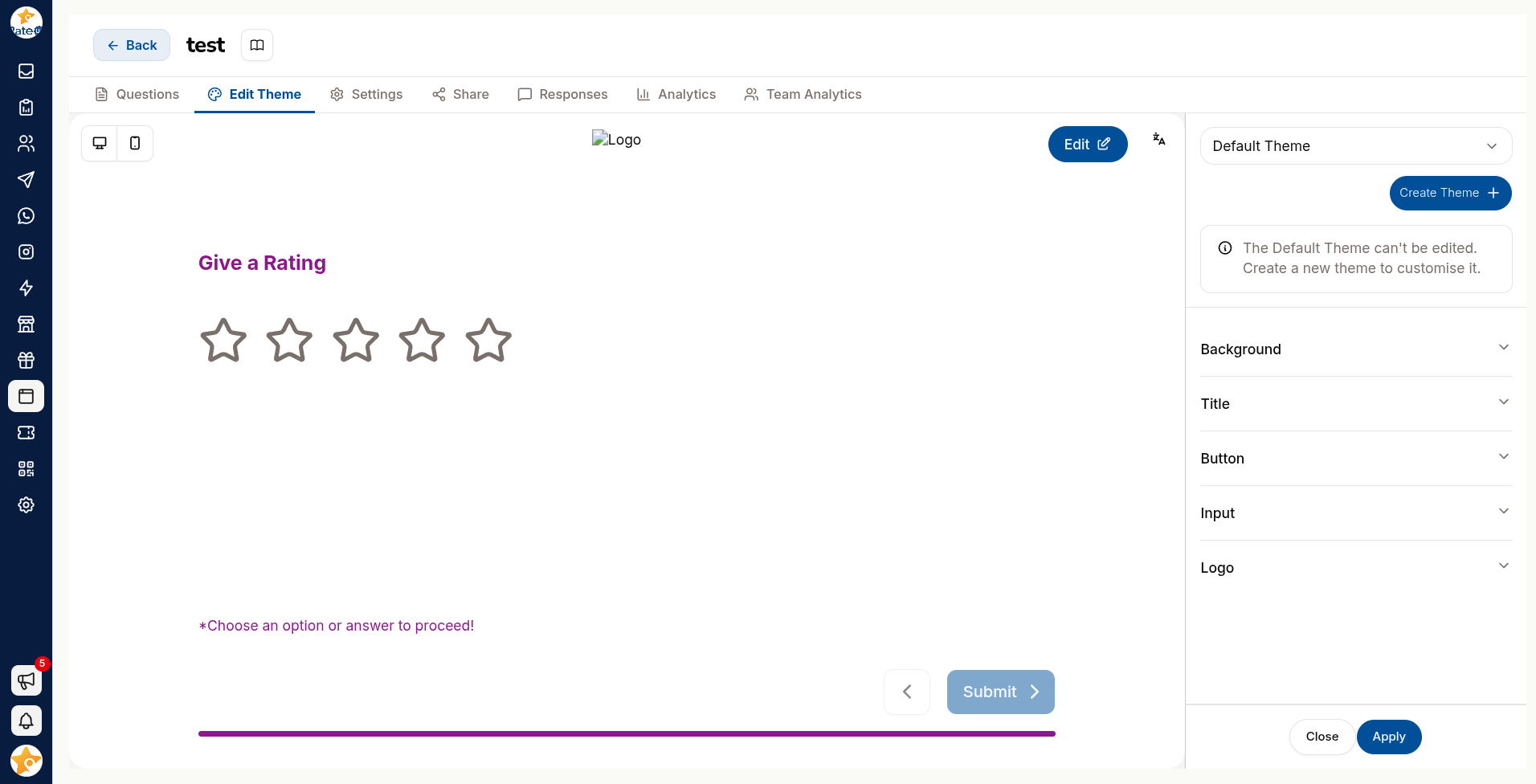
Theming has its own tab: Edit Theme, next to Questions. Because it is separate, you can restyle a form without touching what it asks. The page you are editing on the Questions tab also carries a theme control, so you can adjust one page's styling in place.
Themes
A theme is a saved set of colours, fonts and logo you can reuse across forms.
Click Create New Theme and enter a theme name.
Set the colours: background, button, input, title, subtitle.
Upload your logo, and set its width and height.
Choose a font weight — Thin through Extra Bold.
Save & Apply.
Preview in both Desktop and Mobile. Most responses arrive on a phone, so if you only check one, check mobile.
Keep text and background contrast high. A pale grey question on a white background looks elegant on your monitor and is unreadable outdoors on a phone — which is exactly where a QR-code respondent will be.
The Pages
A form is made of pages, each configurable:
| Page | Purpose |
|---|---|
| Welcome page | The first screen — sets expectations |
| Survey page | Where the questions live |
| Thank-you page | What people see after submitting |
| Language page | Lets respondents choose a language |
| Custom HTML page | Your own markup, for full control |
Welcome page
The welcome page decides whether someone starts at all.
- Say what the form is about in one line
- Say how long it takes — this single sentence lifts completion more than anything else on the page
- Say what happens with the answers, if that is a concern
Keep it to a title, a sentence and a button.
Thank-you page
The most under-used page in any survey tool. Do not waste it on the word "Thanks".
| Use it to | Example |
|---|---|
| Route happy respondents onward | A Google review link |
| Deliver a promised reward | A coupon code |
| Continue the relationship | A link to your WhatsApp |
| Celebrate | Enable Confetti |
Language page
Lets respondents pick their language before starting. Worth adding wherever you serve more than one — people abandon forms in a language they are not comfortable in rather than struggling through.
Custom HTML page
For when the built-in pages are not enough and you need full control of the markup.
Consistency
Build one theme that matches your brand and apply it to every form. A form that looks like your website is trusted; one that looks like generic software gets treated as spam.