Automations
Route happy customers to Google reviews, and give unhappy ones a path to a person.
Review routing turns a form from a data-collection exercise into something that acts on what it learns: it decides, per answer, who gets asked for a public review and who gets handled privately instead.
Google Review Routing
Send satisfied respondents straight to your Google review page, and unsatisfied ones somewhere useful instead.
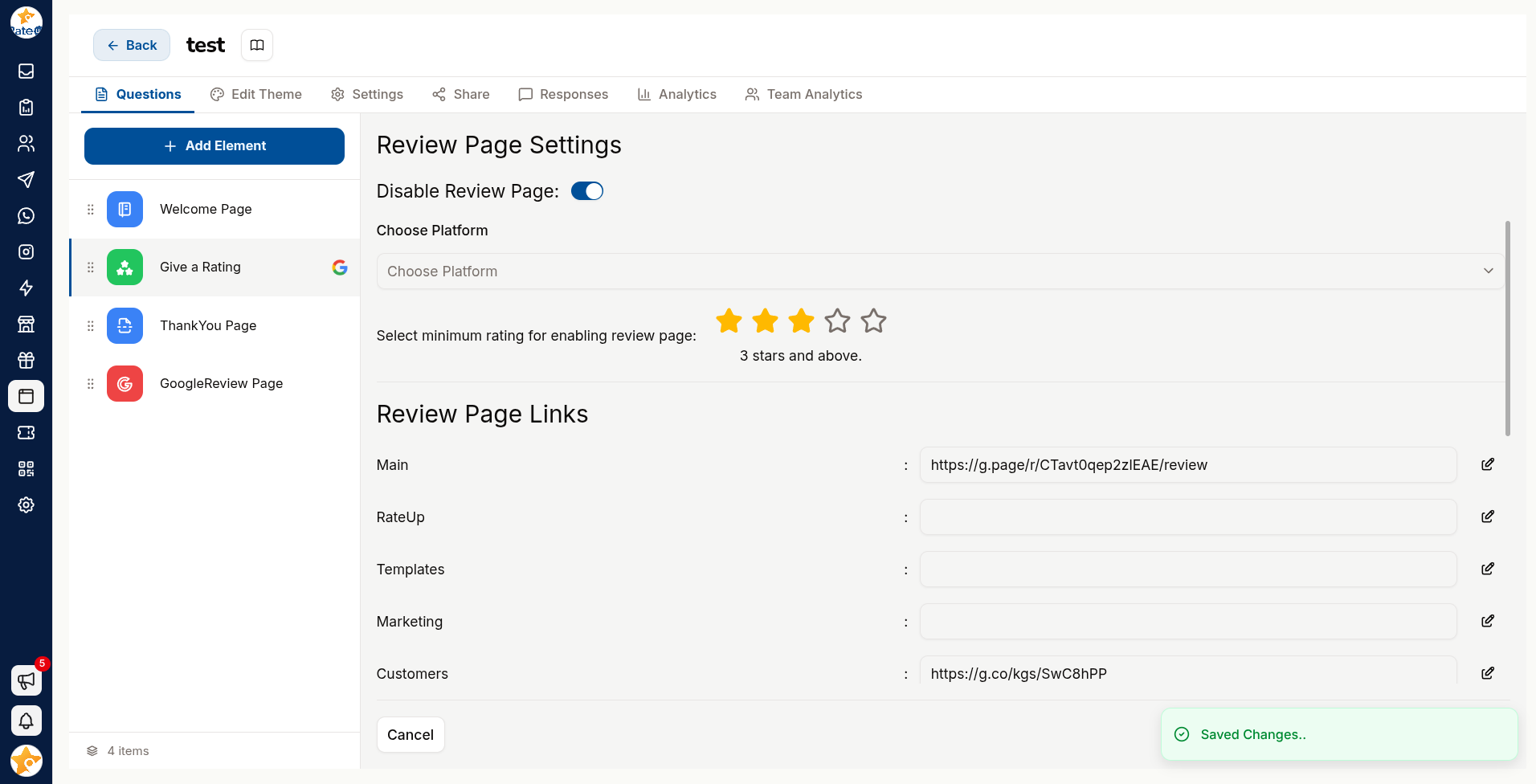
Add a Google Review question, or configure Google Review Redirects.
Enter the condition and Google page URL — which answers qualify, and where to send them.
Save. Qualifying respondents see the review prompt; everyone else continues normally.
You can also route to other platforms — Facebook, Instagram, Amazon, MakeMyTrip, or a custom platform with Enter Custom Platform Name.
Route on the answer, not on everyone. Asking an unhappy customer for a public review is how a private complaint becomes a one-star rating. The condition is the whole point of this feature.
The pattern that works
"How was your experience?"
   ├── Great / Excellent  →  Google review prompt
   └── Poor / Okay        →  "What went wrong?" → follow up privately
Happy customers get a frictionless path to saying so in public. Unhappy ones get a path to being heard in private — and a chance for you to fix it before they post anyway.
Following Up on a Poor Response
Forms no longer raise tickets on a board — RateUp has no ticket boards. Act on a poor response where the customer already is:
| Route | How |
|---|---|
| The conversation | A form sent over WhatsApp files its answers against the contact's conversation, so the agent replying already sees them — see Results |
| An automation rule | A Send Web Survey rule can be paired with an Assign Team rule so poor responses land with the right people |
| The sales board | Put the contact on a pipeline stage when the follow-up is a deal rather than a complaint |
| Your own system | The form's response webhook posts each submission to an endpoint you control, so your helpdesk or CRM can raise the follow-up |
Do not route every response to a person. A queue full of "everything was fine" is a queue your team stops reading — and then they miss the one that mattered.
Closing the Loop
The full sequence, when review routing is set up:
- A customer submits a poor rating, and is not shown the review prompt
- Their answers land against their conversation in the Inbox
- An agent opens it, sees the response, and replies to the customer
- The problem is fixed and the conversation closed
- Next time, that customer is a promoter — and the review prompt is the right thing to show them
That loop is the difference between measuring satisfaction and improving it.
Related Pages
- Settings — the response webhook
- Logic & Variables
- Results