Logic & Variables
Logic jumps, variables and custom validation — making a form respond to who is filling it in.
Three features turn a flat questionnaire into something that adapts: logic jumps, variables and custom validation.
Logic Jumps
A logic jump sends respondents to a different question depending on their answer.
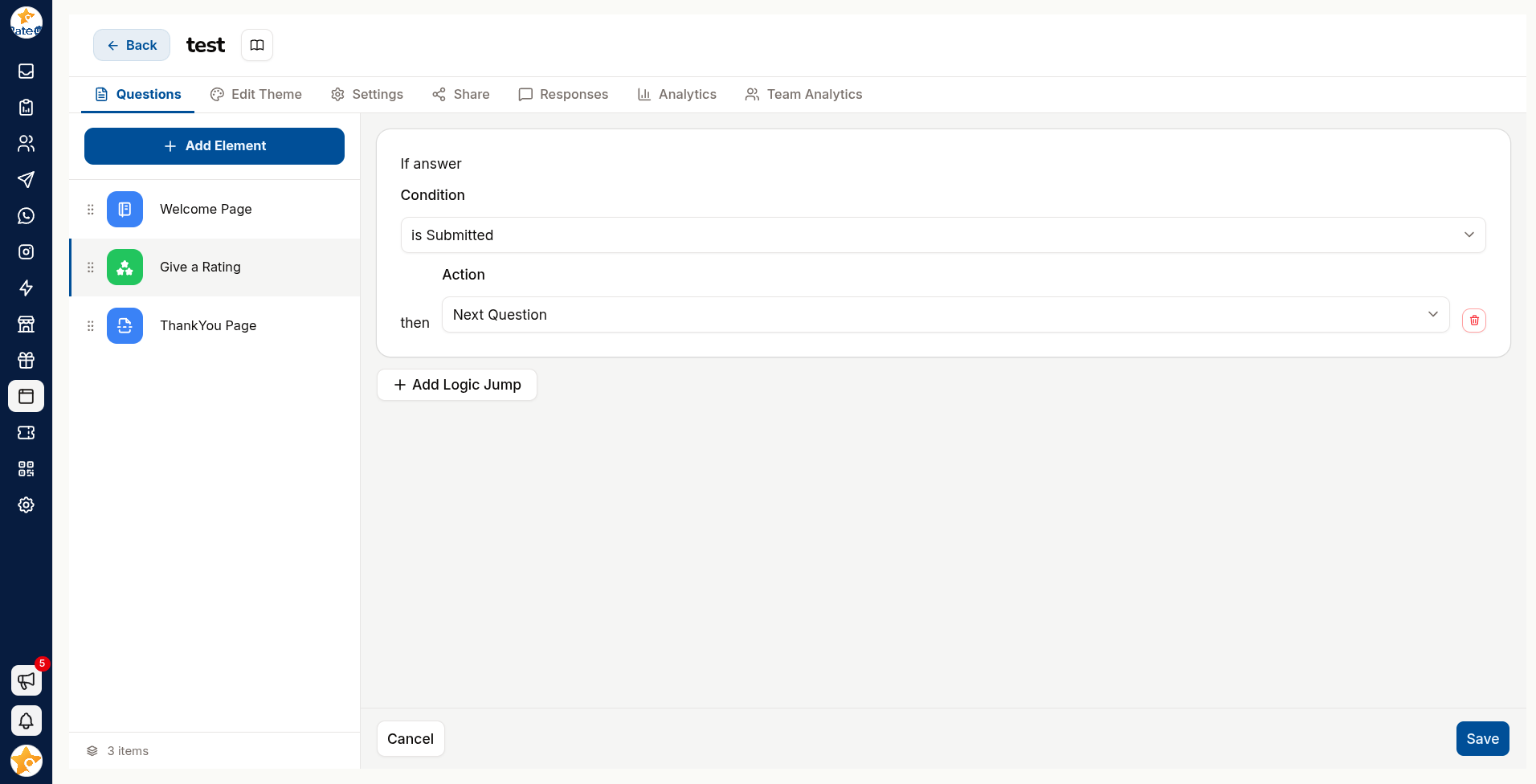
Open the question the jump starts from and click three dots and then click Add Logic Jump.
Set the condition — which answer triggers it.
Choose the next question to jump to, or End Survey.
Add further conditions for the other answers.
Why it matters
The classic use is splitting by satisfaction:
"How likely are you to recommend us?"
   ├── 9–10  →  "Would you leave us a Google review?"
   ├── 7–8   →  "What would have made it a 10?"
   └── 0–6   →  "What went wrong?" → follow up privately
Each group gets the question that suits them, and nobody is asked something irrelevant.
Test every branch in Preview before sharing. A jump pointing at a deleted question strands respondents mid-form, and you will only find out from the drop-off in your response count.
Variables
Variables store a value while someone fills in the form, and let you use it later.
| Kind | Meaning |
|---|---|
| Default Variables | One per answerable question, holding that question's answer. RateUp creates and names them; you cannot add, rename or delete them |
| Custom Variables | Ones you create with Add Variable, and set yourself |
Default Variables
Each answerable question gets a variable named after its position in the form, not after the
question itself. The third question's answer is Q3_response.
Two question types answer several things at once, so they get one variable per field:
| Question type | Variables at position n |
|---|---|
| Contact | Qn_name_response, Qn_phone_response, Qn_email_response |
| Testimonial | Qn_name_response, Qn_jobTitle_response, Qn_testimonial_response, Qn_rating_response |
| Every other supported type | Qn_response |
Not every question has one. Default variables exist for Text Input, Large Text, Number, Date, Rating, Smiley, Opinion Scale, Yes or No, Like or Dislike, Terms & Conditions, Wheel Of Price, Contact and Testimonial. The choice questions (Single Select, Multiple Select, both dropdowns, Picture Choice, Single Select Grid), Custom NPS, Email, Phone, Photo, File Input and Multi Text Input have none — to reference one of those answers, assign it to a custom variable.
Because the names follow position, reordering or inserting a question renumbers them. Move
question 3 to the end of a five-question form and Q3_response now means what used to be
question 4. Anywhere you have referenced a default variable — question text, a thank-you page, a
condition, an automation — points at the new occupant of that position, not at the question you
meant. After changing the order, re-check every reference. A custom variable, whose name you
chose, is unaffected.
Custom Variables
Click Add Variable, then name it and give it a value.
Use Assign a value to variable on a question so answering sets it.
Reference the variable later — in question text, on the thank-you page, or in a condition.
Names must be unique within a form — reusing one is rejected with Variable already exist.
What variables are for
- Personalisation — greeting someone by the name they gave two questions ago
- Scoring — accumulating a value across several answers and branching on the total
- Passing context in — carrying a campaign or location identifier into the response record
Passing a variable in through the form's URL is how you tell which QR code, campaign or branch a response came from — without asking the customer.
Custom Validation
Custom Validation constrains what an input question accepts.
| Rule | Accepts |
|---|---|
| Letters | Alphabetic only |
| Numbers | Numeric only |
| Length | Within a minimum and maximum |
| Custom | Your own pattern |
Every rule carries an error message. Write it as help, not as a scolding: "Please enter a 10-digit mobile number" beats "Invalid input".
Over-strict validation loses responses silently. A phone rule that rejects international formats will block real customers who then simply close the tab.
Putting Them Together
A well-built feedback form usually uses all three:
- Validation keeps the contact details usable
- Logic jumps ask detractors and promoters different things
- Variables carry the source into the response, so you know which branch or campaign produced it