Create Point Reward
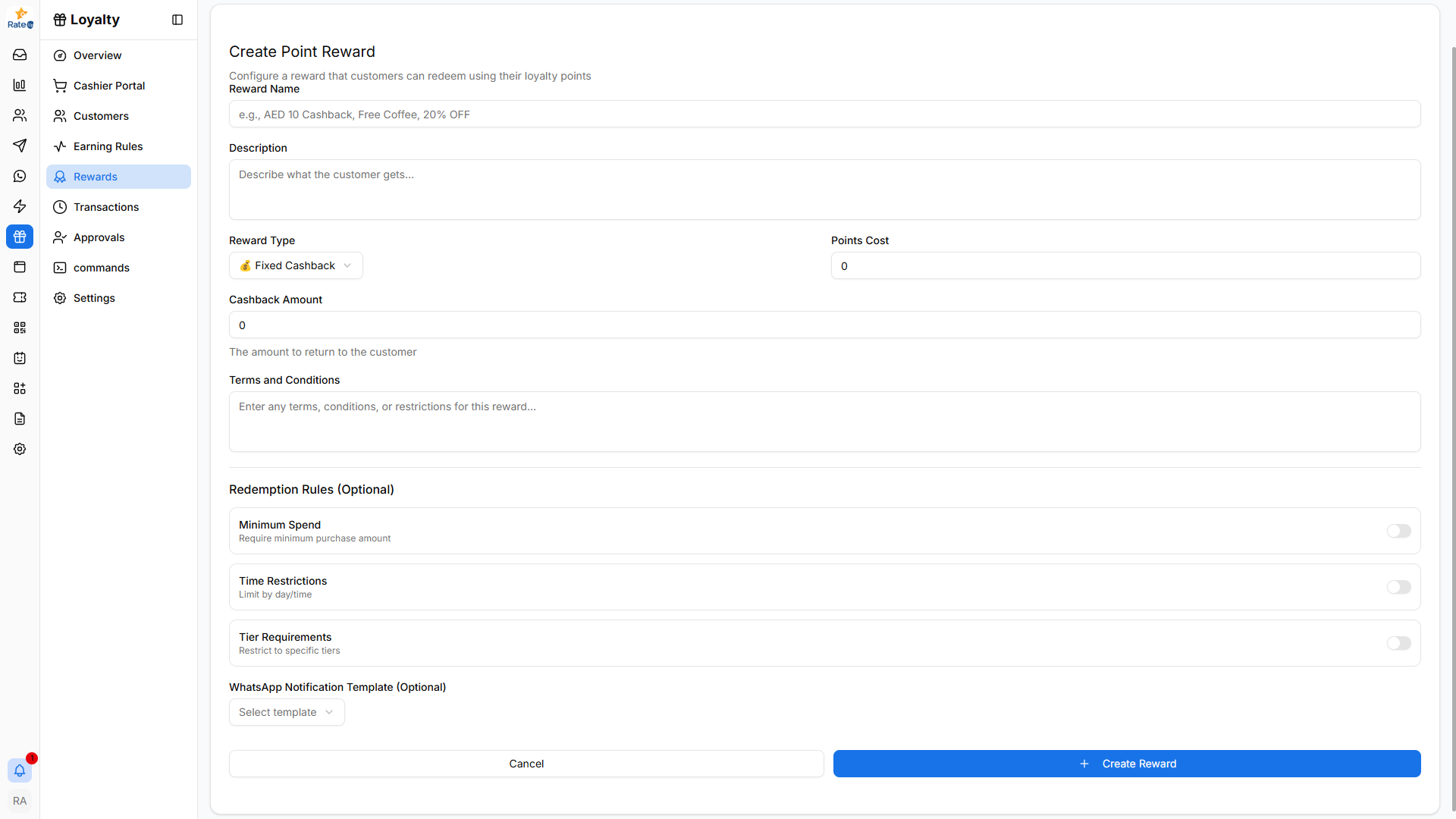
The Create Point Reward page allows administrators to configure rewards that customers can redeem using their loyalty points.
Creating a Point Reward
To create a new point-based reward:
- Navigate to Loyalty from the sidebar.
- Click Rewards.
- Select the Point Rewards tab.
- Click Create Reward.
The Create Point Reward form will open.
Reward Name
Enter the name of the reward customers will see.
Examples:
- AED 10 Cashback
- Free Coffee
- 20% Weekend Discount
Description
Provide a short explanation of what the customer receives when redeeming the reward.
Example: Redeem 2,000 points and receive AED 10 cashback on your next order.
Reward Type
Choose how the reward will be applied.
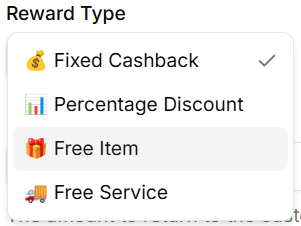
Available options include:
- Fixed Cashback – Customer receives a fixed cashback value.
- Percentage Discount – Customer receives a percentage discount.
- Free Item – Customer receives a complimentary product.
- Free Service – Customer receives a complimentary service.
Points Cost
Specify how many loyalty points are required to redeem the reward.
Example:
- 2000 points
Cashback Amount
Defines the cashback amount returned to the customer.
Example:
- ₹200 cashback
This field is mainly used when Fixed Cashback is selected.
Terms and Conditions
Enter any restrictions or conditions related to the reward.
Examples:
- Valid only for dine-in orders
- Cannot be combined with other offers
- Valid during weekends only
Redemption Rules (Optional)
You can configure additional restrictions for redeeming the reward.
Minimum Spend
Requires customers to spend a minimum amount before redeeming the reward.
Time Restrictions
Limits when the reward can be redeemed.
Tier Requirements
Restricts the reward to specific loyalty tiers.
Creating the Reward
After configuring the reward:
- Review the reward details.
- Click Create Reward.
The reward will appear in the Point Rewards list and can be enabled or disabled anytime.