Messages
Whether your outbound WhatsApp messages are delivered — totals, the daily trend, each team, and each template.
Messages is about delivery, not conversation. It answers one question: are your outbound WhatsApp messages reaching people — by template and team?
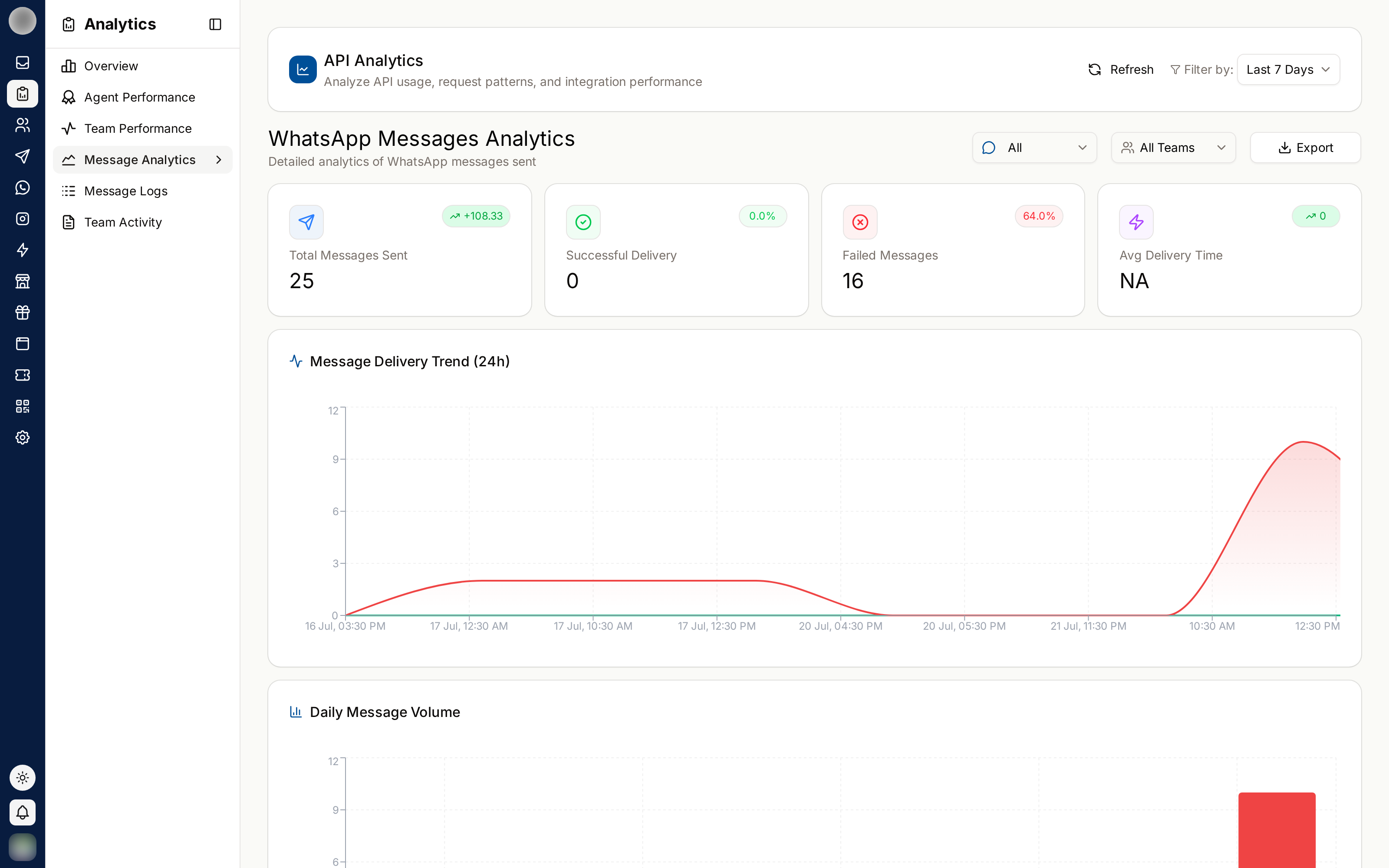
The Delivery Tiles
| Tile | Meaning |
|---|---|
| Messages sent | Outbound WhatsApp messages in the range, with the change "vs previous period" |
| Delivered | Share that reached the customer's phone, with the count underneath. Nothing sent when there is nothing to measure |
| Failed | Messages WhatsApp did not deliver, with their share of sent |
| Avg delivery time | How long delivery took on average. Under a second shows as <1s |
Narrow by Where Messages Came From
The Channel type filter in the bar at the top decides which messages count:
| Option | Counts |
|---|---|
| Campaign & Inbox | Messages sent from campaigns and from the Inbox |
| External | Messages your own systems sent through the External API |
| All | Both |
This split matters. Campaign failures and API failures have completely different causes.
The Charts and Tables
| Card | Shows |
|---|---|
| Delivery trend | Delivered against failed, per day — or per hour for Today and Yesterday |
| Teams | Messages each team sent, with "N% delivered". Always shows every team, whatever the team filter says, because it is the comparison between them |
| Templates | Delivery for each WhatsApp template sent in the range |
The Templates card opens with a box per category — Marketing, Utility, Authentication — giving each one's count and its share of template messages. The table below has:
| Column | Meaning |
|---|---|
| Template | The template's name. A red Failing badge marks one with a failure rate of 20% or more |
| Category | Marketing, Utility or Authentication |
| Sent | How many went out |
| Delivered | Delivery rate |
| Failed | Failure rate |
| Avg delivery | Average time to deliver |
| Last used | When it was last sent, e.g. "2 hours ago" |
With nothing sent, the card reads "No templates sent in this range".
Why Messages Fail
| Cause | Fix |
|---|---|
| Invalid or unreachable number | Clean the contact list |
| No consent for template messages | Check consent before campaigning |
| Template not approved | Get approval before sending |
| Outside the 24-hour window with a free-form message | Use a template |
| Rate or quality limits on the account | Reduce volume, improve message relevance |
To see the actual error on a failed message, open Message logs and filter by Failed.
A template marked Failing on campaign sends is an early warning about list quality. Repeatedly messaging people who do not want it damages your WhatsApp account's quality rating, which is much harder to repair than a bad campaign.
Related Pages
- Message Logs — the individual messages behind these totals
- Campaigns
- WhatsApp Templates