Team Activity
The audit trail — what your team created, changed or deleted in RateUp, by whom and when.
Team activity is the second tab under Analytics → Logs: "What your team created, changed or deleted, newest first". Use it to answer "who changed this, and when?"
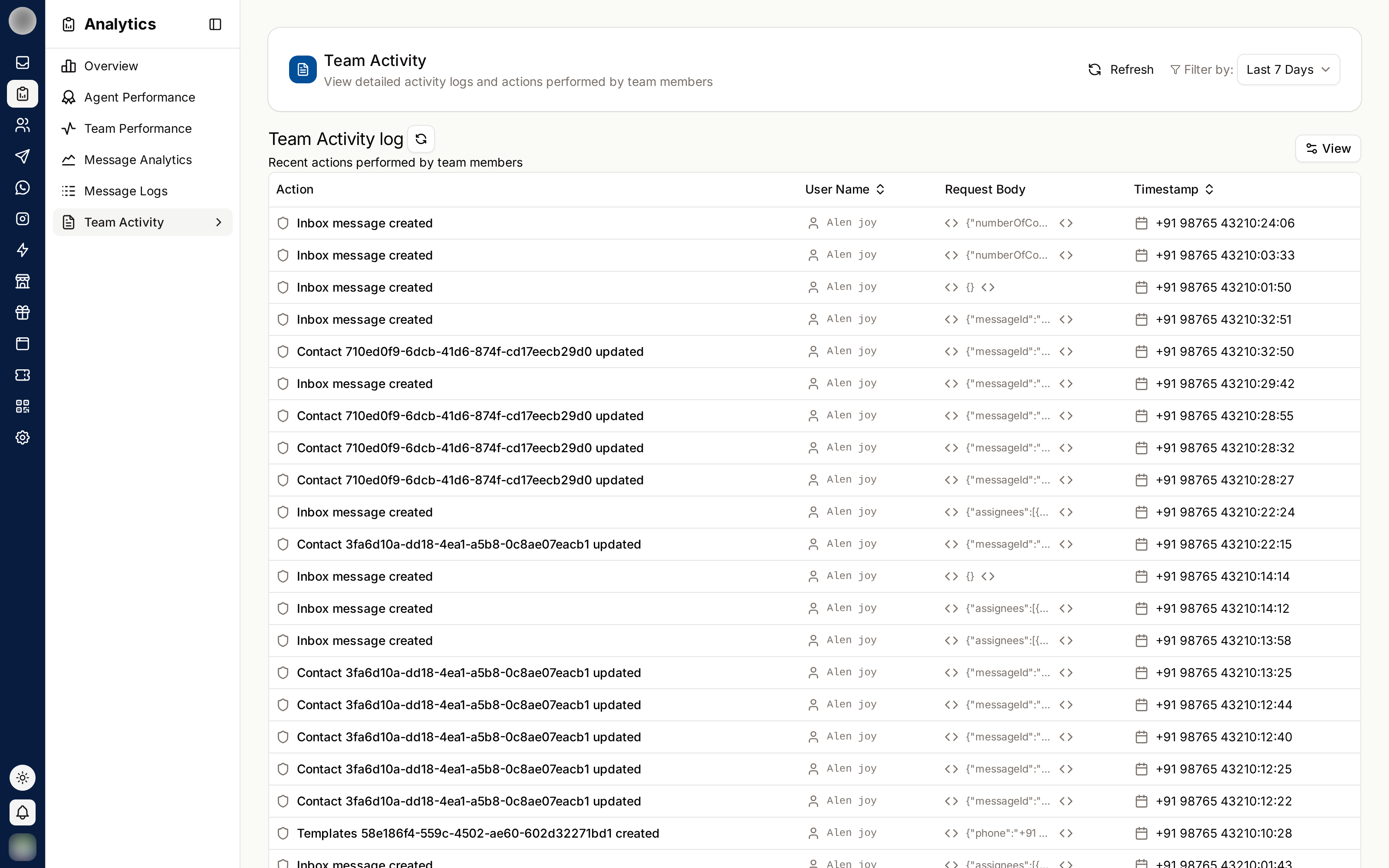
The Columns
| Column | Contains |
|---|---|
| Action | What was done, e.g. Channel added, Channel updated, Channel removed |
| User | Who did it |
| Details | What was sent with the change. Click it to read all of it |
| Time | When, to the second |
Sort by User or Time from their headings. Rows come 25 to a page.
Find a Change
Set the Date range in the filter bar. The Team filter is hidden here — this tab covers the whole organisation.
Pick a person in the first select (Everyone by default).
Pick an area in the second select (All features by default).
With nothing to show, it reads "No activity found" — "Nothing matches these filters in this date range." when you have filtered, or "Nothing your team did falls in this date range." when you have not.
This tab needs the See the audit log ability. It has no PDF report.
When to Use It
| Situation | What to look for |
|---|---|
| A channel stopped receiving messages | A Channel updated or Channel removed row, and who made it |
| A setting changed and nobody remembers why | Filter by the feature, then read Details |
| Reviewing a new admin's first week | Filter by that person |
Team activity records changes, not presence. To see who is online right now, use the Right now card on Overview or the Status column on Conversations → Agents.
Related Pages
- Message Logs — the other Logs tab
- Members & Roles — each member's own Activity tab
- Security
Message Logs
Every WhatsApp message sent from Campaigns, the Inbox, templates and the API — searchable, filterable and exportable, with the error behind each failure.
Calls
Every WhatsApp voice call your team took or made — who is on a call right now, the call log, and answer rate, missed calls and busiest hours.