Channels
Connect WhatsApp numbers, Facebook Pages and Instagram accounts — together or on their own — and manage each number's name, profile, calling and credentials.
Channels is where your messaging accounts are connected. Everything else in RateUp — the Inbox, Commerce, Campaigns, Loyalty notifications — depends on at least one channel being live here.
Open it from Settings → Channels. You need a role that can connect, remove and configure channels; without it the menu item is hidden.
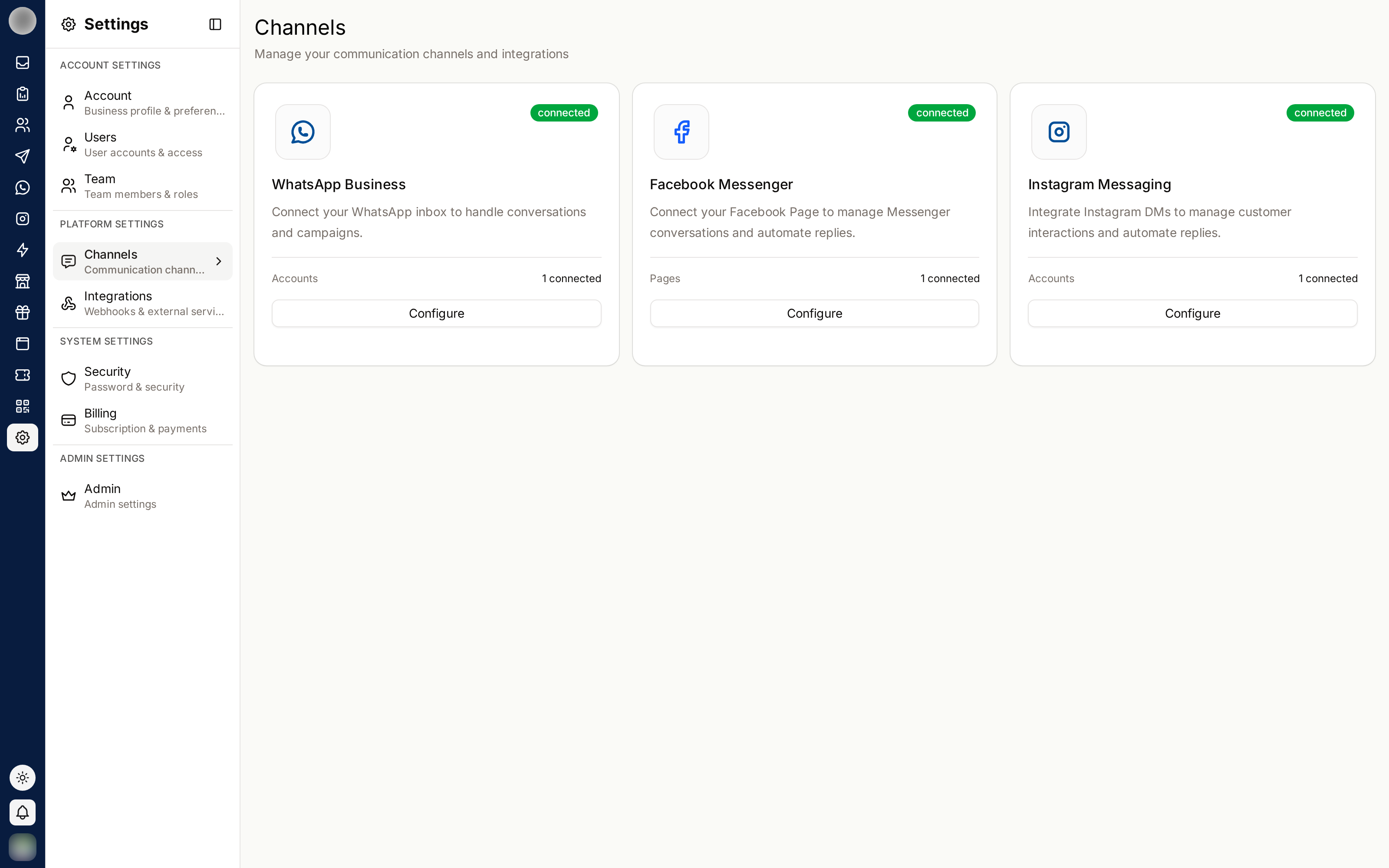
Supported Channels
| Channel | What connects | Opens |
|---|---|---|
| WhatsApp Business | WhatsApp Business phone numbers | /dashboard/settings/channels/whatsapp |
| Facebook Messenger | Facebook Pages | /dashboard/settings/channels/facebook |
| Instagram Messaging | Instagram professional accounts | /dashboard/settings/channels/instagram |
The three are independent. You can run RateUp on Instagram or Messenger alone, with no WhatsApp number at all — any one channel is enough to get going, and every conversation lands in the same inbox whichever channel it came in on.
Each row shows N connected once something is live, and its button reads Connect or Configure.
Multiple Accounts
Every number, Page and account is its own channel, so you can connect as many as you like — several WhatsApp numbers, one per brand or region, or a dozen Facebook Pages.
In the Inbox, each ticket shows which account the customer wrote to, so agents always know which identity they are replying as.
Connect Facebook Messenger or Instagram
Messenger and Instagram each have their own login, so connecting one asks Meta only for that platform's permissions.
In the picker:
| Shown | Meaning |
|---|---|
| Connected to another organization | Greyed out — that Page or account is already a channel in a different RateUp organisation |
| Already connected — reconnects it | It is already one of your channels; connecting it again reconnects it |
| Linked to … | Instagram only — the Facebook Page the account belongs to |
Each connected Page or account then appears as its own row with Connected and a Disconnect button. Disconnecting one stops its conversations arriving in the inbox; other channels are not affected.
If the picker says "No Instagram professional accounts were shared", log in again and choose the Facebook Page each Instagram account is linked to — Meta shares the account through its Page.
Connect a WhatsApp Number
The WhatsApp page lists every connected number under Connected accounts, each with a badge saying how it was added:
| Badge | How it was added |
|---|---|
| Automated | Through Continue with Facebook (Meta's own sign-up flow, which supplies the credentials) |
| Manual | Through Add manually, with IDs and an access token from your own Meta app |
Each row shows the number's Business ID, Phone ID and App ID, an Edit channel button, and Disconnect.
Use Continue with Facebook wherever you can. Add manually is for when you cannot connect through Facebook — see Add a Number Manually.
Edit a WhatsApp Number
Click Edit channel on a number. The dialog keeps apart the things that are yours and the things that belong to Meta:
| Tab | What it changes | Where it lives |
|---|---|---|
| Channel | The name you use for the number inside RateUp | RateUp only |
| Display name | The business name customers see in WhatsApp | Meta — needs review |
| Profile | Photo, about line, description, category and contact details | Meta — applies immediately |
| Calling | Whether customers can call the number, and when | Meta — applies immediately |
| Credentials | The WABA ID, Phone ID, App ID, webhook password and access token | RateUp — Manual numbers only |
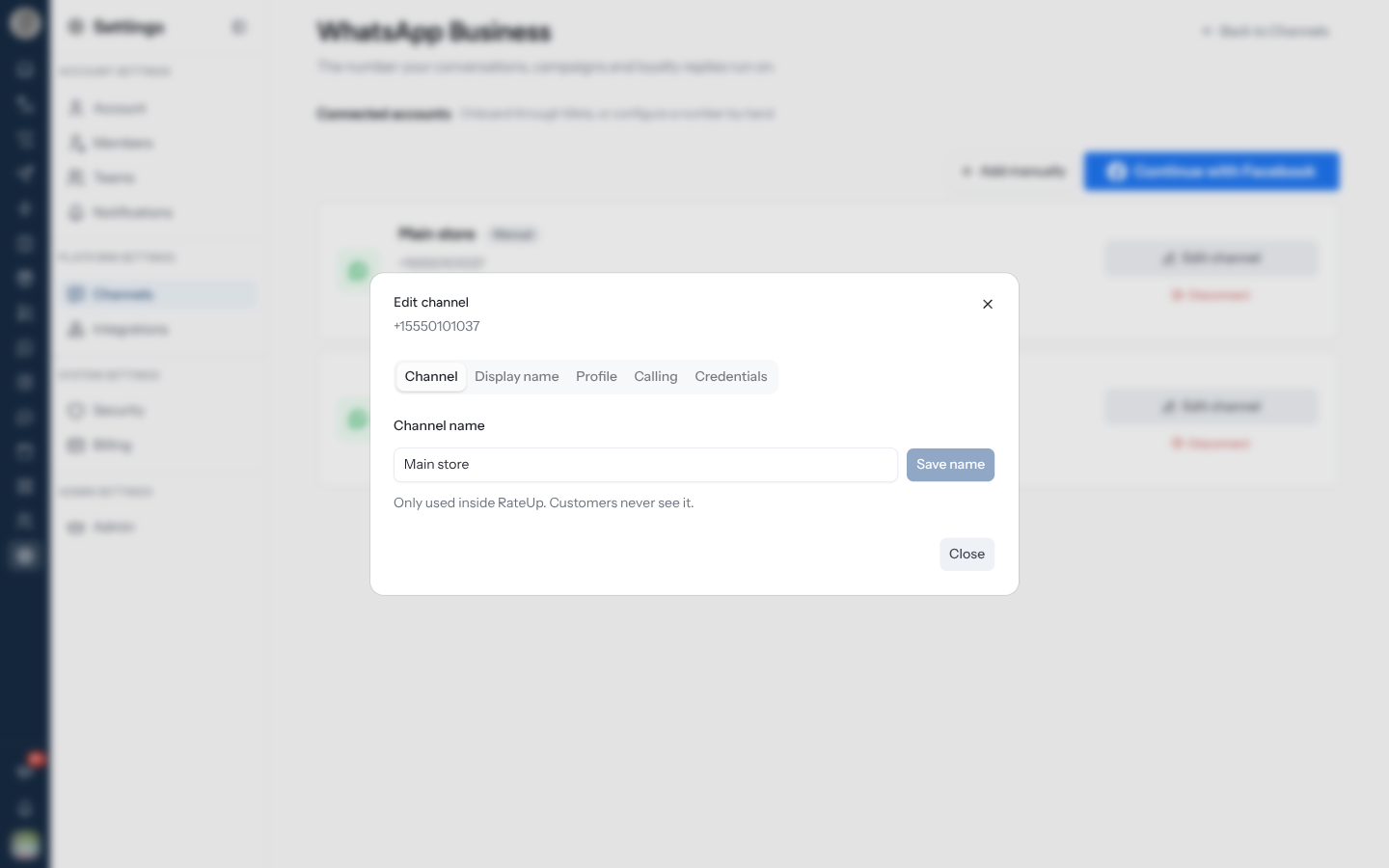
Changing a channel needs the Connect, remove and configure channels permission on your role. Without it the save is refused.
Rename a Channel
The Channel name is your own label — it names the number in channel pickers, template screens and the Inbox's channel filter. Customers never see it.
It saves on its own. You do not need to resubmit the number's credentials, and nothing is sent to Meta — so there is no review and no waiting.
Change the Display Name
The display name is the business name WhatsApp shows customers. Meta reviews every change against its display name guidelines, so this is a request, not an edit.
What the statuses mean
| Status | Meaning |
|---|---|
| Approved | The name in use has passed review |
| In review | Meta is still deciding |
| Approved — not in use yet | Meta approved your requested name, but the number still shows the old one until you re-register |
| Rejected | The name breaks Meta's guidelines — edit it and submit again |
| Expired | The approval lapsed before the number was re-registered |
An approved name does nothing until you click Re-register number, and the approval only lasts 14 days. Miss that window and the name has to go through review again.
You can change a display name 10 times per 30 days. Beyond that Meta refuses the request, and its own message is shown back to you.
Update the Business Profile
The Profile tab is what customers see when they open your business in WhatsApp: the photo, the about line under your name, and your contact details. Unlike the display name, these apply as soon as they are saved.
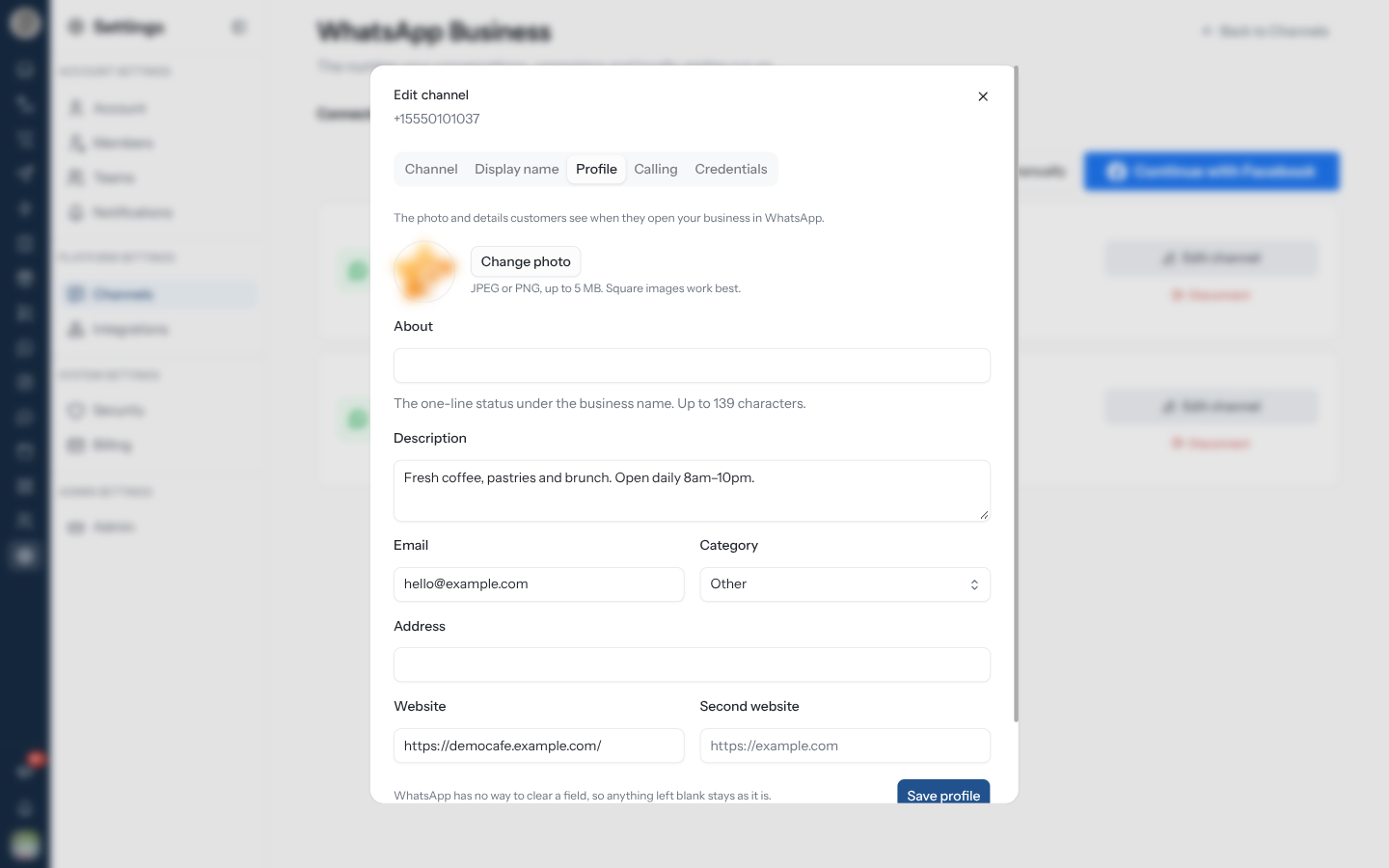
| Field | Shown as | Limit |
|---|---|---|
| Photo | The business avatar | JPEG or PNG, 5 MB; square images work best |
| About | The one-line status under your name | 139 characters |
| Description | The longer blurb on the business page | 512 characters |
| Contact email | 128 characters | |
| Category | The business category, from WhatsApp's own list | — |
| Address | Freeform text — WhatsApp does not check it against a map | 256 characters |
| Website / Second website | Up to two links | 256 characters each |
WhatsApp has no way to clear a profile field. Anything you leave blank is left exactly as it is rather than emptied, and a save with every field blank is refused.
Set Up WhatsApp Calling
Customers can call your WhatsApp number, and agents answer in the Inbox, in their browser. Calling is switched on per number, and the settings are held by Meta — the tab always shows what WhatsApp is enforcing.
| Setting | What it does |
|---|---|
| Voice calls | Customers can call this number on WhatsApp, and agents answer from the inbox. The other settings only apply while this is on |
| Call button in chat | Shows the call icon at the top of the customer's chat with you |
| Callback requests | When a customer calls and nobody answers, asks them whether you may call them back |
| Calling hours | Outside these hours customers cannot call; they see when you are open |
With Calling hours on, set a Time zone (for example Asia/Kolkata) and, for each day,
switch it on and give the opening and closing times — or leave it Closed. A number with no
hours yet starts from Monday to Friday, 09:00–18:00.
WhatsApp calling needs a messaging limit of at least 2,000 customers a day, and works only on a number that runs purely on the Cloud API — not on a number shared with the WhatsApp Business app (coexistence). If the number does not qualify, or Meta cannot be reached, the tab shows Could not load calling settings with Meta's reason instead of the switches. All of WhatsApp's calling rules are listed in WhatsApp's Calling Limits.
Answered and missed calls are listed under Analytics → Calls — see Analytics.
Add a Number Manually
Add manually is for a number whose credentials you hold yourself, from your own Meta app — use it when you cannot connect through Facebook.
The number then appears in the list with a Manual badge, and Edit channel gives it the same Channel, Display name, Profile and Calling tabs as any other number, plus Credentials. Saving on Credentials replaces the IDs and token it was added with.
Disconnect a Number
Disconnect on a number's row does different things depending on how it was added:
| Number | What Disconnect does |
|---|---|
| Automated | De-registers the WhatsApp Business account, after a confirmation |
| Manual | Asks Remove this number? — its IDs and access token are deleted from RateUp, and nothing changes on Meta's side |
What Depends on a Channel
| Feature | Needs |
|---|---|
| Inbox | Any channel |
| Campaigns | |
| Commerce | WhatsApp + a catalog |
| Loyalty messages | |
| Instagram automations | |
| Messenger chatbots | A Facebook Page |
Disconnecting a channel stops message delivery for everything built on it. Existing conversations stay readable, but nothing new arrives and nothing can be sent.
Troubleshooting
| Symptom | What to check |
|---|---|
| Messages stopped arriving | The channel's connection may have expired — reconnect it |
| "WhatsApp settings not found" elsewhere in RateUp | No WhatsApp account is connected |
| An Instagram account will not connect | It must be a professional account linked to a Facebook Page — choose that Page in Meta's login |
| A Page or account is greyed out in the picker | It is connected to another RateUp organisation; disconnect it there first |
| "This channel is not set up yet. Contact support." | The Messenger or Instagram login is not configured for your workspace |
| The Calling tab shows Could not load calling settings | The number does not meet WhatsApp's calling requirements, or its access token has expired |
| Replies fail on one number only | Check that specific account's status, not the channel as a whole |
| The approved display name still is not showing | Re-register the number — approval alone does not apply it |
| "Nothing to update — WhatsApp does not accept an empty profile field" | Every profile field was blank; fill in at least one |
| "Profile photo must be a JPEG or PNG image" | Convert the file — WhatsApp takes no other format for a profile photo |
| A display name change is refused outright | You may have used all 10 changes for this 30-day period |
| The Display name or Profile tab cannot read from Meta | The number's access token has expired — reconnect the account |
Who Can See Which Channel
Every member of the organisation sees every channel unless you say otherwise. To restrict a group to one number or account, set Channel Access on their team.
Agents can then narrow their own view further with the Inbox's Channel filter — which never widens what their team is allowed to see.
Related Pages
- WhatsApp Settings
- Teams — per-team channel access
- Integrations