Chatbots
Automated WhatsApp conversations that answer common questions and hand over when they cannot — start one from a ready-made example or a blank canvas.
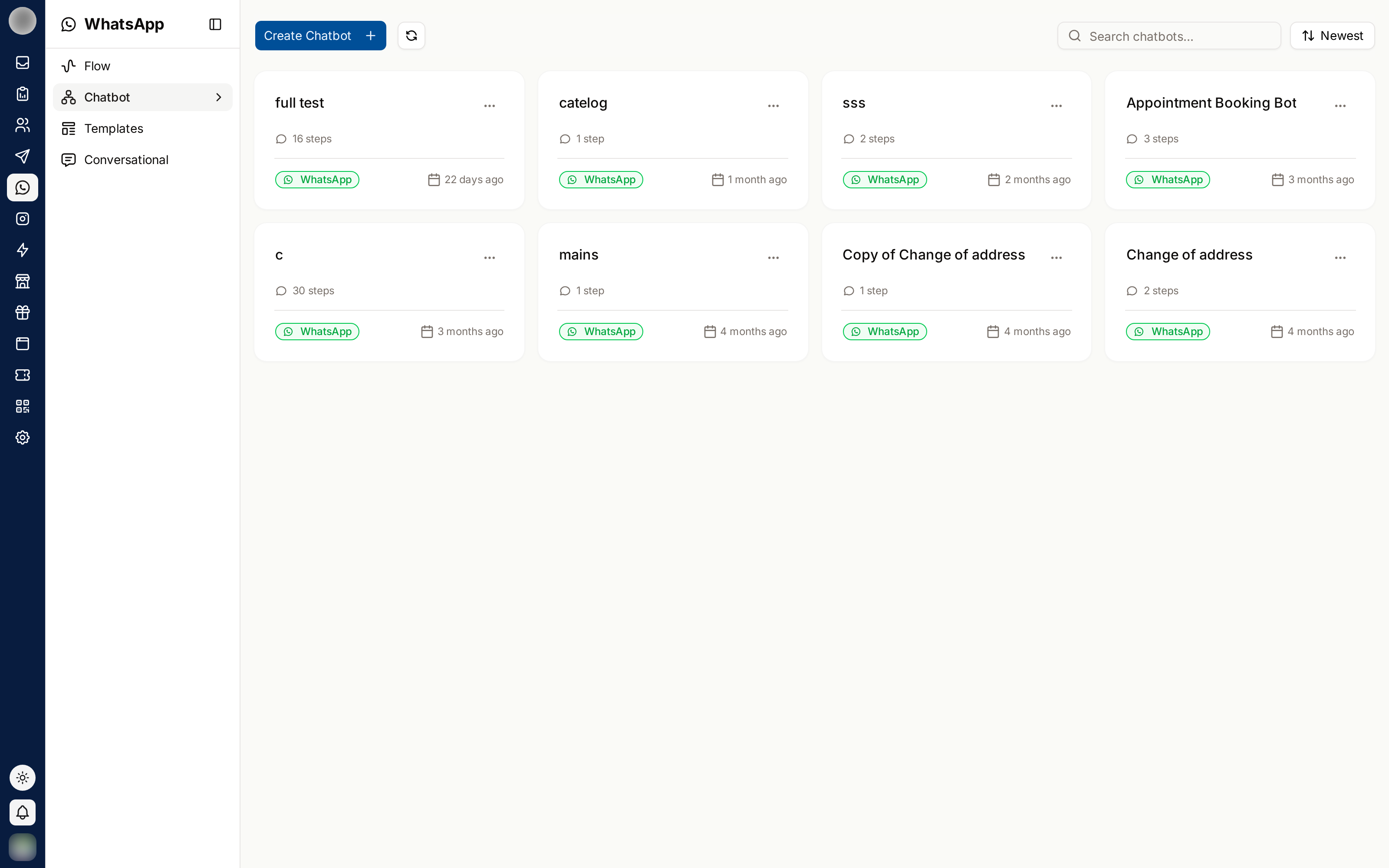
A chatbot answers a WhatsApp conversation automatically — handling the questions you get constantly, and passing anything else to a person. WhatsApp → Chatbot lists every WhatsApp chatbot you have built.
Instagram and Messenger have chatbots of their own, built in the same editor — see Instagram Chatbots and Messenger Chatbots.
Create a Chatbot
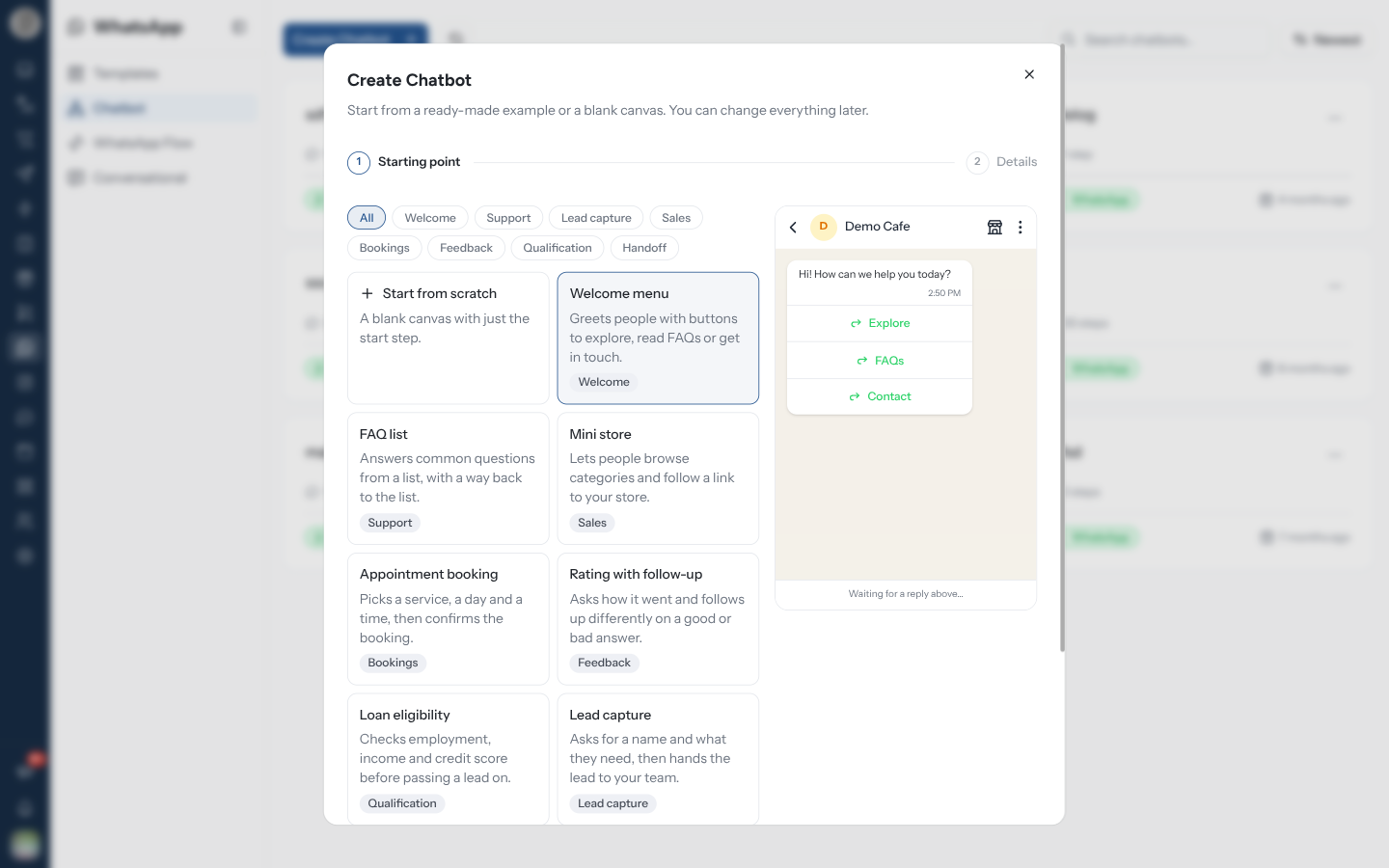
Click Create Chatbot. A short wizard opens — "Start from a ready-made example or a blank canvas. You can change everything later."
Starting point. Pick Start from scratch — "A blank canvas with just the start step" — or one of the examples below. Filter them with the chips along the top (All, Welcome, Support, …). On a wide screen, picking an example plays it in a phone preview on the right, so you can see the conversation before you create anything.
Click Next. Details. The Chatbot Name is filled in from the example; change it if you like. It must be at least 3 characters and is only ever seen by your team.
Optionally pick an Account — "Only needed when the flow sends messages from a specific WhatsApp number." The How it starts box tells you what usually starts this kind of bot.
Click Create Chatbot. The builder opens with the example already laid out as nodes. Edit the wording, then Save.
When you have no chatbots yet, the empty list offers three examples and Start from scratch as buttons, so you can open the wizard with a starting point already chosen.
WhatsApp Examples
| Example | Filter | What it does |
|---|---|---|
| Welcome menu | Welcome | Greets people with buttons to explore, read FAQs or get in touch |
| FAQ list | Support | Answers common questions from a list, with a way back to the list |
| Mini store | Sales | Lets people browse categories and follow a link to your store |
| Appointment booking | Bookings | Picks a service, a day and a time, then confirms the booking |
| Rating with follow-up | Feedback | Asks how it went and follows up differently on a good or bad answer |
| Loan eligibility | Qualification | Checks employment, income and credit score before passing a lead on |
| Lead capture | Lead capture | Asks for a name and what they need, then hands the lead to your team |
| Talk to a person | Handoff | Lets people ask for a person and assigns the chat to your team |
Examples carry placeholder wording and links (https://example.com/…). Replace them before the bot
goes live — a customer who taps Visit store and lands on example.com is worse off than one who
got no bot at all.
Make It Start
A chatbot does nothing on its own. An automation rule starts it, with the Trigger Chatbot action.
When you create a chatbot from an example, the builder opens with a Set up the trigger card at the bottom — for example "Starts when someone sends a keyword like “agent” or “human”." Click Create the rule to open a new automation with the platform and the Message Received trigger already filled in. Dismiss the card with × and it does not come back.
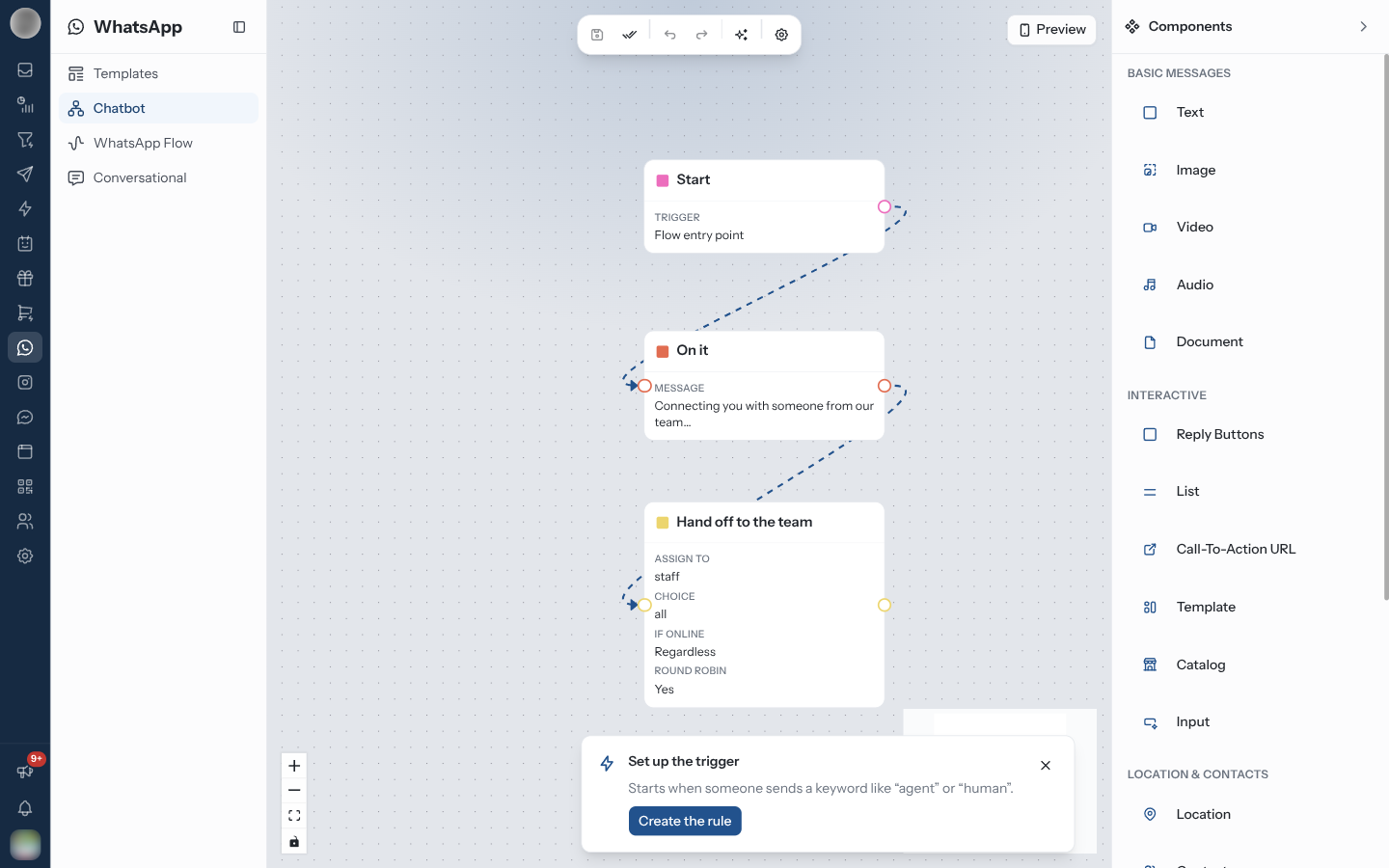
Creating the chatbot is not the same as switching it on. Until a rule with Trigger Chatbot points at it, no customer ever reaches it — and the Set up the trigger card only appears once. If you dismissed it, create the rule from Automation yourself.
Testing Before You Go Live
The builder's Preview runs the bot as a customer would experience it. Walk it end to end and check:
- Every button leads somewhere real
- No path dead-ends without an option
- The customer can always reach a human
- The wording sounds like your brand
The single worst chatbot failure is the loop with no exit. Before you switch the rule on, try deliberately giving unexpected answers and confirm you can still get out.
Handover to an Agent
When the bot reaches an Assign step, the conversation becomes a normal ticket in the Inbox. The bot's messages are already in the thread, so the agent has the context and the customer does not repeat themselves.
Manage Your Chatbots
| Action | Notes |
|---|---|
| Search chatbots... | Filters the list by name |
| Sort | Order the cards, newest first by default |
| Refresh | Reloads the list |
| Clone | From a card's More actions menu. Asks for a name, prefilled "Copy of …" |
| Delete | From More actions. Removes it permanently after you confirm |
Clone before editing anything customers are currently using. Edit the copy, test it, then point the rule at the copy.
Troubleshooting
| Symptom | Cause | Fix |
|---|---|---|
| Create Chatbot stays disabled on Details | The name is shorter than 3 characters | Type a longer name |
| The bot never runs | No rule starts it | Add a rule with Trigger Chatbot in Automation |
Customers see example.com links | Example wording was not replaced | Edit the nodes in the builder and save |
Related Pages
- Chatbot Builder — the canvas in detail
- Automation — the rules that start a chatbot
- Instagram Chatbots
- Messenger Chatbots
- Flows
- Inbox