Getting Paid
Connect Stripe or Razorpay, offer cash on delivery or bank transfer, and set up the PDF invoices paid orders get.
Commerce → Settings → Getting paid is where you choose how customers pay on RateUp checkout and what goes on your invoices. The old Commerce → Payments address opens this tab.
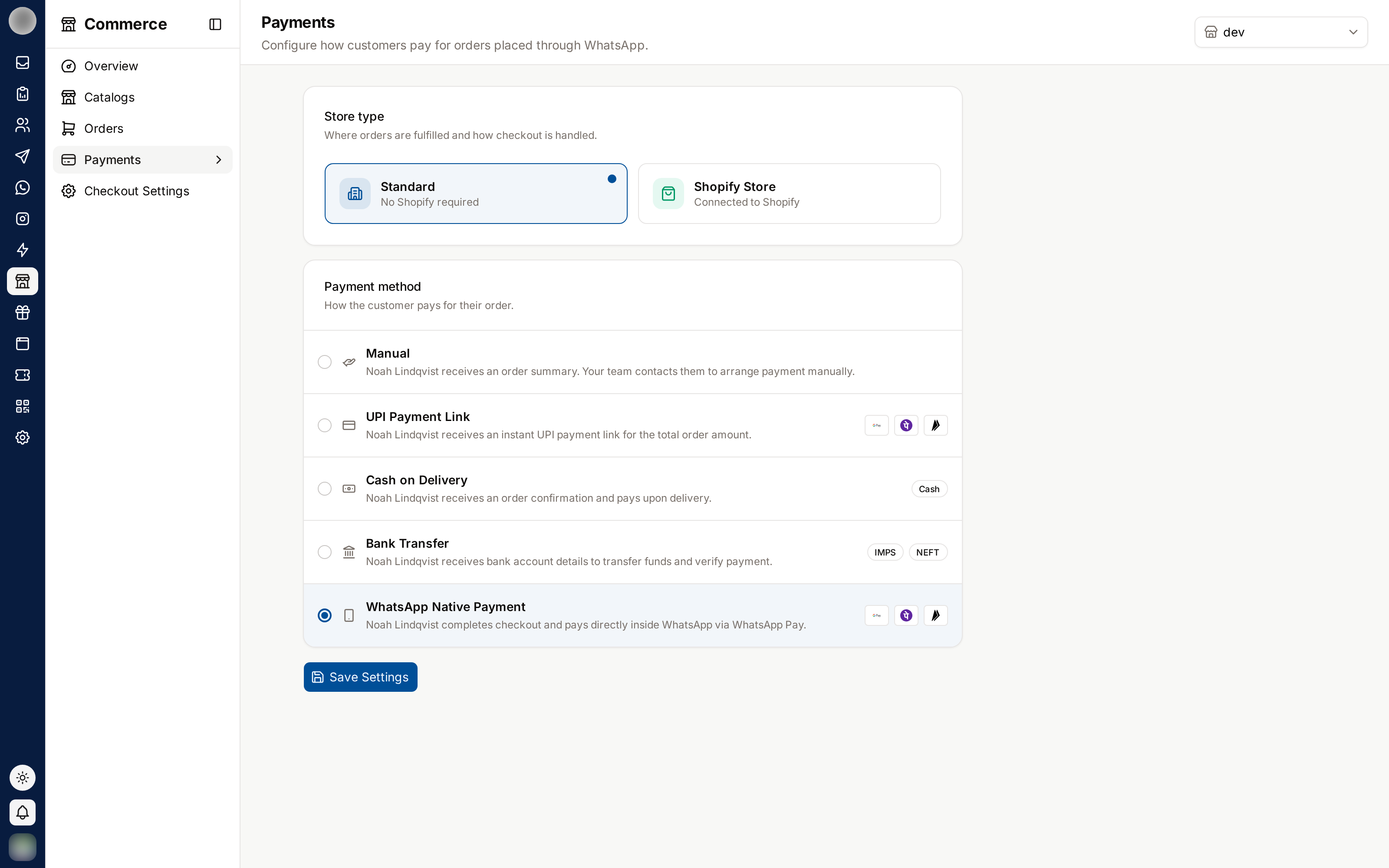
If customers pay on your Shopify or WooCommerce checkout, a banner says "Shopify takes the payment and sends the invoice. These apply only to RateUp checkout." — and Settings opens on Checkout instead. See Checkout.
Take Card Payments Online
"We send a secure payment link in the chat. Payouts go straight to your own account; RateUp never holds your money."
| Provider | Takes | Connect with |
|---|---|---|
| Stripe | "Cards, Apple Pay and Google Pay." | A Secret key — "a secret or restricted key from the Developers section of your Stripe dashboard". The webhook is registered for you |
| Razorpay | "Cards, wallets and local methods." | Key ID and Key secret from "Account & Settings → API keys", plus a webhook you add yourself |
Click Connect Stripe or Connect Razorpay and paste the keys.
For Razorpay, open Show setup steps: add a webhook in the Razorpay dashboard with the URL shown,
tick payment_link.paid, payment_link.expired and refund.processed, choose a secret and paste the
same secret here.
With both connected, Make default picks the one payment links use.
| Badge | Meaning |
|---|---|
| Connected · default / Connected | Ready; the default one is used for links |
| Test mode | Test keys — test cards work and nothing is charged |
| Live | Real charges |
| Working · last received … | Razorpay's webhook has reached RateUp |
| Waiting for the first webhook / Webhook not set up yet | Razorpay payments will not confirm orders on their own yet |
A test key (sk_test_… on Stripe) lets you try a test order
without real charges.
Disconnect means "Payment links already sent stop confirming orders automatically." Customers who pay an old link after that have to be marked paid by hand.
WhatsApp Pay is listed when Meta offers it for your currency (Available), or Not for USD otherwise.
Take Cash on Delivery
"Fewer refused parcels — confirm every cash order on WhatsApp before you pack it."
| Setting | Effect |
|---|---|
| Cash on delivery switch | Offers cash on delivery at checkout |
| Ask the customer to confirm | "They get Confirm and Cancel buttons. Unconfirmed orders are cancelled after the time below." |
| Hours to confirm | Default 24 |
| Offer a discount to pay online instead | A percentage, "Sent with the confirmation, together with a payment link. Leave empty for no offer." |
Unconfirmed cash orders show under Needs action in Orders, where Confirm cash order confirms one for the customer.
Take Bank Transfers
"We send your bank details; you mark the order paid when the money arrives." Fill in Bank name, Account name, Account number or IBAN, Routing, sort or SWIFT code and Instructions (for example "Use your order number as the payment reference.").
Hours to pay before cancelling — default 72 — is how long a placed transfer order waits. When it passes unpaid, RateUp cancels the order ("Transfer not received in time"). The deadline is set when the order is placed, so a change applies to orders placed afterwards. When the money arrives, open the order and More → Mark as paid → Paid by bank transfer.
Mark transfer orders paid before the deadline. An order you forget is cancelled at 72 hours (or whatever you set) even if the money is on its way.
Storefront shoppers who choose cash or transfer confirm their number on WhatsApp before the order is placed, and one number can hold at most three unpaid cash or transfer orders at a time — see Storefront.
Set Up Invoices
"Every paid order gets a PDF invoice you can download from the order. These details are printed on it."
| Setting | Notes |
|---|---|
| Send invoices automatically | "The customer gets the invoice in the chat as soon as they pay. On WhatsApp it goes out while the 24-hour window is open." Off by default |
| Invoice number prefix | Default INV-, up to 12 characters |
| Tax ID | Printed on the invoice |
| Business address and contact | "Street, city, email or phone, one per line" |
Invoices are numbered in order and the number never changes once issued. Download or send one by hand from the order — see Send an Invoice.
Click Save changes in the bar at the bottom to keep your edits; Discard throws them away.
Troubleshooting
| Symptom | Cause | Fix |
|---|---|---|
| "Connect Stripe or Razorpay to take payments online" | No online provider | Connect one here |
| Razorpay orders stay Link sent after paying | The webhook is missing or its secret is wrong | Follow Show setup steps again |
| "No way to get paid is set up yet." on Checkout | Nothing is turned on here | Connect a provider or turn on cash or transfer |
| The invoice did not reach the customer | The WhatsApp window was closed | Download it from the order and share it another way |
| A transfer order was cancelled | Hours to pay before cancelling passed | Raise the hours, or mark orders paid sooner |
Related Pages
Settings
Commerce → Settings — getting paid, delivery rates and labels, checkout, store details and the Meta catalog, and the messages customers get about their order.
Checkout
Choose where customers pay — RateUp checkout or your Shopify or WooCommerce checkout — what checkout in chat asks for, and when unpaid carts get a reminder.