Legacy Catalog Tools
The older WhatsApp-catalog tools — products kept straight in the Meta catalog, catalog cart orders and their checkout — for accounts that used them before Commerce had its own products.
These are the WhatsApp catalog tools — "From before Commerce had its own products. Manage items straight in the Meta catalog and see orders sent from the catalog cart. New shops don't need these."
New shops add products under Products and connect the Meta catalog under Settings → Store; RateUp then publishes to the catalog for you. Use these tools only for a catalog you still manage in Meta directly.
Open them from Commerce → Settings → Legacy catalog. That tab appears only when your account has products kept in the Meta catalog or orders from the catalog cart. It has Catalog products, Catalog orders, and — with a catalog connected — Catalog cart checkout and Catalog cart payments. The old WhatsApp → Catalog address also lands here.
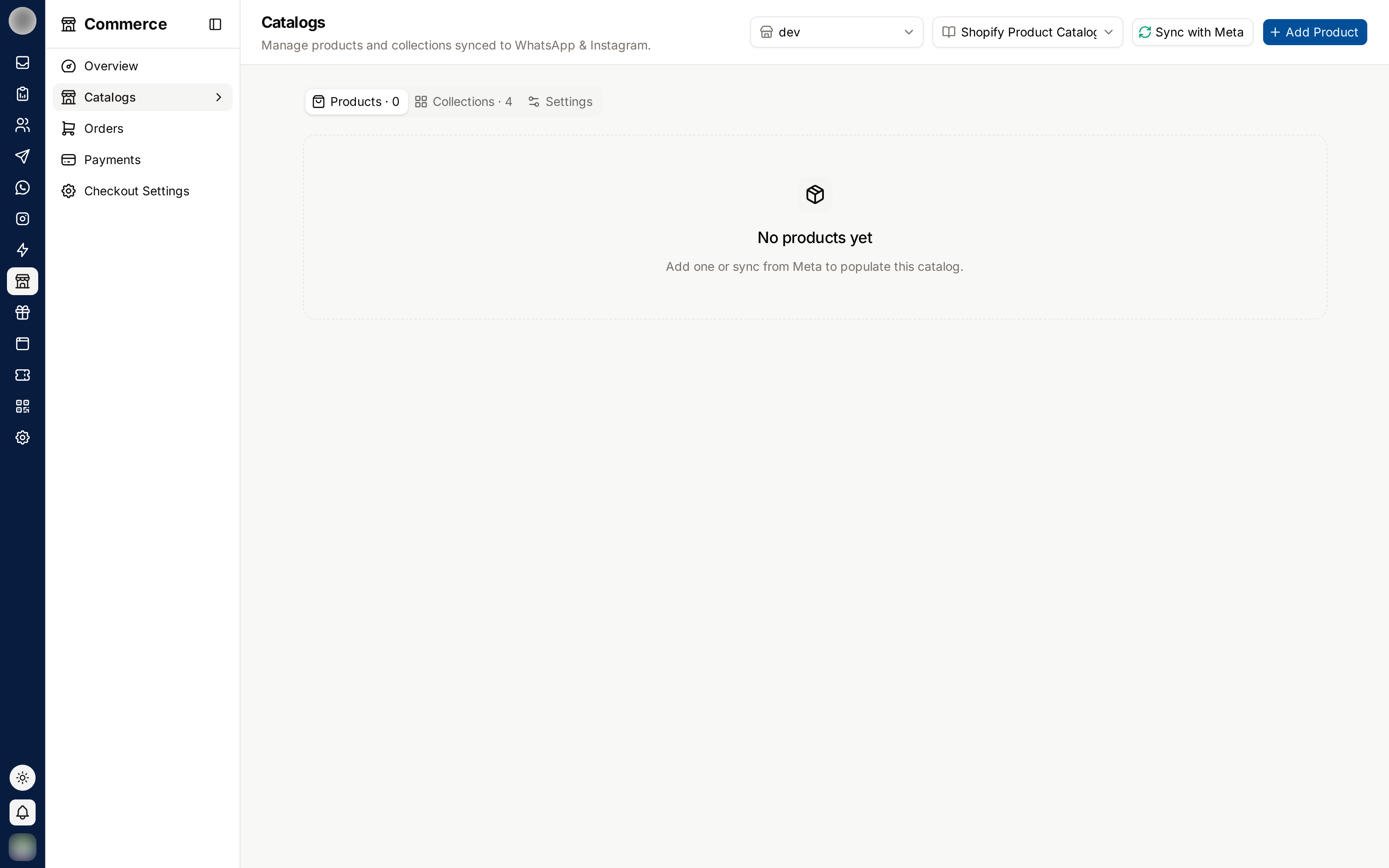
Pick the Store and Catalog
Catalog products ("Manage products and collections synced to WhatsApp & Instagram.") has two switchers at the top:
| Switcher | Picks |
|---|---|
| Select store | The WhatsApp number whose catalog you are viewing |
| Select catalog | Which of your Meta catalogs to show. The one linked to the selected number is marked Connected |
The page has three tabs: Products · N, Collections · N and Settings.
Connect a Catalog to Your WhatsApp Account
This links a catalog to the WhatsApp Business Account (WABA) behind a number, from the catalog's Settings tab. For a Commerce shop, Use this catalog does this for every account at once.
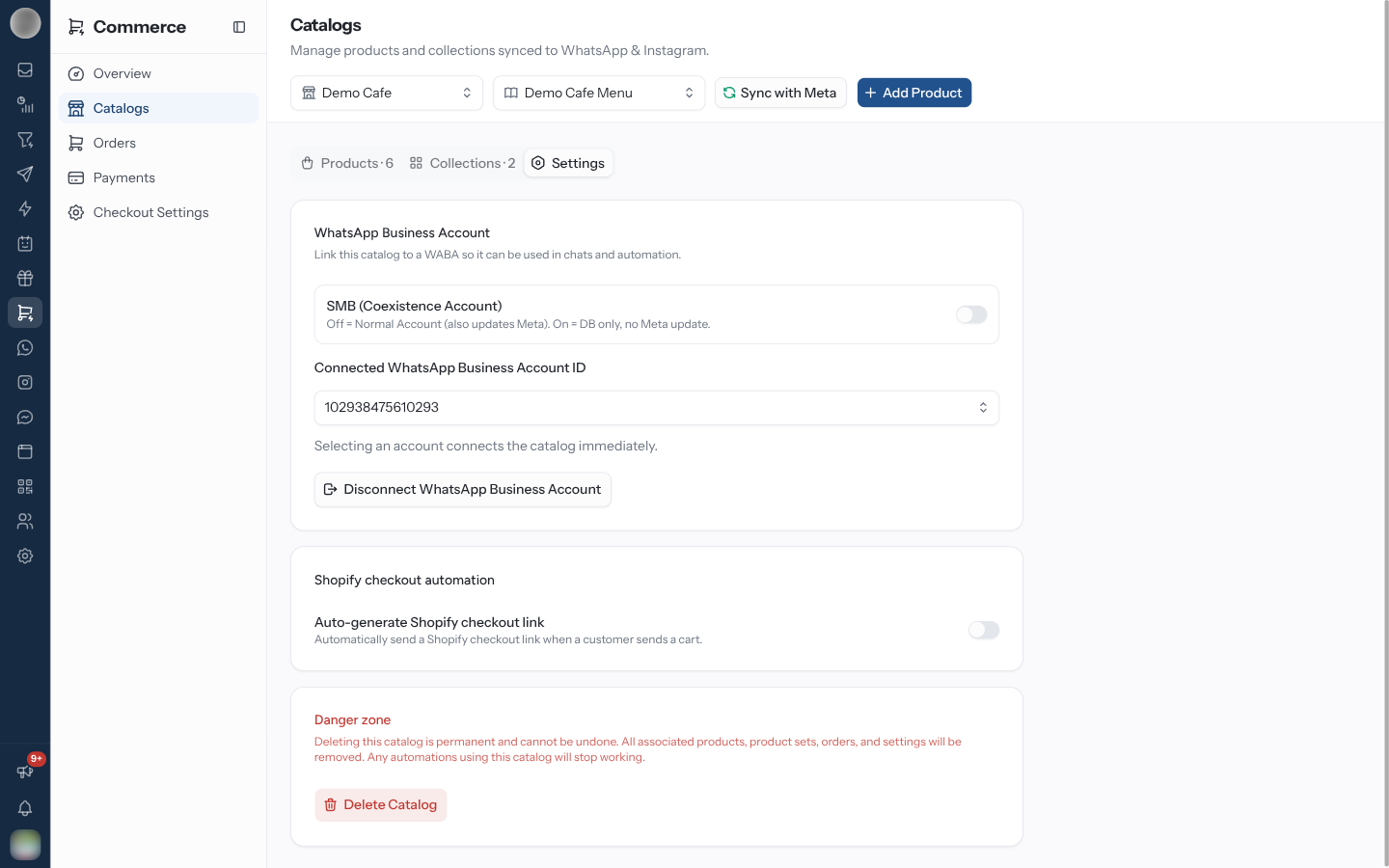
Choose the number in Select store and the catalog in Select catalog, then open Settings.
Leave SMB (Coexistence Account) off for a normal Cloud API number; turn it on for a number shared with the WhatsApp Business app.
Choose the account under Connected WhatsApp Business Account ID and confirm Connect.
| Mode | What connecting does |
|---|---|
| SMB (Coexistence Account) off | "Normal Account — will also update in Meta" |
| SMB (Coexistence Account) on | "DB only, no Meta update" |
Disconnect WhatsApp Business Account undoes the link. "The catalog in automation on the connected account won't work" afterwards.
Manage Catalog Products
Each product shows its image, title, brand, price and an Active or Out of stock badge. Add Product opens the product form; a product's menu deletes it.
Deleting a product here "removes the product from your Meta catalog and cannot be undone."
Products live in the Meta catalog and are pulled in with Sync with Meta ("Syncing with Meta…", then "Products synced"). The Collections tab has its own Sync collections. Only product catalogs can be managed; another type shows "Unsupported catalog type".
Send a Shopify Checkout Link Automatically
The catalog's Settings tab has Shopify checkout automation — "Automatically send a Shopify
checkout link when a customer sends a cart." Write the Checkout message with {link} where the
URL goes.
Danger zone → Delete Catalog is permanent: "All products, orders, product sets, and automation links tied to this catalog will be permanently deleted."
See Catalog Cart Orders
Catalog orders (also WhatsApp catalog orders on the Orders page) lists "Orders placed through the WhatsApp catalog cart checkout."
| Stage | Shown as |
|---|---|
| Pending payment | Pending |
| Checkout sent | Confirmed |
| Pending delivery | Packed |
| Pending address | Shipped |
| Completed | Delivered |
| Cancelled | Cancelled |
The filter offers All orders, Pending, To ship, Shipped and Delivered, and each order shows how it was paid (UPI, Cash on delivery, WhatsApp Pay, a card, or Pending).
Set Up Catalog Cart Checkout and Payments
| Card | Covers |
|---|---|
| Catalog cart checkout | "What the catalog cart asks for and how it delivers" — Collection, Address Fields and Delivery Options tabs |
| Catalog cart payments | "Payment settings for the older checkout that runs on the WhatsApp catalog's own order message" — Shopify checkout URL, WhatsApp Pay, UPI payment link, cash on delivery or bank transfer |
These settings apply only to the catalog cart checkout. Commerce orders use Getting Paid and Checkout.
Troubleshooting
| Symptom | Likely cause | Fix |
|---|---|---|
| "No catalog connected" | The selected number has no linked catalog | Pick a catalog and connect it from Settings |
| No Legacy catalog tab | Your account never used these tools | Use Products instead |
| "Sync failed" | The connection to Meta has expired | Reconnect the number under Channels |
Related Pages
Storefront
Your public shop page — publishing it, each product's own link, search indexing, how shoppers check out, and why some orders start with a WhatsApp message from the shopper.
Loyalty Overview
A points-and-rewards programme run over WhatsApp — earning, tiers, rewards, reminders, feedback and a counter-side cashier.