Coupons
Create discount codes customers use in chat checkout and on your storefront, and see which codes earn their keep.
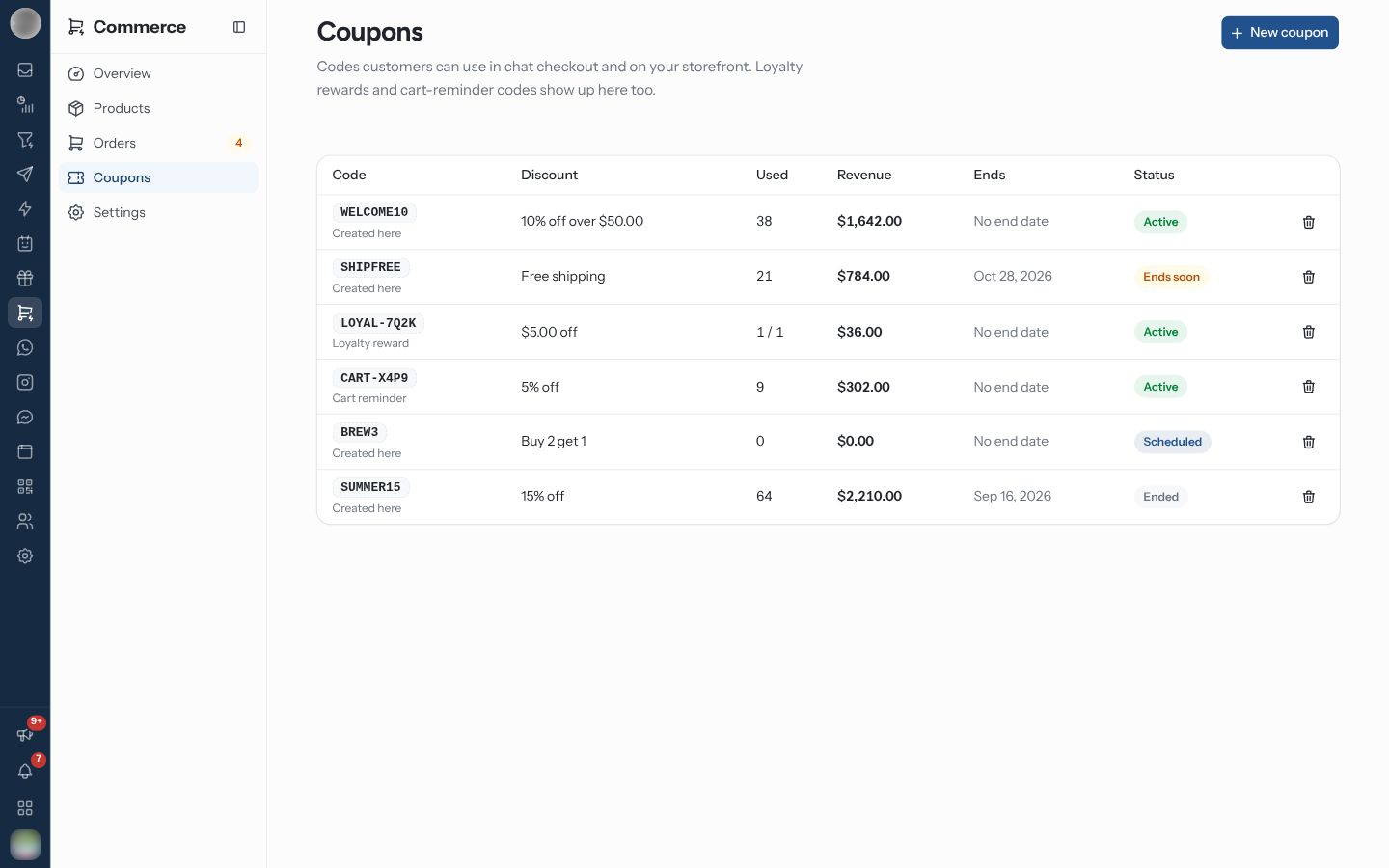
Coupons holds the "Codes customers can use in chat checkout and on your storefront. Loyalty rewards and cart-reminder codes show up here too."
Create a Coupon
Click New coupon.
Type a Code (at least 3 characters) or click Generate.
Choose the Type and its value, and an optional Minimum order.
Set Applies to, the usage limits, the dates and Who can use it.
Leave Active on and click Save coupon.
| Field | Options |
|---|---|
| Type | % off (Percent off), Fixed amount (Amount off), Free shipping, Buy X get Y (Customer buys / Gets free) |
| Applies to | Whole order, Some collections, Some products |
| Uses per customer / Total uses | Empty means No limit |
| Starts / Ends | Empty means Now / No end date |
| Who can use it | Anyone with the code, First order only, Loyalty members |
| Active | "Switch off to pause the code without deleting it." |
"After saving", the page suggests where to use it: "Send it in a WhatsApp broadcast, add it to cart reminders, or attach it to an Instagram comment reply." To attach one to the last cart reminder, see Cart Reminders.
Read the List
| Column | Shows |
|---|---|
| Code | The code, and where it came from: Created here, Loyalty reward, Cart reminder or Pay-online offer (the cash-on-delivery discount from Getting Paid) |
| Discount | For example "10% off over $50.00" |
| Used / Revenue | How often it was redeemed and what those orders brought in |
| Ends | The end date, or No end date |
| Status | Active, Scheduled, Ends soon, Ended, Used up or Off |
Your newest active code that anyone can use is advertised on the storefront as "Use code … at checkout", unless the storefront has its own banner headline.
Delete a Coupon
Use the row's delete button. "Customers can no longer use this code. A code that has been used is switched off instead" — it stays in the list for your records.
When customers pay on your Shopify or WooCommerce checkout, "RateUp codes can't be used there; create codes in Shopify instead." The page shows this as a banner.
Related Pages
- Checkout — turning coupon entry on in chat checkout
- Campaigns — sending a code in a broadcast
- Loyalty Rewards
Orders
Every order from WhatsApp, Instagram, Messenger and your storefront — what needs action, the order page, shipping, refunds, returns and invoices.
Settings
Commerce → Settings — getting paid, delivery rates and labels, checkout, store details and the Meta catalog, and the messages customers get about their order.