Orders
Every order from WhatsApp, Instagram, Messenger and your storefront — what needs action, the order page, shipping, refunds, returns and invoices.
Orders lists "Every order from WhatsApp, Instagram, Messenger and your storefront, in one list." Each order has a payment status and a fulfilment status, and the list tells you the Next step for each.
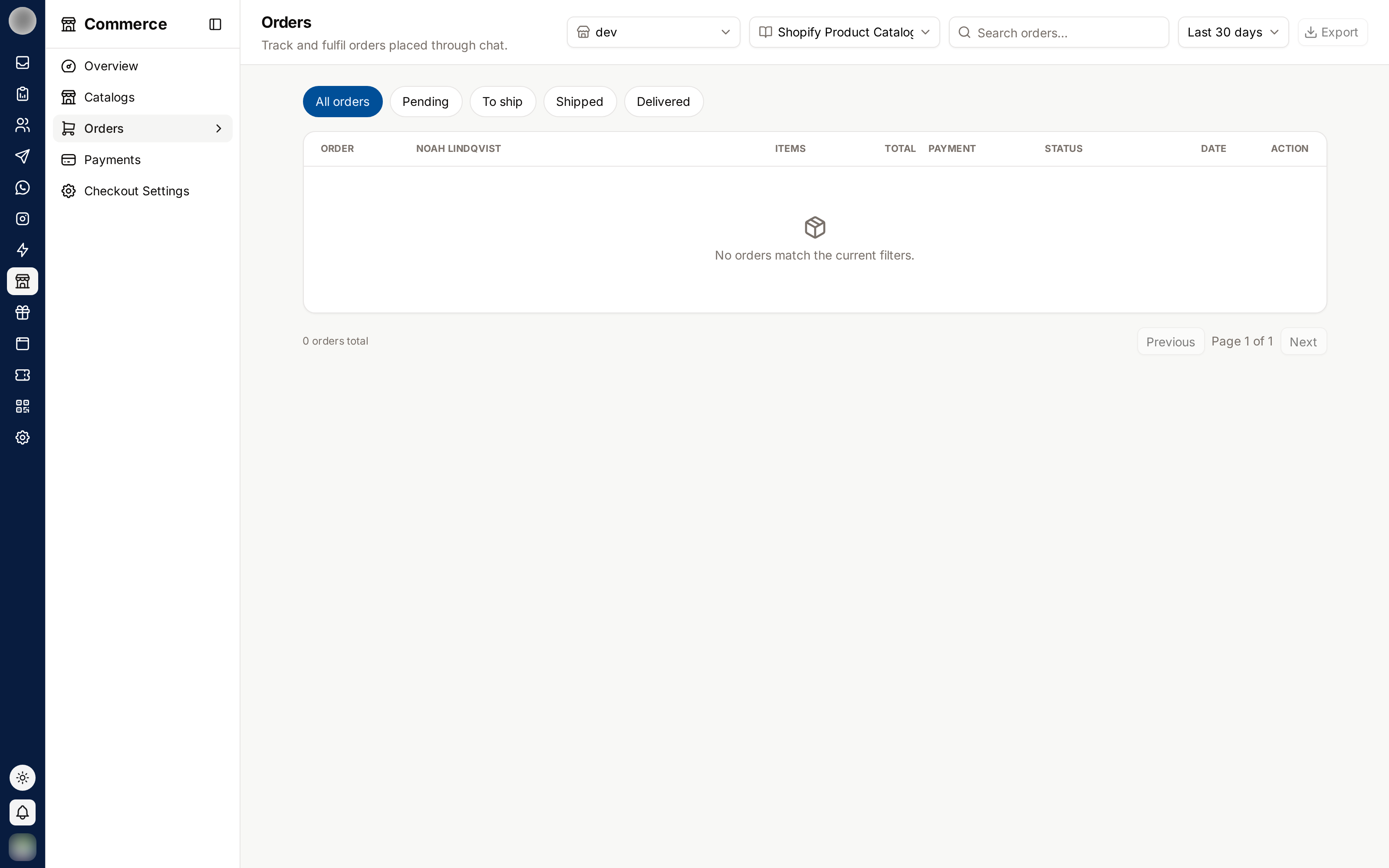
Work From the Tabs
| Tab | Shows |
|---|---|
| All | Every order except drafts |
| Needs action | Cash orders not yet confirmed, paid orders still to pack, failed deliveries and requested returns. Its count is also the badge on Orders in the sidebar |
| Awaiting payment | Orders at the payment step that are not paid |
| To pack | Paid (or confirmed cash) orders not yet shipped |
| Shipped | Shipped or Out for delivery |
| Delivered | Delivered |
| Returns | Orders with a return, or refunded in full or part |
| Drafts | Carts that have not been placed yet |
| Cancelled | Cancelled |
Orders paid on your Shopify or WooCommerce checkout are fulfilled in that store, so they never land in Needs action or To pack — their next step reads "Fulfil it in Shopify".
Search by "order, name, phone or Instagram handle", and filter by channel or payment status. Tick orders and click Mark packed to pack several at once.
Payment and Fulfilment Badges
| Payment | Meaning |
|---|---|
| Unpaid | Nothing sent or paid yet |
| Link sent | A payment link is waiting |
| Paid / Partly refunded / Refunded | Paid, then refunded in part or full |
| Payment failed / Expired | The attempt failed or the link ran out |
| Cash on delivery | To be collected on delivery |
| Fulfillment | Meaning |
|---|---|
| Unfulfilled / To pack | Not packed (To pack once paid) |
| Packed, Shipped, Out for delivery, Delivered | On its way |
| Delivery failed, Returned, Cancelled | Ended without delivery |
An order with a Needs review badge was paid, but something could not be applied — for example a coupon used up first or points already spent. The order page says what, and how much was "given to the customer but not covered by the payment".
Create an Order for a Customer
Click Create order — "Build a cart for a customer and send them a link to pay in their chat." In a conversation, the same thing is Sell → Create order / payment link in the Inbox.
Pick the customer and channel (or Manual (no chat)), add products to the Cart, and optionally a coupon code and a delivery rate (Let them choose leaves it to the customer).
Choose what to send and create the order.
| Send | The customer |
|---|---|
| Send payment link | "They pay straight away; delivery details are asked in chat." Needs Stripe or Razorpay |
| Send checkout link | "They add their address, pick delivery and pay on one page." With a store checkout: "They pay on your Shopify checkout page." |
| Just create | "Save the order without messaging them." |
If the customer's 24-hour window is closed, nothing can be sent in the chat — create the order and share its link another way, or send a template first.
Create test order makes a draft marked as a test with one of your active products, so you can go through checkout yourself. Save shoppers as a group builds a contact group from who bought what (products, collections, number of orders, amount spent, recency, channel) to use as a campaign audience.
Work an Order
Click an order number to open its page: Order #N, its badges, "date · via channel", and sections for Items, Ship this order, Timeline, Customer, Delivery, Payment, Where this sale came from, Returns and Staff note ("Only your team sees this.").
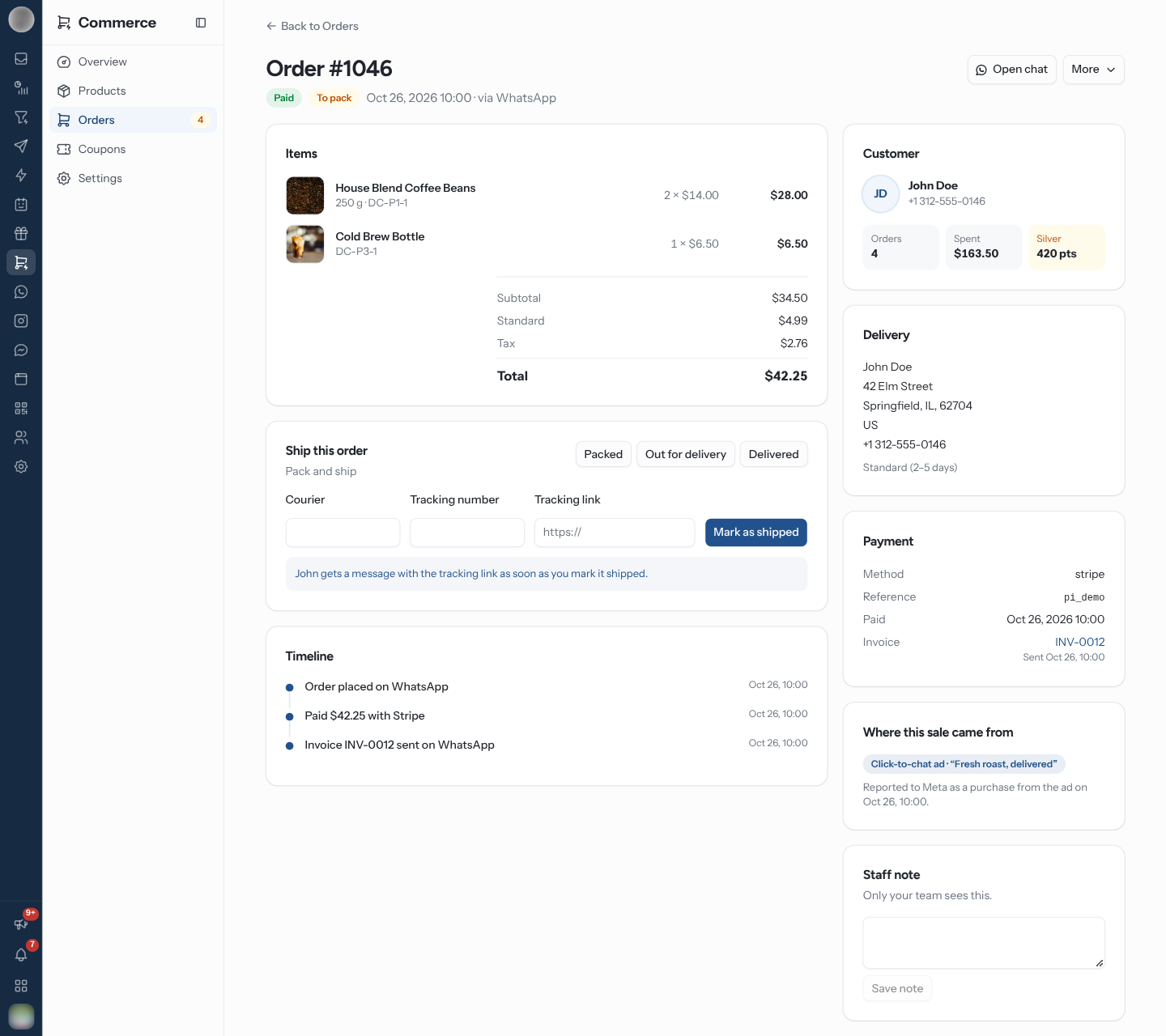
| Button | What it does |
|---|---|
| Open chat | Opens the customer's conversation in the Inbox |
| Confirm cash order | Confirms a cash order on the customer's behalf |
| Send payment link / Resend checkout link | Sends a fresh link in the chat. If it cannot be delivered, it is copied so you can paste it |
| More → Copy checkout link, Open in Shopify | The order's link, or the order in the connected store |
| More → Download invoice, Send invoice to customer | See Invoices |
| More → Mark as paid | Paid in cash, Paid by bank transfer or Paid some other way |
| More → Refund | Refund all or part of a paid order |
| More → Cancel order | Cancel, with a reason, Put the items back in stock and Tell the customer |
Cancelling "cannot be undone. A paid order is not refunded automatically; refund it separately." Refund first with Refund, then cancel.
Ship an Order
Ship this order shows the next step and quick buttons for Packed, Out for delivery, Delivered and Delivery failed. "Order updated. The customer gets a message if that update is switched on." — see Customer messages.
To ship, enter Courier, Tracking number and Tracking link and click Mark as shipped. With EasyPost connected (Commerce → Settings → Delivery), Buy a label compares carriers by Parcel weight (g) — Get rates, then Buy label; Enter tracking myself is the manual form. "… gets a message with the tracking link as soon as you mark it shipped."
Orders paid on Shopify or WooCommerce show "Fulfilled in Shopify": "Pack, ship, cancel and refund it in Shopify; this order follows along."
Handle a Return
Customers can Request a return from their order page once it has shipped. Requests show under Returns with Approve or Reject, then Mark received (optionally Put the items back in stock) and Refund — "Leave the amount empty to refund the returned items in full."
See Where a Sale Came From
| Source | Shown as |
|---|---|
| A click-to-WhatsApp ad | "Click-to-chat ad · “headline”", with when the free messaging window ends and "Reported to Meta as a purchase from the ad on …" once reported |
| An Instagram comment or story | Instagram comment / Instagram story |
| A campaign | Broadcast campaign |
| The storefront or a shared link | Storefront / Shared link |
Send an Invoice
Every paid order has a numbered PDF invoice. It is issued the first time someone asks for it and never redrawn after that, so its number and contents stay fixed.
| Action | Where |
|---|---|
| Download invoice | More on the order page. Issuing a new invoice needs "Fulfil, cancel and update orders" |
| Send invoice to customer / Resend invoice | More on the order page; the Payment card then shows "Sent …" |
| Send automatically on payment | Send invoices automatically in Getting Paid |
| The customer's own copy | Download invoice on their order page |
Once any order on the page has an invoice, the list gains an Invoice column.
WhatsApp only accepts files inside the customer's 24-hour window. Outside it the send is refused: "Download the invoice and share it another way." Orders paid on Shopify or WooCommerce get their invoice from that store, not RateUp.
Older WhatsApp Catalog Orders
Orders sent from the WhatsApp catalog cart before Commerce had its own products are on a separate page, WhatsApp catalog orders, shown as a button here when you have any. See Legacy Catalog Tools.
Troubleshooting
| Symptom | Cause | Fix |
|---|---|---|
| "The link could not be sent in chat" | The 24-hour window is closed | The link is copied — paste it to the customer another way |
| "Connect Stripe or Razorpay to take payments online" | No online provider | Open Getting paid |
| "Monthly order limit reached" | The plan's orders for the month are used | Upgrade plan |
| No Refund in More | Not paid, paid on a store checkout, or you lack "Connect payments, set shipping and refund" | Refund in the store, or ask an admin |
| A storefront cash order never appears as placed | The shopper did not confirm on WhatsApp | See Confirm on WhatsApp |
Related Pages
- Getting Paid
- Checkout
- Coupons
- Inbox — the conversation behind the order