Commerce
Sell in WhatsApp, Instagram and Messenger chats and on your own storefront — products, orders, coupons, payments and delivery in one place.
Commerce is RateUp's shop. You add your products once and they publish to your WhatsApp catalog, your Instagram shop and your own storefront page. Customers check out in the chat or on the storefront, and every order — whichever channel it came from — lands in one list.
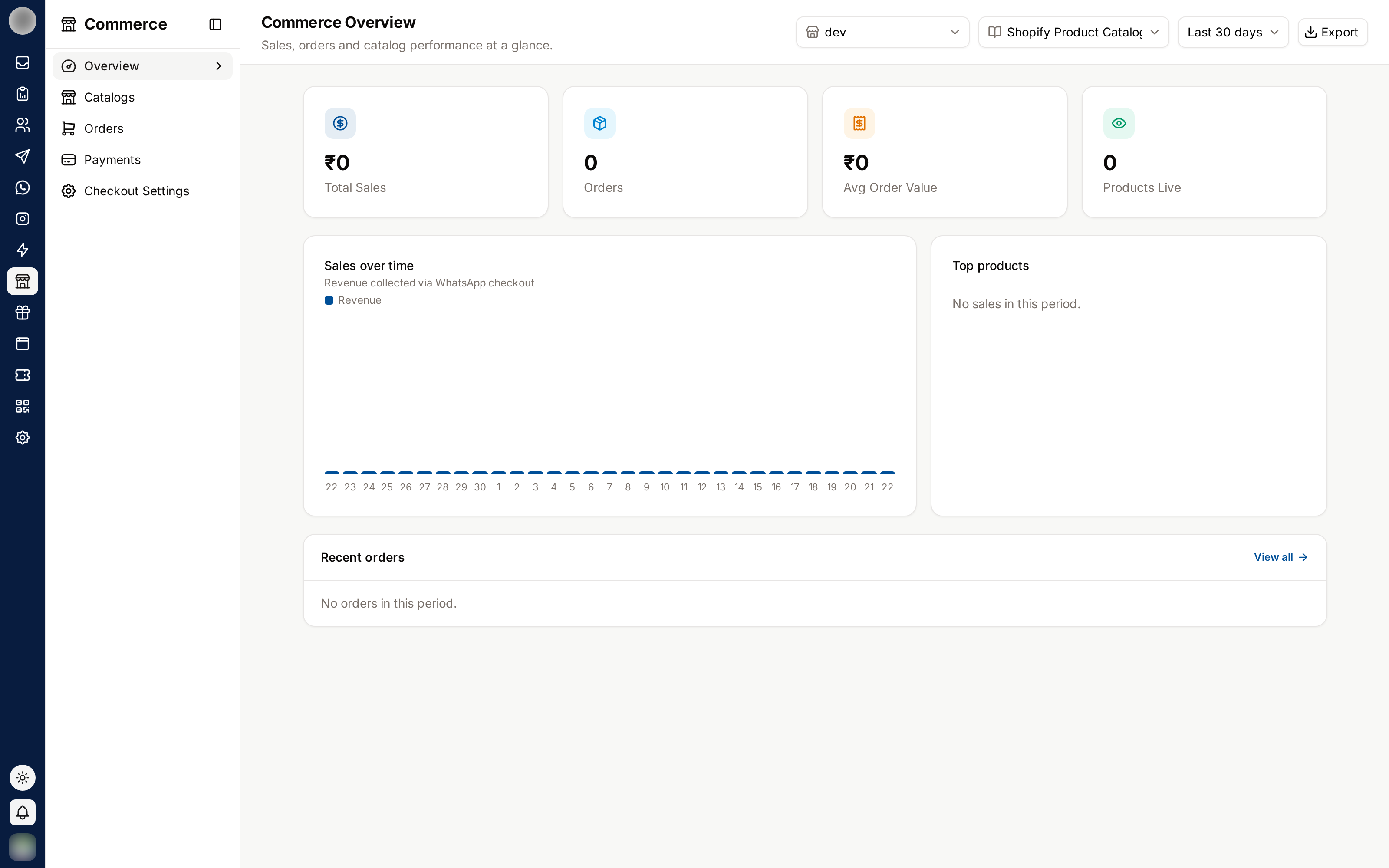
What's in Commerce
The sidebar's Commerce group has these entries:
Setup
The guided checklist from connecting WhatsApp to your first test order. Shown only until it is finished.
Overview
Revenue, orders, messaging cost against what it sold, click-to-WhatsApp ads and what needs attention.
Products
Add, import, bulk-edit and duplicate products, and see where each one is live.
Orders
Every order from every channel, the order page, shipping, refunds, returns and invoices.
Coupons
Discount codes for chat checkout and the storefront.
Settings
Getting paid, delivery, checkout, store details and customer messages.
The Settings pages in detail:
Getting Paid
Stripe, Razorpay, cash on delivery, bank transfer and PDF invoices.
Checkout
Where customers pay, what checkout in chat asks for, and cart reminders.
Storefront
Your public shop page, product links, search indexing and WhatsApp confirmation.
Legacy Catalog Tools
The older tools that work straight on the Meta catalog and its cart orders.
Open Commerce
Clicking Commerce in the sidebar opens Setup while your shop still has steps left, and Overview once they are all done. While setup is unfinished, the Setup entry carries a badge with the steps done out of the total, such as 3/7.
The Orders entry carries a badge with the number of orders in its Needs action tab — cash orders still to be confirmed, paid orders to pack, failed deliveries and requested returns.
How an Order Happens
| Way in | What happens |
|---|---|
| A customer sends a cart from your WhatsApp catalog | RateUp turns the cart into an order and walks them through checkout in the chat |
| You build the cart in a conversation | Sell → Create order / payment link in the Inbox, or Create order on the Orders page, sends them a payment or checkout link |
| A shopper buys on your storefront | They check out on the storefront's own checkout page — see Storefront |
| An Instagram comment or click-to-WhatsApp ad | An automation sends the products with a way to buy — see Send Products to Buy |
Wherever it started, the order appears under Orders and the conversation stays in the Inbox.
Before You Start
| You need | Where |
|---|---|
| Commerce turned on for your organisation | Features |
| A connected WhatsApp number | Channels |
| A Meta catalog connected to your shop, so WhatsApp and Instagram can show your products | Commerce → Settings → Store |
| At least one way to get paid | Getting Paid |
Setup walks you through all of these in order.
Who Can Do What
Commerce has its own permissions, set per role under Members & Roles:
| Permission | Lets someone |
|---|---|
| "See products, orders and shop analytics" | Open Commerce at all |
| "Send products and payment links in chat" | Sell in conversations, create orders and test orders |
| "Fulfil, cancel and update orders" | Mark orders packed, shipped or paid, cancel them |
| "Add and edit products and stock" | Add, import, edit and archive products |
| "Create and edit coupons" | Manage Coupons |
| "Connect payments, set shipping and refund" | Payment providers, delivery rates, checkout settings, refunds |
| "Set up the storefront" | Store details and the storefront |
Related Pages
- Setup — the guided checklist
- Inbox — where order conversations live
- Integrations — connecting Shopify or WooCommerce
- Abandoned-Cart Reminders — WhatsApp reminders for Shopify checkouts