Activity
Every point in and out of your programme, and the requests waiting for your approval.
Activity (/dashboard/loyalty/activity) is the ledger — "Every point in and out" — and the
place you approve requests. The sidebar entry shows how many requests are waiting.
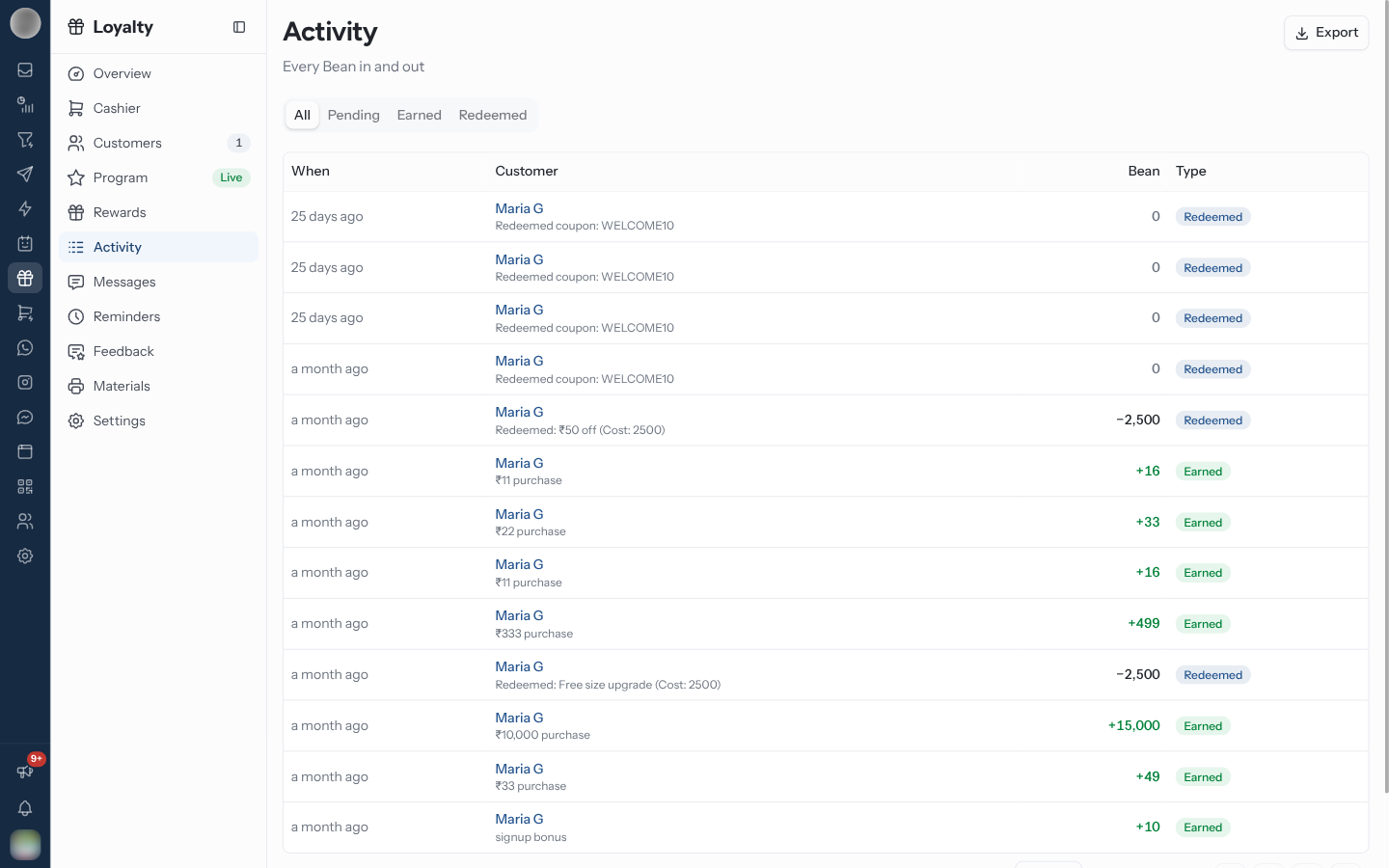
Read the Ledger
| Column | Meaning |
|---|---|
| When | Date and time of the movement |
| Customer | The member — click the name to open their record on Customers — and what it was for, such as a purchase amount |
| Points | The change, named after your points |
| Type | Earned, Redeemed, Adjusted, Expired or Refunded |
Filter with All, Earned or Redeemed. Full history on a customer in the Cashier opens Activity filtered to One customer; Show every customer clears it.
The page's address keeps the filter and page, so a view can be bookmarked, reloaded and shared.
Export downloads the ledger with Export as CSV or Export as Excel.
Approve or Reject a Request
Pending shows what is waiting on you — "requests waiting on you". Each row says what it is, the customer, and who asked.
Click Pending.
Check the request. Look at the customer's history if the amount looks unusual.
Click Approve to post it. "Approving posts the points immediately and tells the customer on WhatsApp."
Or click Reject, answer "Why is this being rejected?", and confirm. The note goes back to whoever asked.
| Request type | What it is |
|---|---|
| Points adjustment | A correction to a balance, including Undo on a Cashier receipt |
| Reward redemption | A redemption that needs approval before it is handed over |
| Tier override | A member's tier set by hand |
| Account suspension / Account reactivation | Suspending or restoring a member |
| Bulk operation | A change to many members at once |
With Auto-approve staff adjustments on in Settings, staff corrections post at once — "only tier overrides and bulk operations land under Pending."
Auto-approval means a mistyped correction goes straight onto a customer's balance and messages them. If you turn it on, read the ledger regularly.