Loyalty Overview
A points-and-rewards programme run over WhatsApp — earning, tiers, rewards, reminders, feedback and a counter-side cashier.
Loyalty runs a points programme for your customers. They join by sending a keyword on WhatsApp, earn points when they buy, climb tiers, redeem rewards and refer friends — with no app to install. Your staff serve them from the Cashier; everything else is configured here.
How It Works
| Customer does | What happens |
|---|---|
| Scans your counter QR, or texts your join keyword | They become a member, and get any joining bonus |
| Buys something | Staff add the purchase in the Cashier and points are earned by your earning rule |
| Keeps spending | They move up a tier, if tiers are on |
| Spends points | Staff redeem a reward and the customer gets a code on WhatsApp |
| Refers a friend | Both sides get the referral bonus |
| Goes quiet, has a birthday, has points about to expire | A reminder goes out at the hour you set |
| Answers the post-visit survey happily | They are asked for a Google review, and can be rewarded for it |
Everything the customer does happens in WhatsApp. Nothing reaches customers until you activate the programme.
What's in This Section
Set Up Your Programme
The six-step setup: profile, earning, tiers, rewards, messages and launch.
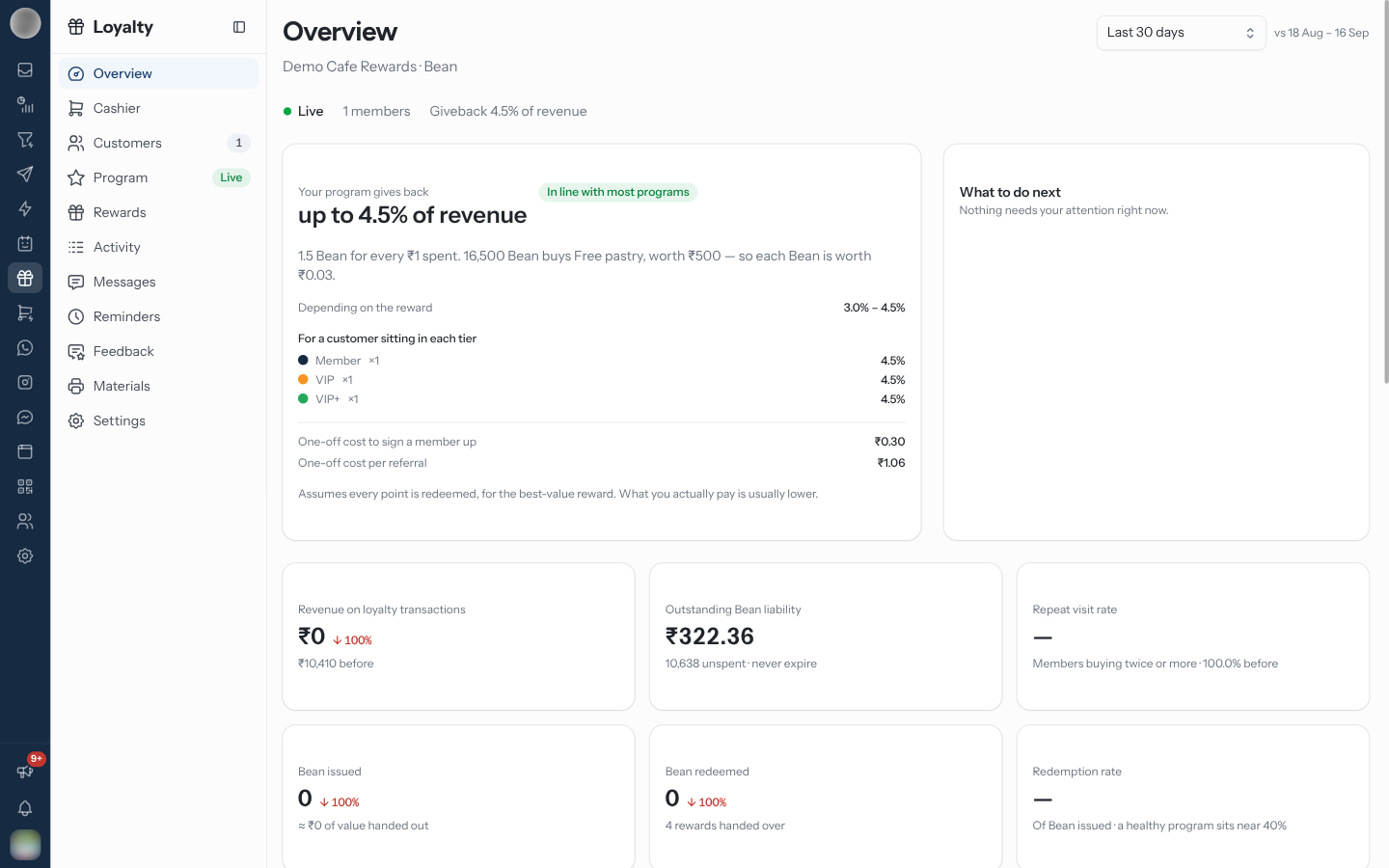
Overview
Status, giveback, what to do next, headline numbers and charts.
Cashier
The counter-side screen: find or register a customer, add a purchase, redeem.
Customers
Your members, their balances, tiers, referral codes and details.
Program
Profile, earning rules and tiers — what the programme promises.
Rewards
Points rewards, coupons, free gifts, and the joining and referral bonuses.
Activity
Every point in and out, and the requests waiting for approval.
Messages
Automatic messages, keyword replies, the chatbot menu and templates.
Reminders
When scheduled messages send: birthdays, quiet customers, expiring points.
Feedback
A WhatsApp survey after a visit, a Google review ask, and the results.
Materials
The counter QR card and the rewards brochure, ready to print.
Settings
Pause, join link, approvals, sending number, integrations, expiry and the danger zone.
Set Up in This Order
Connect a WhatsApp number in Settings → Channels. The join QR can only be made once a number is connected.
Run the setup — profile, earning, tiers, rewards and messages — and Activate program on the last step.
Check the WhatsApp templates were approved on Messages, and set when each reminder goes out on Reminders.
Print the counter QR card from Materials.
Train your staff on the Cashier before the first customer joins.
Optionally, set up the post-visit survey on Feedback.
Get the earning rate right before customers join. Changing it after launch changes what every point already issued is worth, and that is the fastest way to lose trust in a loyalty programme.
Related Pages
- WhatsApp Templates — the approved messages loyalty sends
- Contacts — loyalty members are contacts too
- Settings → Channels — connecting the WhatsApp number
Legacy Catalog Tools
The older WhatsApp-catalog tools — products kept straight in the Meta catalog, catalog cart orders and their checkout — for accounts that used them before Commerce had its own products.
Set Up Your Programme
The six-step loyalty setup — profile, earning, tiers, rewards, messages and launch — and what each step decides.