Rewards
What customers spend points on — points rewards, coupons and free gifts, per tier — and the joining and referral bonuses.
Rewards (/dashboard/loyalty/rewards) is "What customers can spend their points on, and what
they get for joining." The joining and referral bonuses sit at the top; the reward catalogue sits
below.
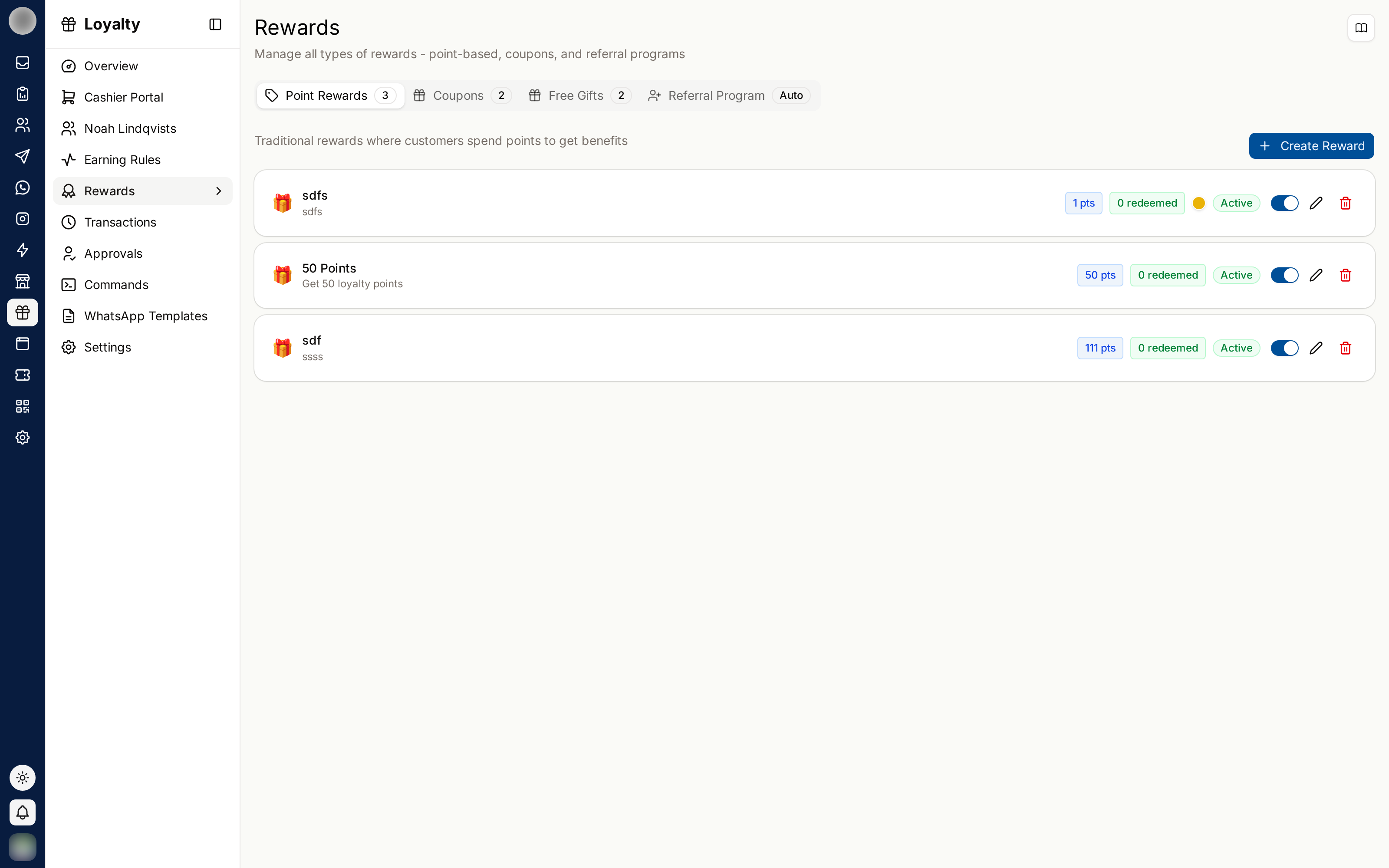
The Four Kinds of Reward
Create reward asks "What kind of reward is it?"
| Kind | What it is | Costs points? |
|---|---|---|
| Points reward | "Customers spend their points on it — a discount, cashback or a free item." | Yes |
| Coupon | "A code any customer can use. No points needed." | No |
| Free gift | "Handed to a customer by you or by the referral program, each with its own code." | No |
| Review reward | "Thanks a customer for leaving a Google review after the feedback survey." | No — set up on Feedback |
Create a Points Reward
Click Create reward › Points reward. Start from an example fills in a reward suited to your kind of business.
Give it a Name — "e.g. Free coffee, 20% off" — and a Description.
Pick What they get: Cash off, Percentage off, Free item or Free service, and set the amount.
Set the Cost in points, and What it normally sells for — used to show what the reward costs you.
Optionally, under Rules (optional), set a Minimum spend or Days and times (Days, From, Until) it can be used.
To limit it to some tiers, switch on Only some tiers under Available to and tick them.
Click Create reward.
Create a Coupon
A coupon is one code any customer can use, without spending points.
Click Create reward › Coupon.
Enter the Name, the Coupon code ("The code customers show or type to use it.") and a Description.
Set the Discount — Percentage off or Amount off — its Value, and any Minimum bill.
Under Limits, set Total uses across all customers and Uses per customer.
Set when it Starts (Straight away by default) and Ends (No end date by default), and any Terms and conditions.
Click Create reward.
Create a Free Gift
A free gift is handed to a named customer — by staff with Grant a gift in the Cashier, by the referral bonus, or by a birthday, anniversary or quiet-customer reminder.
Click Create reward › Free gift.
Enter the Name — "e.g. Coffee mug, Tote bag" — and a Description.
Set How many you have. "Each one handed out gets its own code."
Set What it normally sells for, and any Terms and conditions.
Click Create reward.
Offer a Reward to One Tier Only
Any points reward, coupon or free gift can be limited to some tiers with Only some tiers. On its tile the reward then shows the tiers it is for instead of All members, and in the Cashier it is marked as tier-only. A Gold-only perk is a reason to reach Gold.
Set the Joining and Referral Bonuses
| Bonus | Who gets it | When |
|---|---|---|
| Joining bonus | New members | "Paid once, the moment a customer joins, however they joined." |
| Referral bonus | The customer who shares and The friend who joins | When the friend joins with the referral code |
Click Edit on either card to choose what it pays — Points or a Free gift — and the Amount. "Set it to 0 to give nothing for joining." Switch a bonus off with its toggle.
Reward both sides of a referral. A bonus that only pays the referrer feels like being used; one that gives the friend something too is an easy thing to send.
Manage Rewards
| Action | How |
|---|---|
| Hide a reward without losing its history | Switch it off on the tile, or turn off Offered to customers in the editor |
| Change it | Edit on the tile |
| Remove it | Delete on the tile |
| Find one | Filter by Type and Status (On and off, On, Off) |
Tiles show how many have been redeemed or given out, and Out of stock or Expired when that applies.
Redeem Online With Shopify or WooCommerce
With a store connected in Settings → Integrations, a points reward or coupon that takes money or a percentage off can be used at checkout: switch on Use at Shopify checkout or Use at WooCommerce checkout. "Each customer gets their own one-use code when they redeem — there is no code to set here." Set Code expires after a number of days, or leave it blank for no expiry.
A free item or service cannot be synced — it needs a product to give away.
Price Rewards Properly
| Problem | Symptom | Fix |
|---|---|---|
| Priced too high | Points issued far exceeds points redeemed | Lower the cost, or add a cheap entry reward |
| Priced too low | Redemptions constant, margin suffering | Raise the cost |
| Nothing reachable early | New members drop out | Add one small reward reachable in a visit or two |
Always have one cheap, reachable reward — the first redemption is what turns a sign-up into a member. Check Most redeemed rewards on the Overview and retire what nobody takes.