Reminders
When your programme's scheduled messages send — birthdays, anniversaries, quiet customers, expiring points and rewards, and VIP at risk.
Reminders (/dashboard/loyalty/reminders) holds "The messages your programme sends on a
schedule rather than on a purchase. Each one goes out at the hour you choose, in your own time."
Messages is what each one says; this page is when it goes.
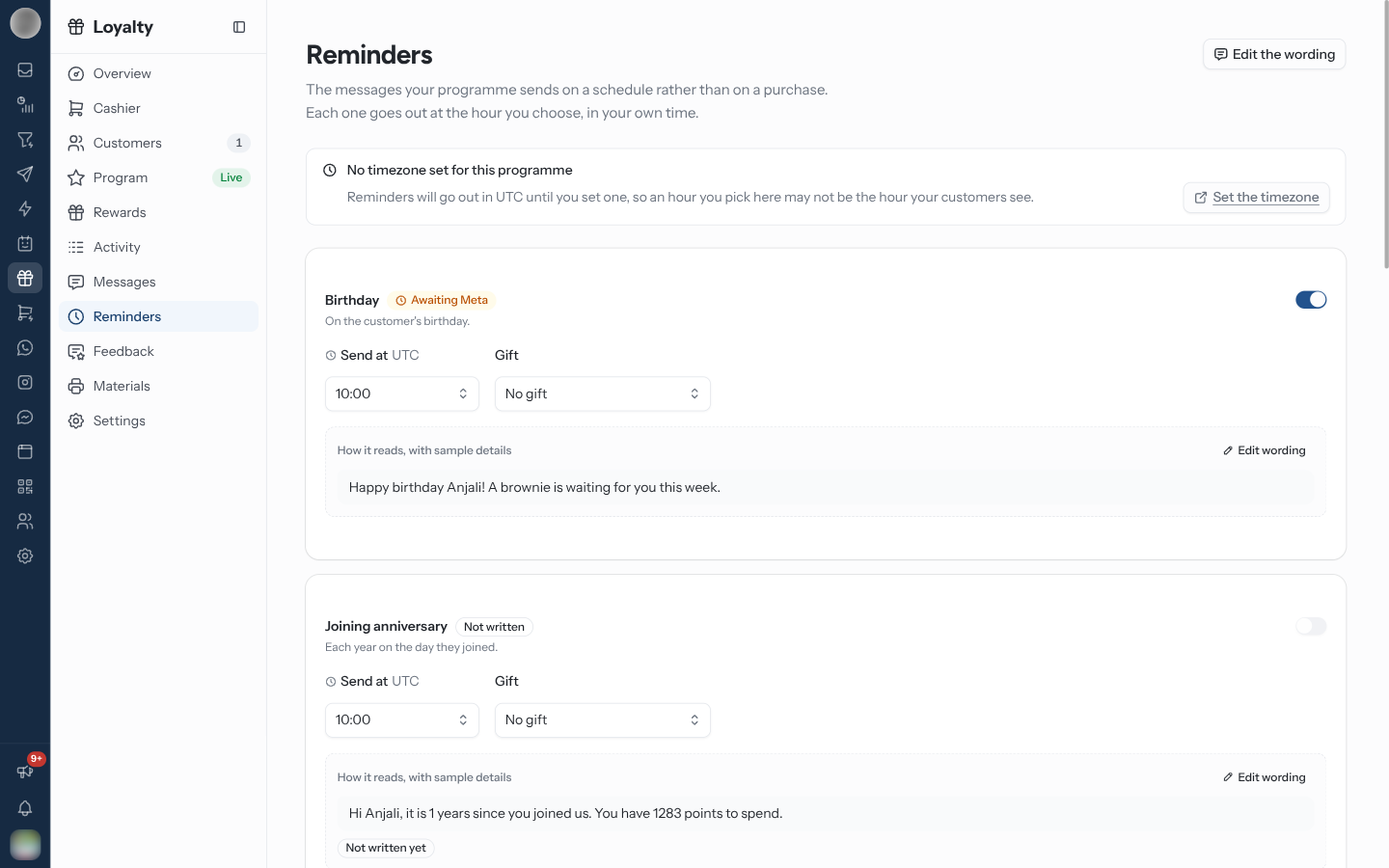
The Reminders
| Reminder | When it sends | Timing you set | Can carry a gift |
|---|---|---|---|
| Birthday | On the customer's birthday | Hour | Yes |
| Joining anniversary | Each year on the day they joined | Hour | Yes |
| Quiet for a while | Once a customer has not visited for a stretch — once per lapse | After this many quiet days (30 to start) and hour | Yes |
| VIP status at risk | Before a member drops out of their tier, while they can still keep it | Days before they lose it (30) and hour | No |
| Reward expiring | Before a reward they already claimed runs out of time | Days before it lapses (3) and hour | No |
| Points expiring | Before a customer's points run out | Days before they expire (14) and hour | No |
| Points expired | Once points have gone, so the balance is never a surprise | Hour | No |
Set When a Reminder Sends
Write the message first on Messages › Automatic. Until then the card reads Not written yet.
Switch on Send this reminder.
Set the number of days, where the reminder has one.
Pick the hour under Send at — 00:00 to 23:00, in the programme's time zone.
For a birthday, anniversary or quiet-customer reminder, pick a Gift — a free gift from Rewards — or No gift.
Each card shows "How it reads, with sample details". Edit wording takes you to the message on Messages.
Before You Switch Them On
| Reminder | Needs |
|---|---|
| VIP status at risk | "Needs a tier window, set on the Program page." — Spend counted within a number of months, not Lifetime |
| Points expiring, Points expired | "Needs points expiry, switched on in Settings." |
| Birthday | A date of birth on the member — staff can add one in the Cashier or on Customers |
If you switch on points expiry in Settings, switch on Points expiring at the same time. Letting points lapse without a warning is the most damaging thing a loyalty programme can do to a customer who was saving.
Troubleshooting
| Symptom | Cause | Fix |
|---|---|---|
| "No timezone set for this programme" | No time zone on the profile | Set the timezone — until then reminders go out in UTC, so the hour you pick may not be the hour customers see |
| A birthday message never arrives | No date of birth on the member, or no approved template | Add the date; check the message on Messages |
| VIP status at risk cannot send | Tiers count Lifetime spend | Set a window in Program › Tiers |