Settings
Pause or resume the programme, the join link, approvals, the sending number and channels, store and POS integrations, point expiry and the danger zone.
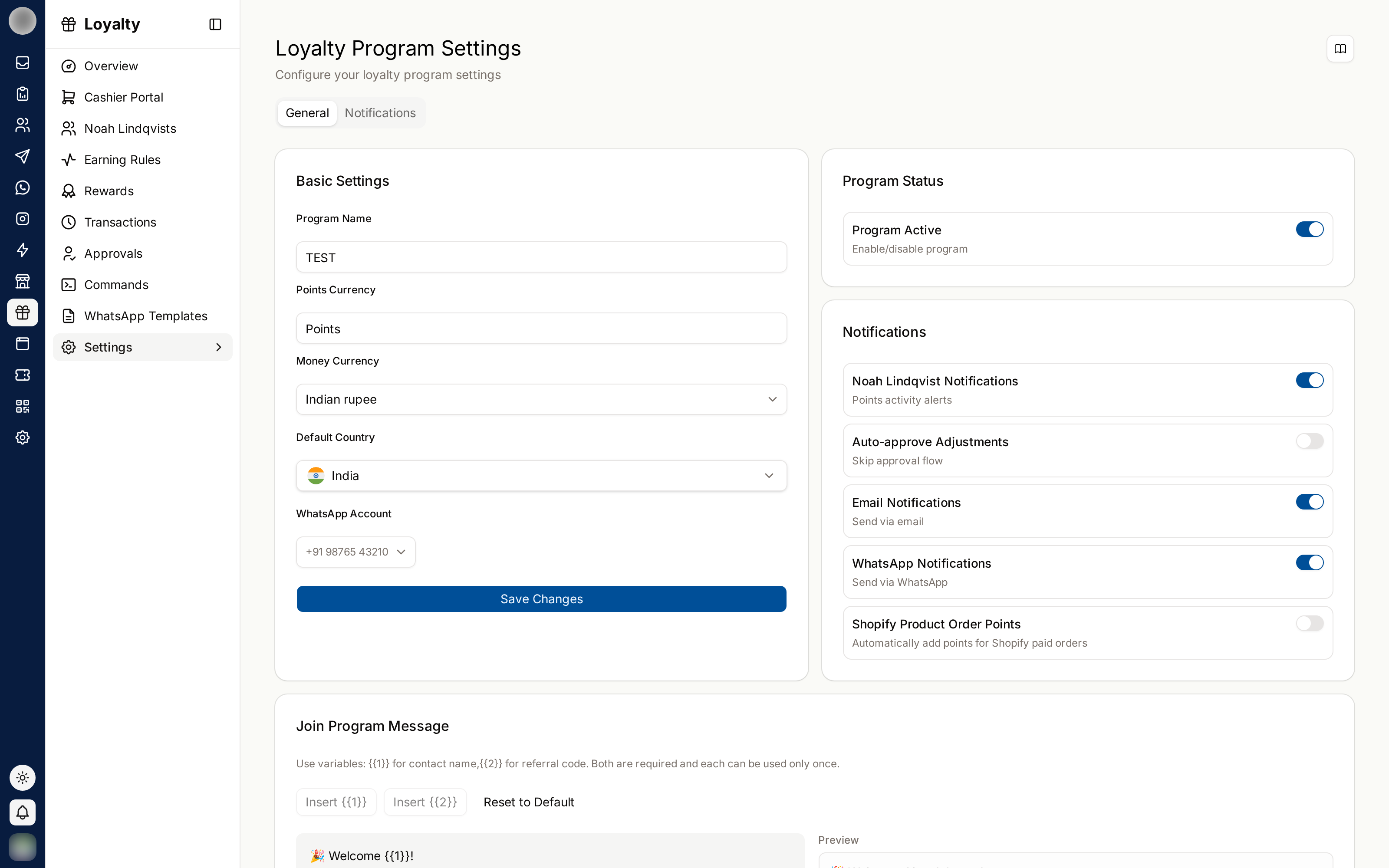
Loyalty Settings (/dashboard/loyalty/settings) holds the decisions that apply to the whole
programme: "the join link, approvals, integrations, expiry and the danger zone." Names and
branding are in Program › Profile, the points name under Earning, and the
messages on Messages.
Pause or Resume the Programme
The Program card says where the programme stands:
| State | Meaning |
|---|---|
| On | Points are earned on every purchase and messages send |
| Paused | "Every balance is kept, earning is stopped, nothing sends." |
| Not activated yet | Setup is not finished — Continue setup |
Pause earning asks "Pause the program?" — "Earning stops and nothing sends. Every balance is kept, and staff can still redeem rewards at the counter." Resume earning turns it back on.
Share the Join Link
The Joining card holds the ways customers sign up.
| Control | What it gives you |
|---|---|
| Copy registration link | The web join page |
| Copy WhatsApp join link | A link that opens WhatsApp with your join keyword ready to send |
| Plain QR | The join QR on its own |
| QR poster › Download poster | "Your logo, colour and join code on one printable card." — Edit the card in Materials |
The keyword and the welcome are the Joining the program reply — Edit it in Messages. The WhatsApp link and QR need a connected number: "Connect a WhatsApp number to get your join QR."
Decide Whether Corrections Need Approval
Auto-approve staff adjustments — "On: a correction posts at once. Off: it waits under Activity › Pending for someone to approve." See Activity.
Choose the Sending Number and Channels
Under Integrations:
| Setting | What it does |
|---|---|
| WhatsApp Business | "Connected. Pick which number the program sends from." — pick the number. Manage channels opens Settings → Channels |
| Send WhatsApp notifications | "The master switch. Which messages send is decided on Messages." |
| Send as a plain message inside the 24-hour window | When a customer has messaged you in the last 24 hours, the message goes as a normal chat message — free, and it works before Meta approves the template. "Templates with buttons are always sent as templates." |
| Channels | Shown only when more than one channel can send. Members hear from you on the channel they chose; "If it cannot reach them, the next one on this list is tried." Keep at least one on |
| Email notifications | "Program notices by email." |
The number you pick here is the one notifications and reminders send from. The keyword-menu chatbot picks its own WhatsApp account on Messages › Chatbot.
Earn Points on Online Orders
| Setting | What it does |
|---|---|
| Shopify orders earn points | "Online orders follow the same earning rules as the counter." |
| WooCommerce orders earn points | "Earned when an order is marked Completed, and taken back if it is refunded or cancelled." |
The store must be connected first in Settings → Integrations.
Award Points From a Till or POS
POS and API access — "For a till or ordering system that awards points directly." — uses your organisation's API keys, the same ones listed under Settings → Integrations. Create a separate key for each system so you can rotate or revoke one without breaking the others. See External API for how to call it.
Set Points to Expire
Under Points Expiration, switch on Enable Expiration.
Pick the Expiration Period: 3 months, 6 months, 12 months or 24 months.
Click Save Changes.
The card shows how many points are currently unspent, and what they are worth if every one is redeemed.
Switch on the Points expiring reminder on Reminders at the same time. Expiring points without a warning is the most damaging thing a loyalty programme can do to a customer who was saving. Give a period longer than your customers' usual gap between visits.
The Danger Zone
| Action | Effect |
|---|---|
| Reset Points | "Reset every balance to zero?" — "All points are removed from every member. This cannot be undone." |
| Delete Program | "This is permanent. Every member, balance, rule and reward is removed." Type the programme's name to confirm. Only shown to people allowed to manage the programme |
Neither can be undone. To stop the programme without losing anything, Pause earning instead — "Pausing keeps every balance intact and simply stops earning."
Related Pages
- Program — names, branding and the points name
- Messages
- Reminders — the expiry warning
- Settings → Channels
- Settings → Integrations — Shopify, WooCommerce and API keys