Earning Rules & Tiers
How customers earn points, and the tiers they climb as they do.
Two things decide how generous your programme feels: the earning rate and the tiers. Both are configured here.
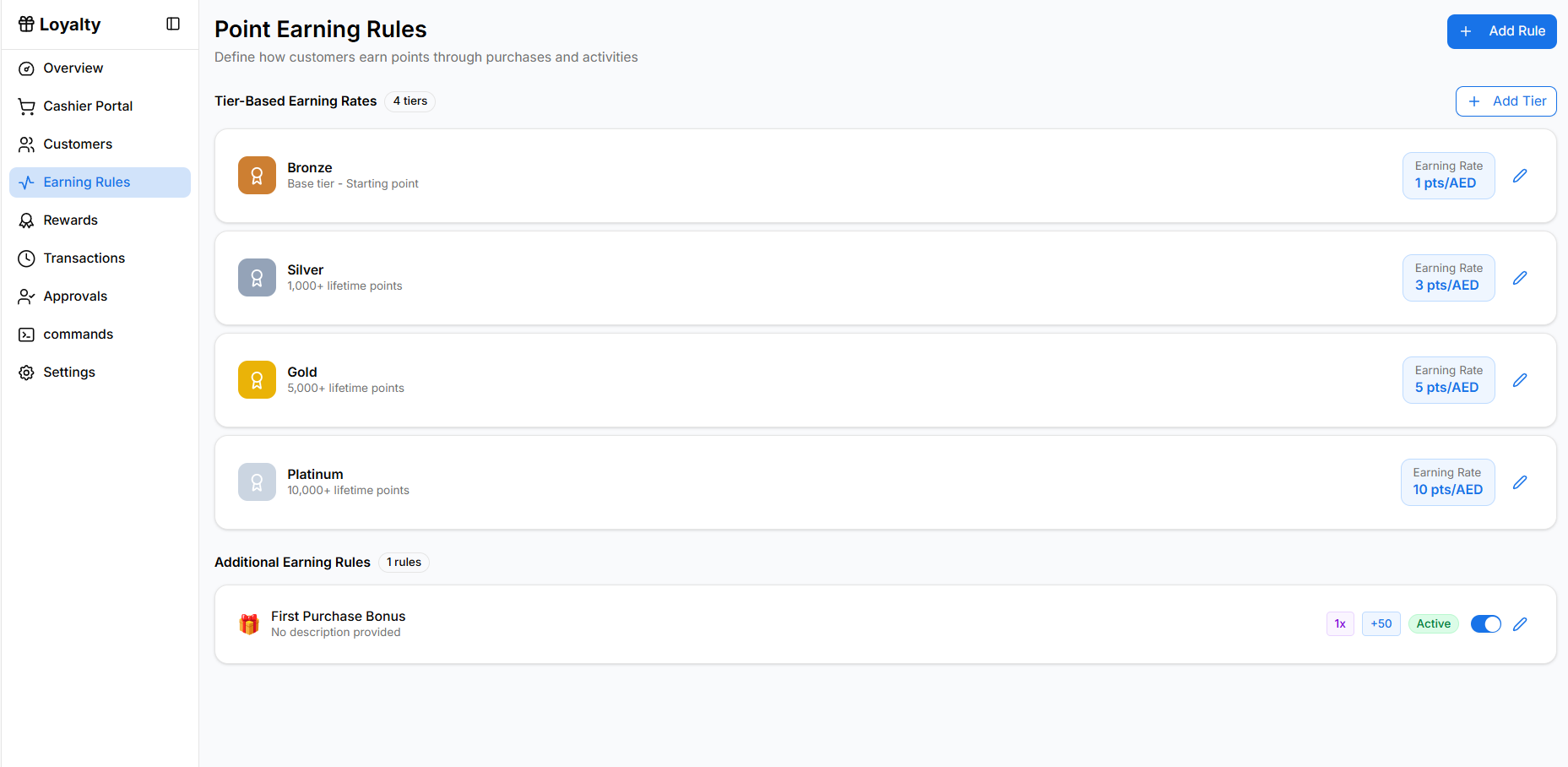
Tier-Based Earning Rates
Each tier has its own earning rate — how many points a customer gets per unit of spend.
Click Add Tier.
Enter a tier name — required.
Set the threshold: the points needed to reach it.
Set the earning rate for members at this tier.
Pick a colour so the tier is recognisable across the dashboard.
The first tier is the base tier — the starting point every new member joins at.
Designing tiers
| Guideline | Why |
|---|---|
| Three or four tiers | Enough to motivate, few enough to remember |
| Reachable first upgrade | The first upgrade is what creates the habit |
| Meaningfully better rates higher up | If the top tier earns barely more, nobody chases it |
| Round, memorable thresholds | 500 points beats 473 points |
Deleting a tier that members occupy offers Downgrade & Delete — those members move down. Expect complaints; announce it before you do it.
Additional Earning Rules
Beyond the base rate, additional rules give points for specific behaviour. Before you create any you will see "No additional rules yet" and a Create Your First Rule prompt.
Click Add Rule or Create Earning Rule.
Enter a rule name — required, and it is what appears on the customer's transaction history.
Choose the type.
Set the value, and any conditions such as the days of the week it applies to.
Save. Rules can be toggled Active / Inactive without deleting them.
Rule types
| Type | Effect |
|---|---|
| Multiplier | Multiplies the points earned — double points |
| Fixed Bonus Points | Adds a set number of points |
| Percentage Bonus | Adds a percentage on top |
Day-of-week conditions
Rules can apply on chosen days — Monday through Sunday. This is how you build "double points on Tuesdays" to shift demand into your quiet periods.
Use additional rules to change behaviour, not to be generally generous. A permanent bonus is just a higher earning rate with extra steps; a Tuesday bonus actually moves footfall.
Getting the Rate Right
The earning rate and the reward costs together decide what a point is worth. Work backwards:
- Decide what a reward should cost the customer in spend
- Decide the reward's point cost
- Set the earning rate so those two line up
Changing the earning rate later revalues every point already issued. Model it before launch — this is the number you least want to change in public.
Related Pages
- Rewards
- Overview Dashboard — checking tier distribution
- Settings