Customers
Your loyalty members — balances, tiers, birthdays and referral codes, and how to edit a member's details.
Customers (/dashboard/loyalty/customers) is the member list for your programme. The sidebar
entry shows how many members you have.
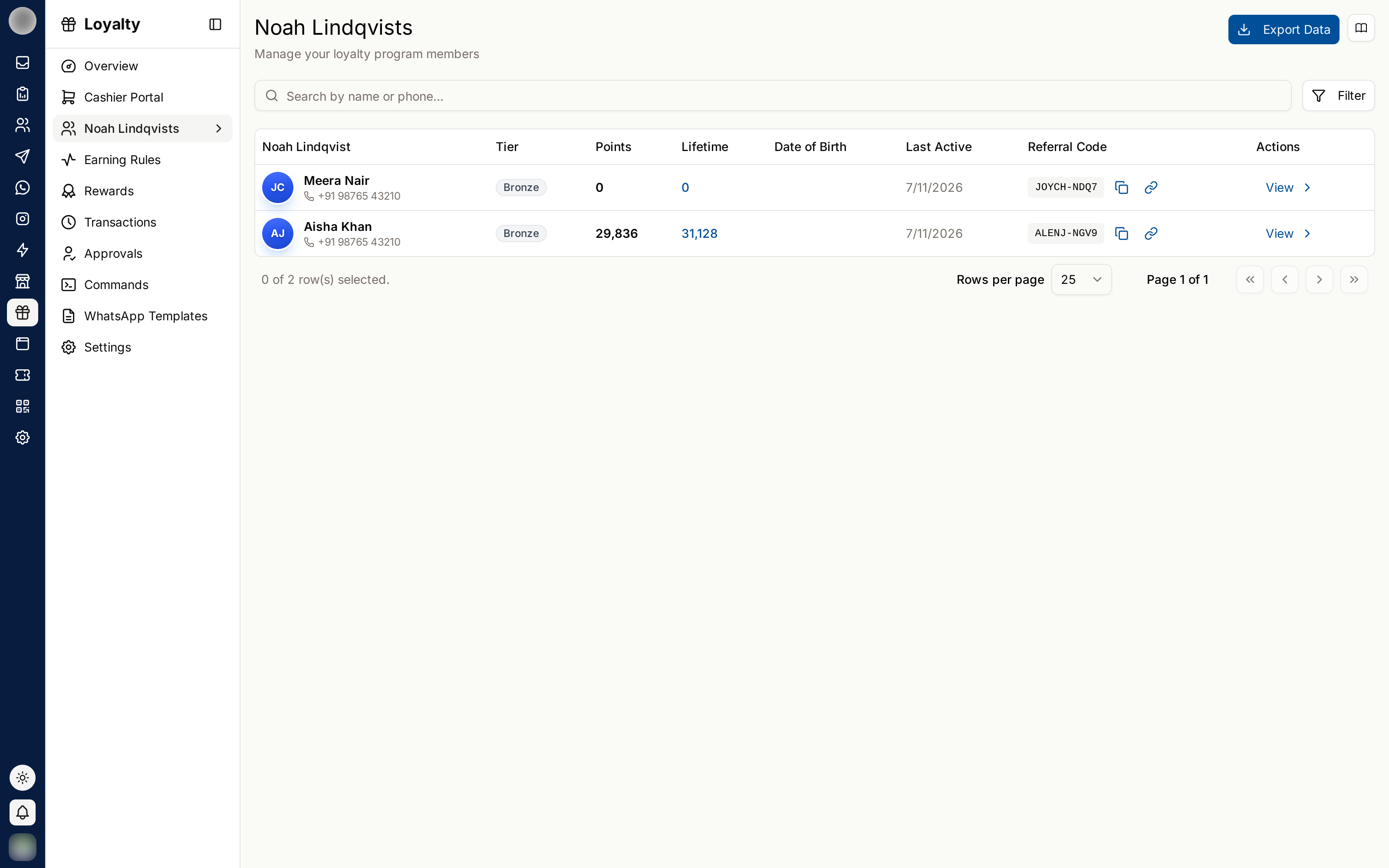
The Columns
| Column | Meaning |
|---|---|
| Customer | Name and phone number |
| Tier | Their current tier |
| Points | What they can spend now |
| Lifetime | Every point they have ever earned — it does not go down when they redeem |
| Date of Birth | Used by the birthday reminder |
| Last Active | When they last did something |
| Referral Code | Their personal code, with Copy referral code and Copy referral link |
Search with Search by name or phone....
Open a Member
Click a member's name to open their record — the same view staff see in the Cashier: balance, lifetime points, how far they are from the next tier, total spend and their last visits. Customers at the top goes back to the list.
Customer names in the Activity ledger open the same record, and the link can be bookmarked or shared.
Edit a Member's Details
Open the member and click Edit details.
Change the Name, Date of birth, Gender or Email. The number they joined on cannot be changed here.
If the programme sends on more than one channel, pick their Preferred channel.
Click Save.
| Field | Note |
|---|---|
| Date of birth | "Needed for the birthday reminder. Leave it empty to remove it." A birthday cannot be in the future |
| Gender | Male, Female, Other or Not given |
| Preferred channel | "Where they hear from you. The programme falls back to its other channels if this one cannot reach them." |
| Optional |
Export Members
Export Data offers Export as CSV, Export as Excel and Export as OpenDocument (ODS).
Member exports contain personal data, including dates of birth. Store and delete them accordingly.
Use the List Well
| Look for | Why |
|---|---|
| Old Last Active dates | Members drifting away — the quiet-customer reminder can bring them back |
| High Lifetime, high Points | A big saver who never spends is disengaged |
| Missing Date of Birth | No birthday message can go out for them |