WhatsApp Commands
What customers can ask the loyalty programme by message, and how it replies.
Commands are the messages a customer can send to interact with the loyalty programme themselves — checking a balance, seeing rewards, joining or leaving.
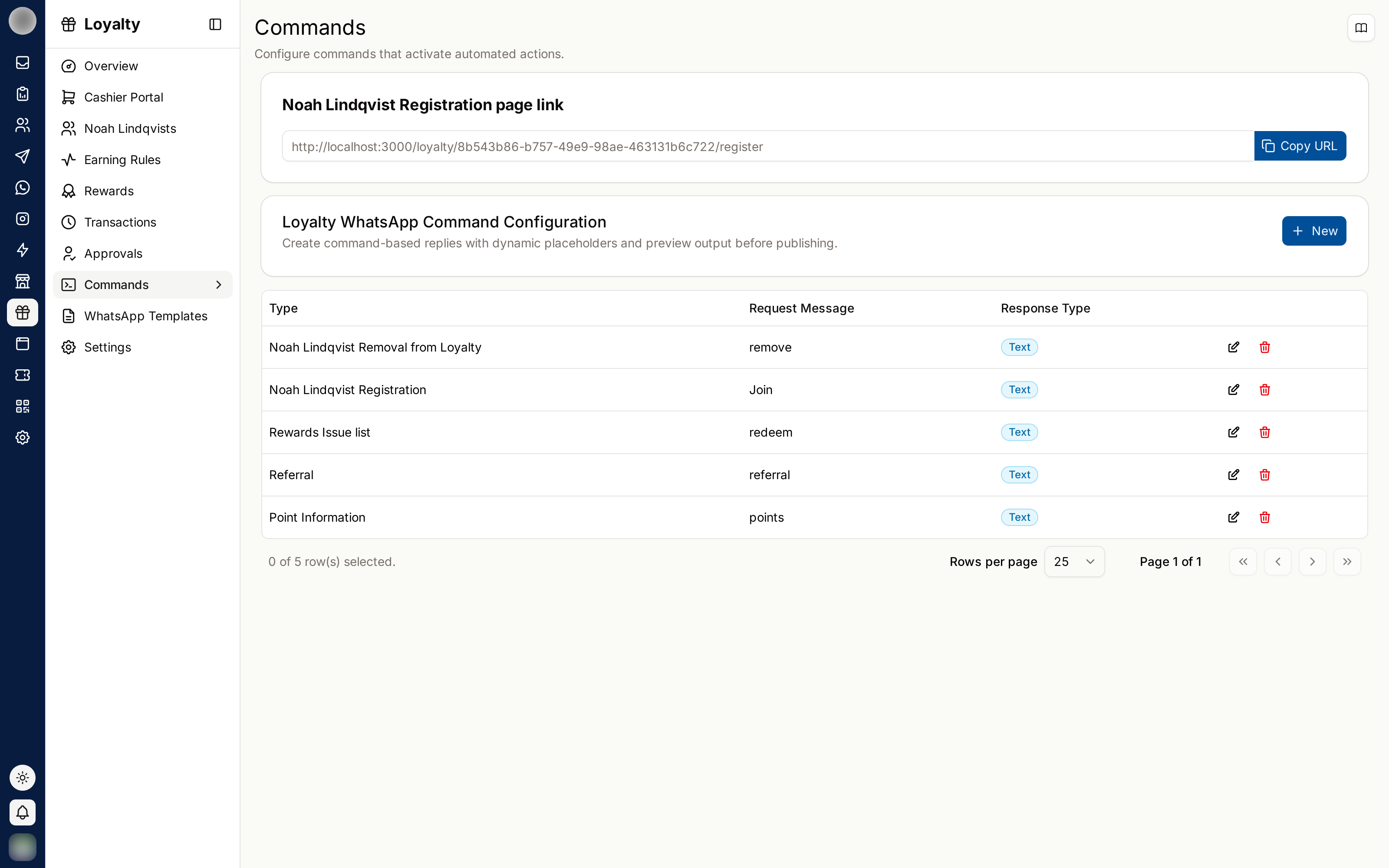
The Command Types
| Service type | Customer asks | They receive |
|---|---|---|
| Point Information | Their balance | Current points, total earned, redeemed points |
| Rewards Issue list | What they can get | The rewards available to them |
| Customer Registration | To join | The registration flow |
| Customer Removal from Loyalty | To leave | Confirmation of removal |
| Referral | Their referral details | Their code and link |
Configuring a Command
Choose the service type — what the command is for.
Set the request message: the words the customer sends to trigger it.
Choose the response type — a plain reply message, or a WhatsApp template.
Write the response message, using placeholders for the customer's data.
Check the Live Preview, then Save.
Placeholders
Responses support placeholders that are filled in per customer — their current point balance, total earned points, redeemed points and so on. Sample Variables shows what each one produces.
The Live Preview renders the message with sample data. Read it as a customer would before saving — placeholder mistakes are very visible and go out at scale.
Reply Message vs Template
| Response type | Works |
|---|---|
| Reply message | Only inside WhatsApp's 24-hour window |
| Template | Any time, but must be approved first |
Since commands are always a reply to something the customer just sent, a plain reply message is usually fine. Use a template when the response may be delayed.
If no template is chosen you will see "Template not selected yet".
The Registration Page Link
Customer Registration page link is the self-service enrolment page. Share it as:
- A QR code at your counter — see QR Creator
- A link in your WhatsApp profile
- A link in a campaign
Self-registration beats staff entry: no typos, and consent given by the customer themselves.
Writing Good Commands
- Make request messages short and obvious — balance, rewards
- Accept the phrasings customers actually use, not just the one you designed
- Keep responses to a few lines; a wall of text on a phone gets ignored
- Always tell customers the commands exist — most will never guess
Deleting a Command
Delete Command removes it. Customers sending that message afterwards get no reply, so retire a command only once nobody is using it.