Test
Chat with the agent before customers do, send business events, hand conversations back to Meta AI and run evaluations.
Test is the working page: four cards that exercise the agent — most of them without involving a customer. It is never ticked on the setup guide; it is the page you come back to after every change. Once the agent is live, the setup guide's Open test console button brings you here.
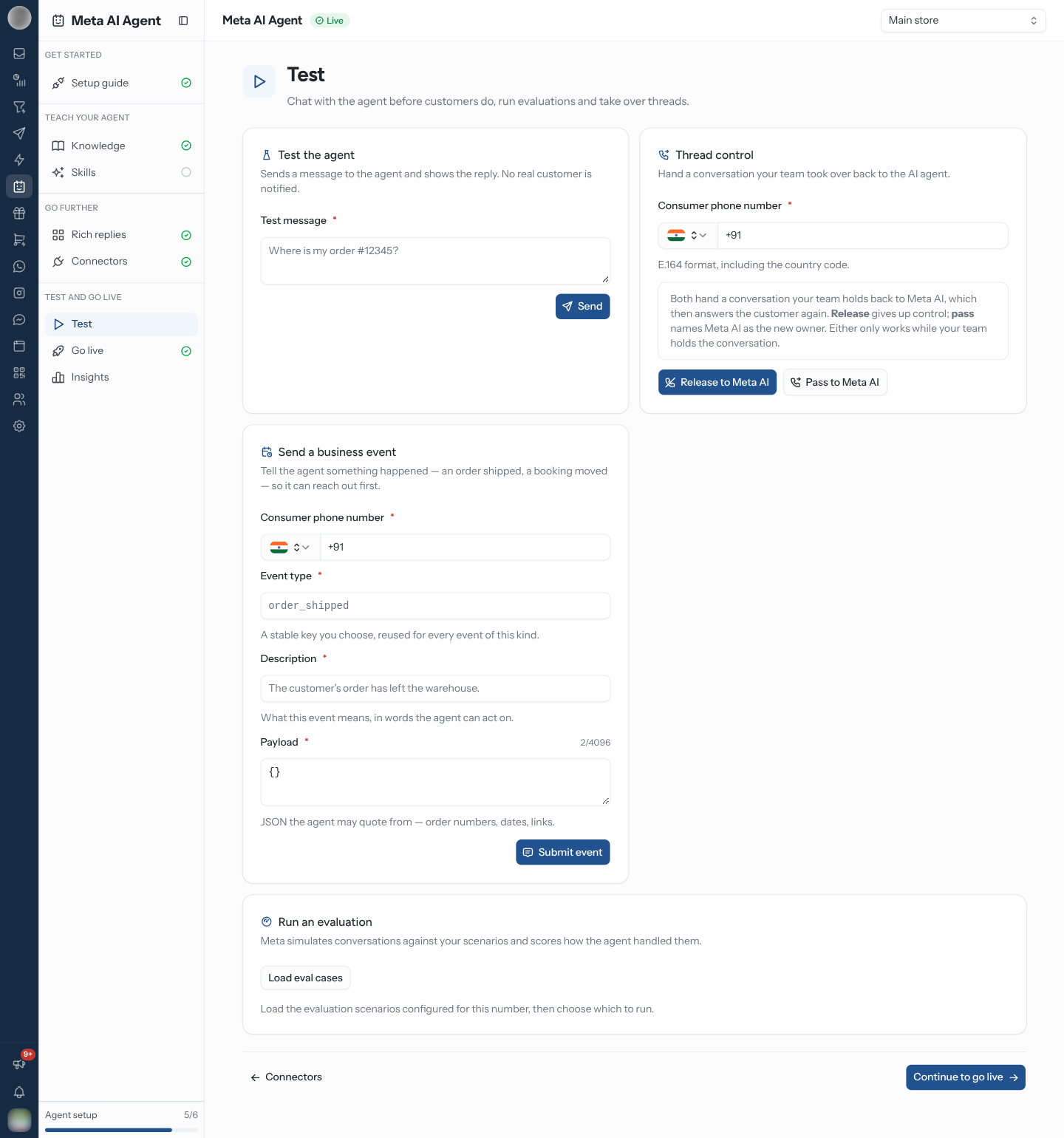
Chat With the Agent
Test the agent sends a message to the agent and shows the reply. No real customer is notified, so it is the safe way to check a new skill or connector tool.
A Handoff: … badge means the agent would have handed this conversation to your team, and why. No response: … means it chose not to answer, and why.
Send a Business Event
A business event tells the agent something happened on your side — an order shipped, a booking moved — so it can reach out first.
| Field | What goes in it |
|---|---|
| Consumer phone number | The customer to tell, with the country code |
| Event type | A stable key you choose, reused for every event of this kind, such as order_shipped |
| Description | What this event means, in words the agent can act on — for example "The customer's order has left the warehouse." |
| Payload | JSON the agent may quote from — order numbers, dates, links. Up to 4,096 characters |
Click Submit event. The card then shows the event's status as Meta reports it, with the error message or the reason it was skipped if it did not go out.
Unlike a test message, a business event reaches a real customer: the agent may message the number you enter. Use your own number while you are trying it out.
Hand a Conversation Back to Meta AI
When a conversation is handed over, Meta AI stays silent for that customer until it is handed back. Thread control does that from here.
Both hand the conversation back and Meta AI answers the customer again. Either only works while your team holds the conversation. The same thing can be done from the conversation itself in the inbox, and by closing the ticket if Hand back to Meta AI when a ticket is closed is on in Go live.
Run an Evaluation
Meta simulates conversations against your scenarios and scores how the agent handled them.
The run reports QUEUED, then RUNNING with a progress bar, then a Conversation score, a Turn score and a summary — or FAILED, with the error and the ids of the cases that failed. Reload cases refreshes the list.
Evaluations are how you tell whether a change to knowledge or skills actually improved anything. Run one before and after a substantial edit rather than judging by a single test message.
Related Pages
- Go live — switch the agent on once it tests well
- Insights — trace what the agent did in a real conversation
- Connectors — the error logs, when a tool call fails
- Inbox — where a handed-over conversation is answered