Rich Replies
Carousels, buttons, lists, locations, web-survey links and Flows the agent can send instead of plain text.
Rich replies let the agent answer with something tappable rather than a paragraph. Each one is a UI skill: you pick the component and describe the moment the agent should reach for it. The step is optional — the agent answers in plain text without any.
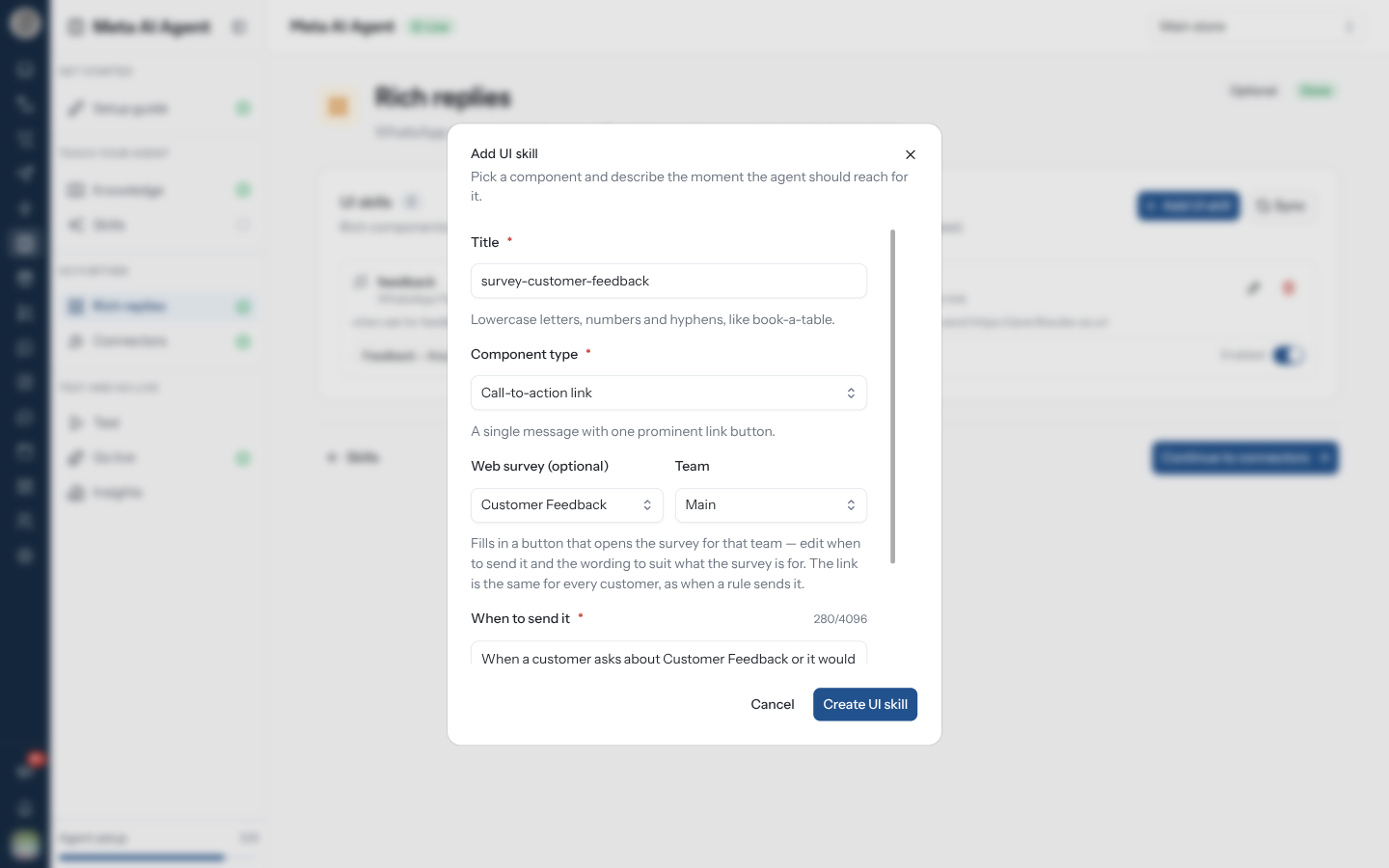
Add a Rich Reply
book-a-table.Each card in the list has a switch that reads Enabled or Disabled. A disabled rich reply stays configured but unused — the way to pause one without losing it.
The component type, and the Flow of a WhatsApp Flow reply, are fixed once the rich reply exists. Edit UI skill only changes the title, the wording and the status — to change the component or the Flow, delete it and create it again.
The Components
| Component | What the customer sees |
|---|---|
| Call-to-action link | A single message with one prominent link button |
| Reply buttons | Up to three tappable reply buttons under the message |
| Interactive list | A tappable list of options in a bottom sheet |
| Carousel with links | A swipeable card set where each card links out to your site |
| Carousel with quick replies | A swipeable card set where each card offers tappable replies |
| Location request | Asks the customer to share where they are |
| Location | Shares a pin on the map |
| Image | Sends an image alongside the reply |
| WhatsApp Flow | Opens one of your published Flows |
A WhatsApp Flow reply asks you to Select a published flow — only published Flows can be chosen, so publish it first. The card then shows the Flow's name.
Send a Web Survey as a Button
A new Call-to-action link offers a Web survey (optional) picker, listing every web survey that has a team with a share link.
The link is the same for every customer, as when a rule sends it. If no survey appears, create a web form and share it with a team first.
WhatsApp only opens public https links. If When to send it contains an http link, a
localhost address or a private network address, the dialog warns "WhatsApp can't open … so the
button will be left out of the message" — and the customer gets the text without the button.
Related Pages
- Skills — plain-language instructions
- Flows — building the Flows a rich reply can open
- Sharing a web form — the team links a survey button uses