Settings
Who works the board, stalled-card flagging, its name, conversion tracking and deletion.
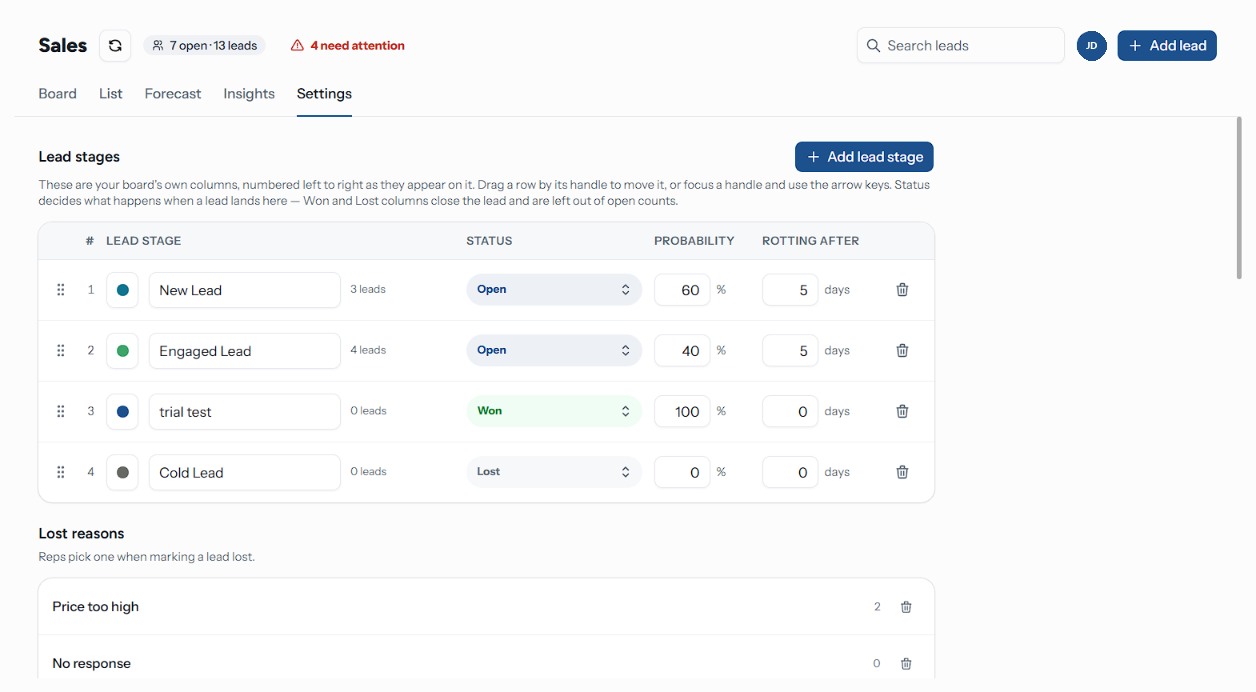
The Settings tab holds everything about the board that is not a column. Lead stages and Lost reasons, which open the tab, are covered separately in Stages. On Support, Projects and Custom boards the first section is called Stages, and Lost reasons and Conversion tracking are not shown — see Board Types.
Who Can Change What
| Section | Who |
|---|---|
| Lead stages, lost reasons, stalled-card flagging, conversion tracking | Anyone on a team attached to the board whose role can Edit stages and move leads — Staff and above by default |
| Teams, Name, Delete this pipeline | People whose role can Delete boards or move them between teams — Owners and Admins by default |
The split is deliberate: a member can retune their own funnel without being able to hand the board to another team or destroy it. See Members & Roles for the roles and for fine-tuning one person's abilities.
Teams
Membership of a team attached to the board is the board's only access rule. Everyone on those teams can open it and be assigned its leads; nobody else sees it in the sidebar at all.
You may only add teams you are on yourself. A team already on the board that you are not a member of stays listed and marked Not your team, and cannot be removed here — dropping one would be a door you could not reopen.
Removing a team hides the board from its members. Their leads stay exactly where they are, still assigned to them, still counting in the totals — they simply cannot see them any more.
The picker will not let you save an empty list, so you cannot lock yourself out of the board you are editing.
Automation
One switch, and it is the only rule on this screen that actually runs:
| Switch | Does |
|---|---|
| Flag stalled cards | Highlights cards idle past their stage's rotting window |
With it off, no lead is ever flagged, the header's attention chip disappears, and Insights reports Rotting checks are off rather than a zero.
Opening leads by rule is not configured here — that lives in the automation builder.
Name
What the board is called in the sidebar and the switcher. Owners and Admins only. Saving the name it already has does nothing, and an empty name is refused.
Conversion Tracking
Leads boards only. Meta Conversions API (CAPI) sends a conversion event to Meta when a lead is won on this board. It belongs to the pipeline rather than to a contact's lifecycle, because reaching a Won column is what fires the event.
| Field | Notes |
|---|---|
| Pixel ID | Auto-filled when a Meta dataset is found for your account, and shown as "Auto-selected dataset: {name}" |
| Event Name | Lead or Purchase |
| Currency | INR, USD, EUR, GBP or AED |
The section needs a connected WhatsApp account: without one it says "Please connect WhatsApp to configure Meta Conversions API for tracking." See Channels.
Danger Zone
Delete this pipeline is for Owners and Admins, and asks you to type the board's name to confirm. The dialog lists exactly what goes:
- every stage and every lead sitting in them
- all notes, timeline entries and next activities on those leads
- the board's labels and lost reasons
This cannot be undone. Deleting the Leads board deletes your entire sales history in RateUp, and until you create a new one the inbox, automations and CRM syncs have no board to file leads on. Contacts are left alone — but nothing that recorded what happened with them survives.
Troubleshooting
| Symptom | Cause | Fix |
|---|---|---|
| No Teams, Name or Danger zone section | Your role cannot delete boards or move them between teams | Ask an Owner or Admin |
| A teammate cannot see the board | They are on no team attached to it, or their team lacks the Pipeline feature | Add the team here, and check Teams |
| Nothing flags as stalled | Flag stalled cards is off, or no stage has a rotting window | This page, then Stages |
| Conversion tracking will not save | No WhatsApp channel is connected | Channels |