InboxInboxview
All
Every ticket in one list, regardless of status — the view to use when you are searching.
All shows every ticket with no status restriction: open, closed, assigned and unassigned together. The one exception is contacts flagged as spam, who appear only in Spam.
It is not a working queue. Use it when you need to find something rather than act on a list.
When to Use It
- A customer refers to "the conversation we had last month" and you do not know how it ended
- You are auditing how a topic was handled across several tickets
- A ticket has gone missing from the view you expected it in
- You want to export a full history for a customer
What You See
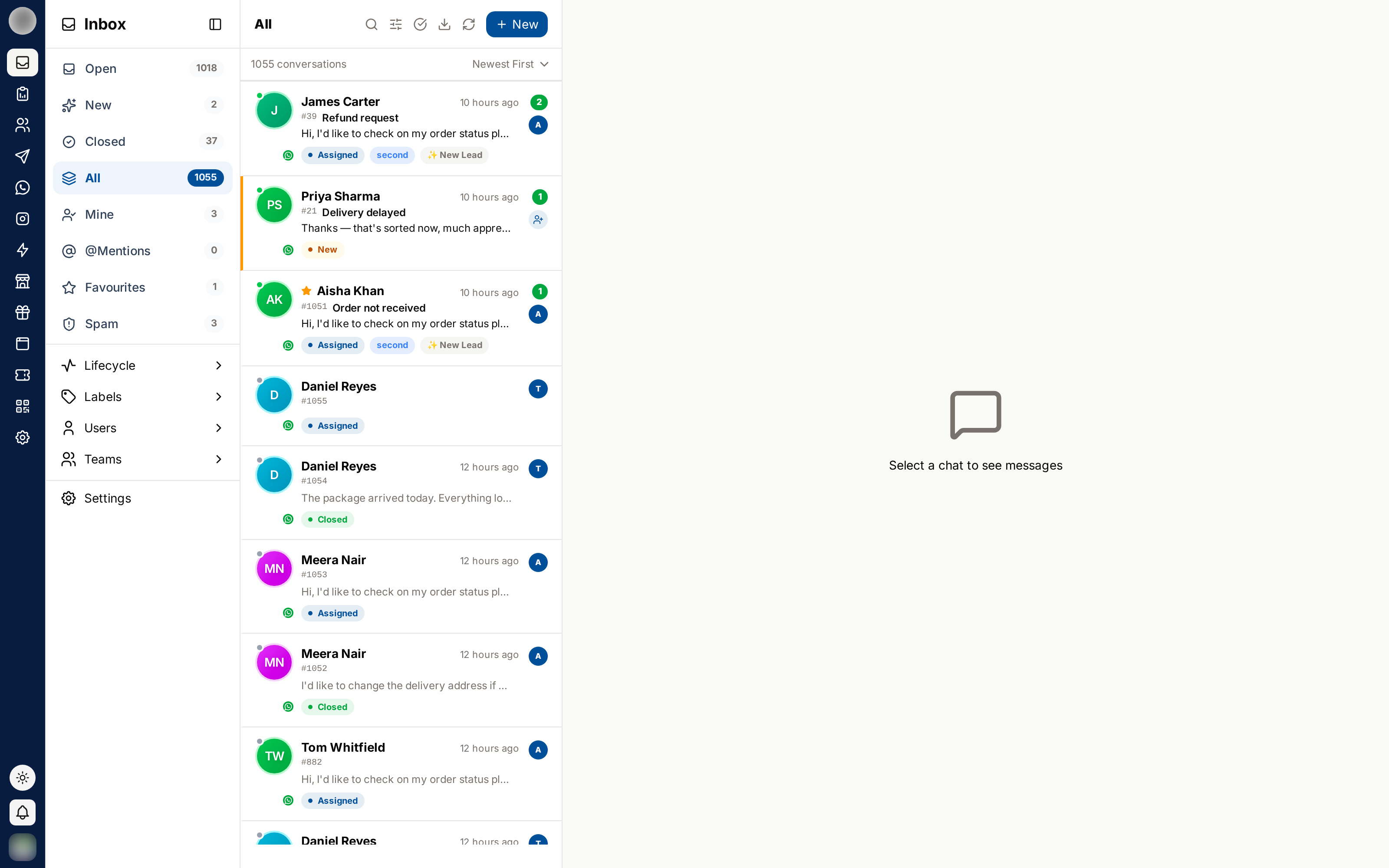
Rows look the same as everywhere else — status pills are what tell the difference.
Narrowing It Down
All is most useful combined with search and filters:
| Tool | Use |
|---|---|
| Search | Find a customer by name or phone number |
| Channel | Narrow to one WhatsApp number, Instagram account or Facebook page |
| Lifecycle / labels | Narrow by how the contact is tagged |
| Users / teams | See one person's or one team's history |
| Sort | Switch between newest and oldest first |
Sidebar filters → · Search & sorting →
Related Pages
- Closed — finished tickets only
- Search, Filters & Sorting