Open
The Open view shows every active ticket — the full live workload, assigned or not.
Open shows every active ticket: those already assigned and those still waiting for an owner. Nothing closed appears here.
It is the default view when you enter the Inbox, and the one managers live in.
What You See
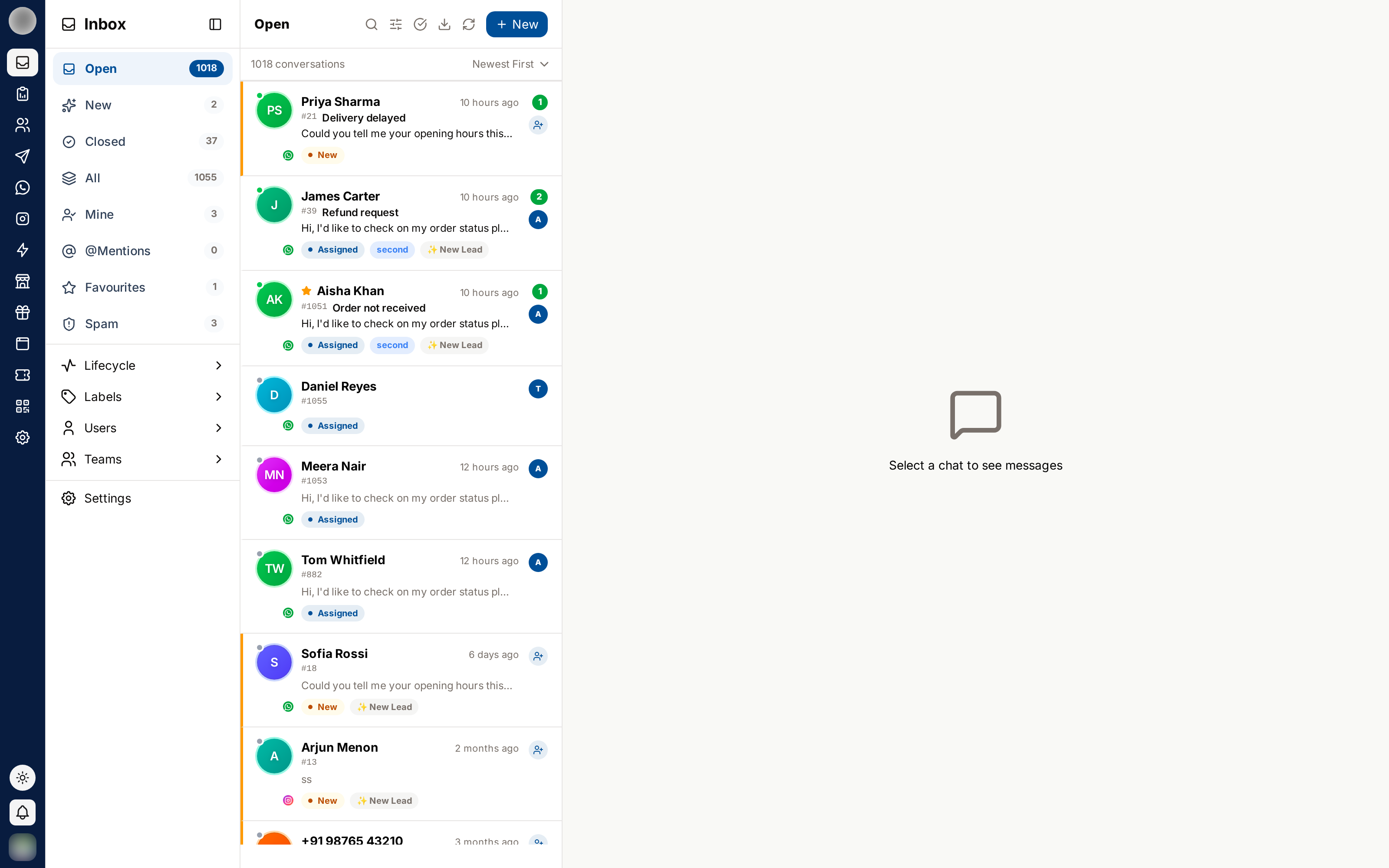
- Every ticket is still active
- Each row's status pill shows New (unassigned) or Assigned
- Unassigned rows with a message in the last 24 hours are highlighted: cream background, amber left edge and a filled Unassigned badge. Older unassigned rows are not highlighted — only their New pill gives them away
- The owner's avatar sits on the right. A
+2only appears on older tickets that were assigned to several people
Open vs New vs Mine
| View | Meaning |
|---|---|
| Open | All active tickets, assigned or not |
| New | Active tickets with no owner and a message in the last 24 hours |
| Mine | Active tickets assigned to you |
New and Mine are both subsets of Open.
Reading Ownership at a Glance
| Where | What it shows |
|---|---|
| Conversation row | The owner's avatar — hover for the name |
| Chat header | Status pill: Assigned or New |
| Ticket Details panel | The owner's name and team — click it to reassign |
Reassign a Ticket
Open the ticket.
Click the panel icon at the far right of the chat header to open Ticket Details.
Under Assignment, click the owner's name — or press A.
Pick another person, or a team under Auto-assign in a team. The ticket is reassigned instantly and a system note records it.
A ticket has one owner. Picking a team hands it to one member of that team, turn by turn, so it lands in exactly one Mine view. How team assignment works →
Using Open as a Manager
- Sort by oldest first to surface tickets that have been waiting
- Use the staff and team filters to check one person's or one team's load
- Watch for New status pills — those tickets have nobody on them, highlighted or not
- Reassign when someone goes offline rather than letting their tickets stall
Role-Based Behaviour
| Role | In the Open view |
|---|---|
| Owner, Admin | Sees every open ticket, on every channel |
| Manager | Sees open tickets on the channels their teams grant |
| Staff, Agent | The same channel scope, minus any assigned tickets their organisation hides from them |
Anyone who can see an open ticket can reply to it and reassign it, except a Viewer, who can only read.
Related Pages
- New — the unowned queue
- Mine — your own workload
- Sidebar Filters — narrowing Open down