InboxInboxview
Favourites
Star the tickets you are actively watching and find them again in one click.
Favourites collects the tickets you have starred — a VIP customer, a live escalation, or anything you need to come back to today.
Star a Ticket
There are two ways:
| Where | How |
|---|---|
| Conversation list | Hover a row and click the star next to the customer's name |
| Chat header | Click the star at the top of an open ticket |
A starred ticket shows a filled amber star everywhere it appears. Click the star again to unstar — the ticket leaves Favourites immediately.
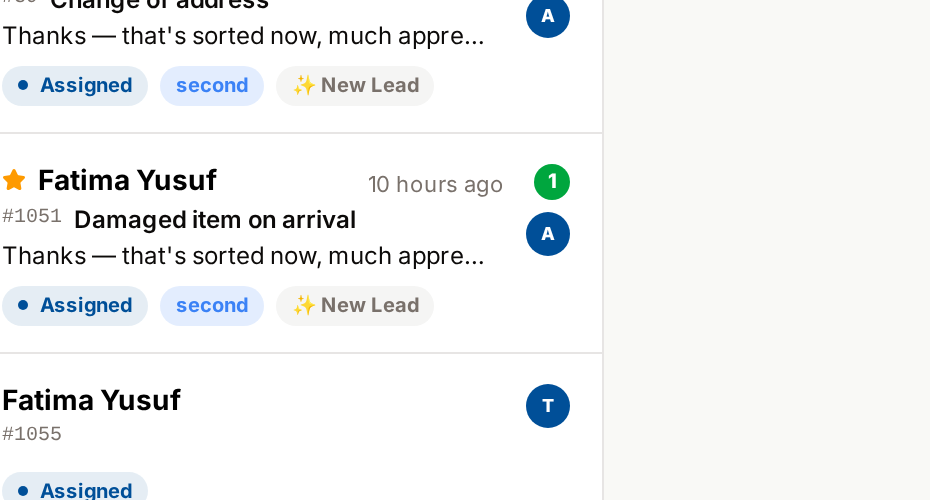
Stars Belong to Tickets, Not Customers
If a customer has three tickets, you can star one and leave the other two alone. Each ticket keeps its own star.
This is different from the old Inbox, where starring applied to the whole contact. Starring one ticket no longer marks everything that customer has ever written.
What Appears Here
- Any ticket you have starred, whatever its status
- Open and closed tickets alike
- Only your own stars
Favourites vs @Mentions
| Favourites | @Mentions | |
|---|---|---|
| Who puts it there | You | A colleague |
| Why | You want to keep an eye on it | Someone needs something from you |
| How it leaves | You unstar it | You clear the mention |
Best Practices
- Keep the list short — Favourites works as a shortlist, not a second inbox
- Unstar as soon as a ticket no longer needs watching
- Star before escalating, so you can follow the outcome without hunting for it
Related Pages
- @Mentions — requests from colleagues
- Inbox Views — how the views fit together