Agent Performance
Agent Performance analytics provide a detailed view of how each agent is handling conversations. This section helps admins and managers evaluate productivity, responsiveness, and workload distribution across the team.
Agent Performance Dashboard
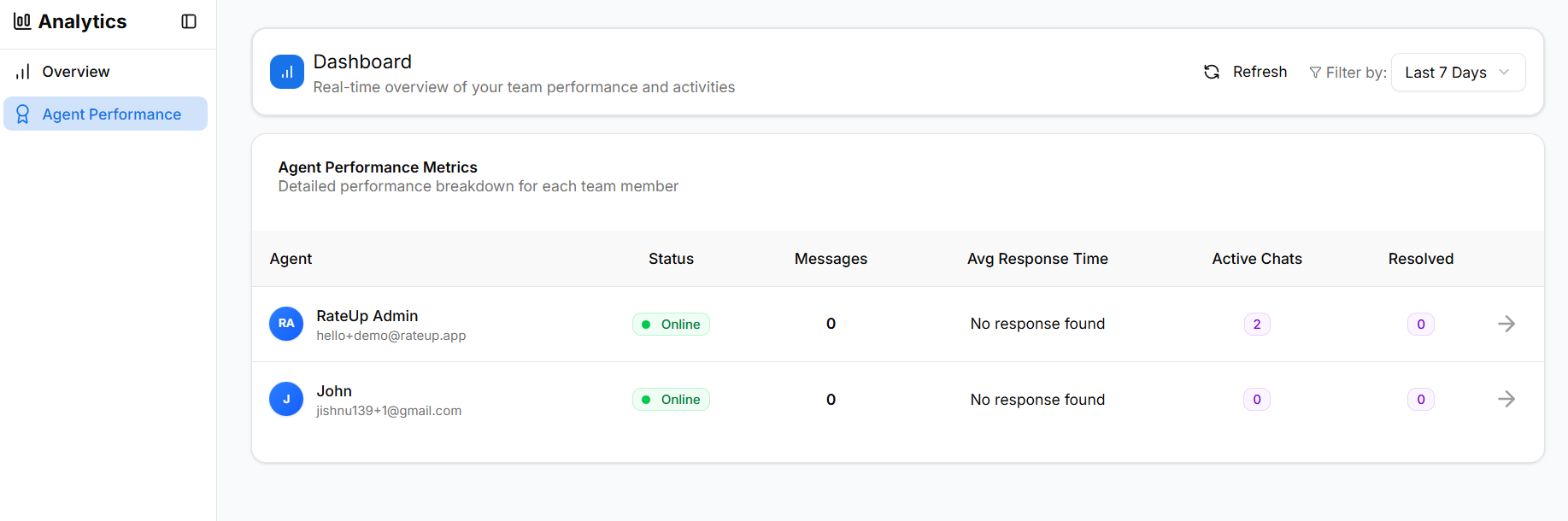
The Agent Performance dashboard lists all agents along with their current status and key performance indicators.
Agent List Overview
Each row in the agent list represents one team member and summarizes their performance for the selected date range.
Columns Explained
| Column | Description |
|---|---|
| Agent | Agent name and email address |
| Status | Online or Offline availability |
| Messages | Total messages handled by the agent |
| Avg Response Time | Average time taken to respond |
| Active Chats | Number of ongoing conversations |
| Resolved | Total resolved conversations |
This view helps managers quickly identify high workload or idle agents.
Agent Status
Agent availability is shown in real time.
- Online – Agent is logged in and available to handle conversations
- Offline – Agent is not currently available
Status indicators help distribute conversations efficiently.
Messages Handled
The Messages metric shows the total number of messages sent by an agent during the selected period.
- Includes replies sent to customers
- Does not include internal system messages
- Useful for measuring agent activity level
A value of 0 may indicate:
- No conversations assigned
- Assigned conversations not yet replied to
Average Response Time
Avg Response Time measures how long an agent takes, on average, to reply to customer messages.
- Calculated only for responded conversations
- Displayed as NA if no replies exist
- Lower response times indicate better responsiveness
This metric helps evaluate agent efficiency and SLA adherence.
First Response Time
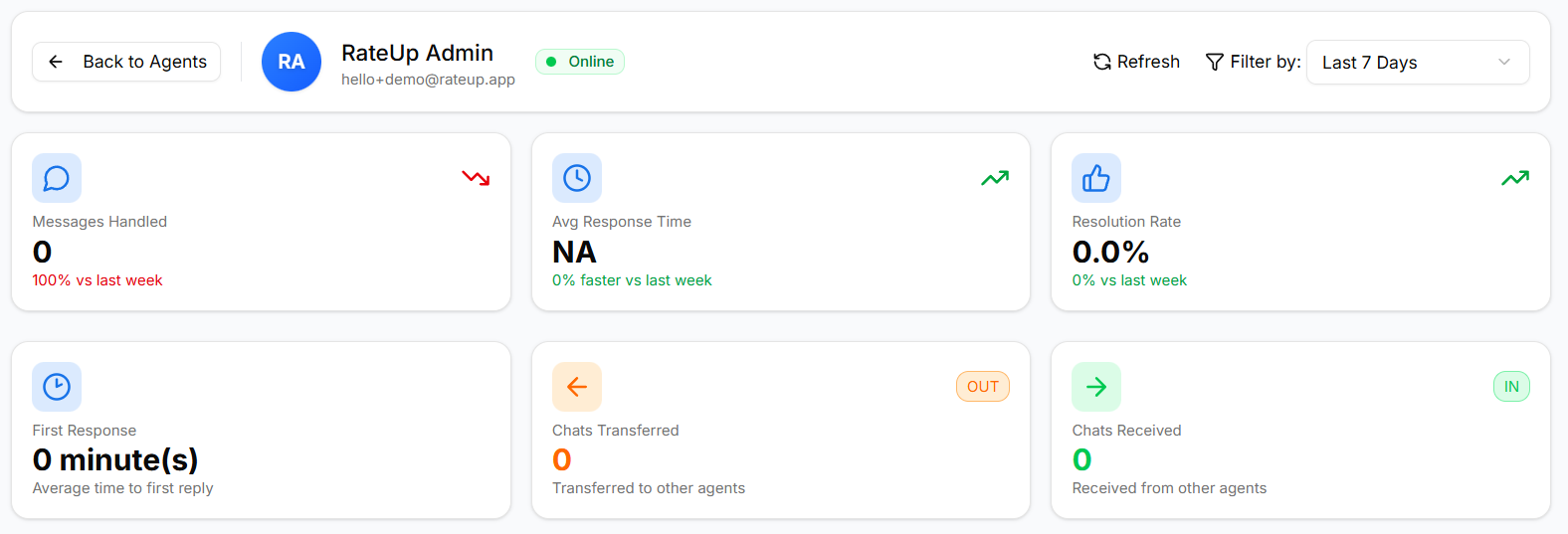
First Response Time shows how quickly an agent sends the initial reply after a conversation is assigned.
- Critical for customer satisfaction
- Calculated per conversation
- Displayed in minutes
A value of 0 minutes may occur if the agent replies immediately.
Active Chats
The Active Chats column shows how many conversations are currently open and assigned to the agent.
- Indicates real-time workload
- Helps identify overloaded agents
- Used for balancing assignments
Resolved Conversations
Resolved conversations represent chats that the agent has successfully completed and closed.
- Reflects task completion
- Used to calculate resolution rate
- Helps assess agent effectiveness
Weekly Performance Trend
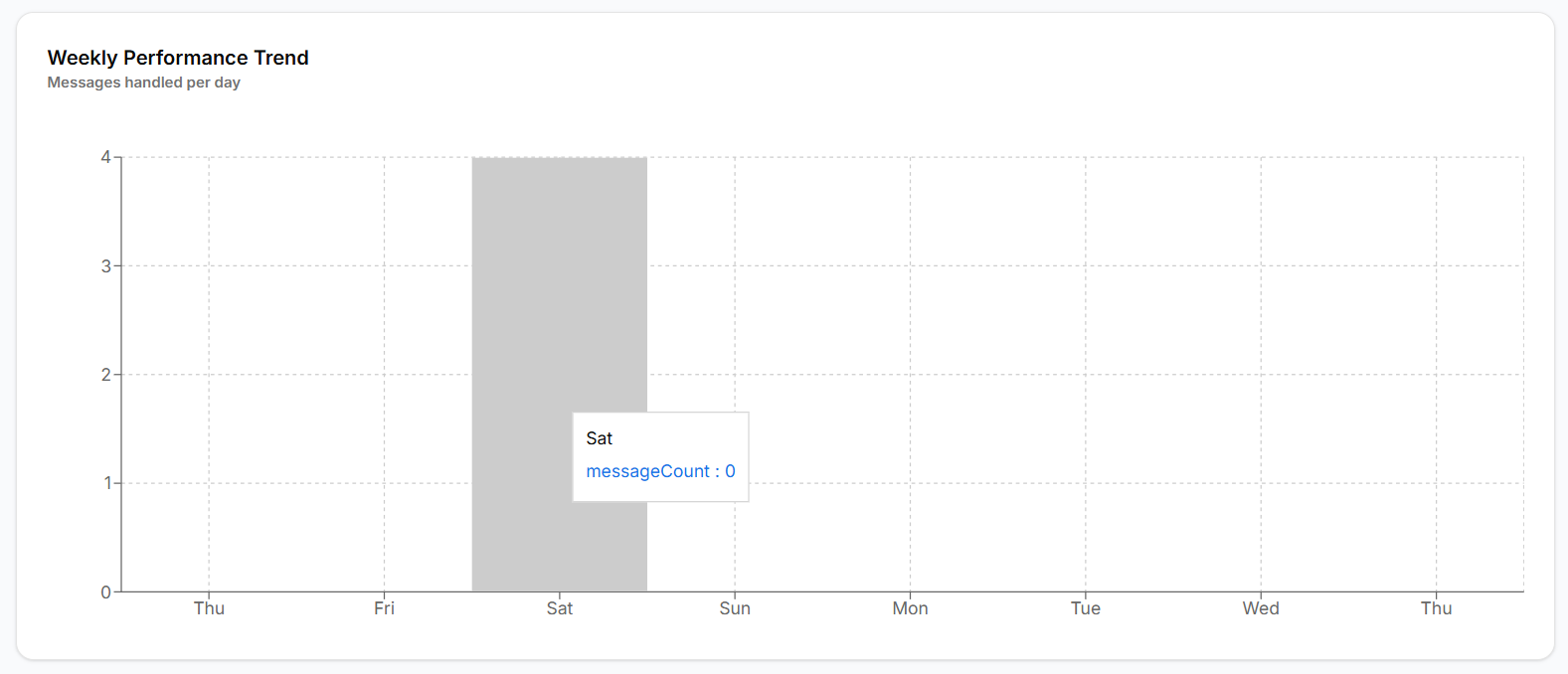
The Weekly Performance Trend visualizes how many messages an agent handled each day.
This helps identify:
- Peak working days
- Consistency in agent performance
- Sudden drops or spikes in workload
Recent Conversations
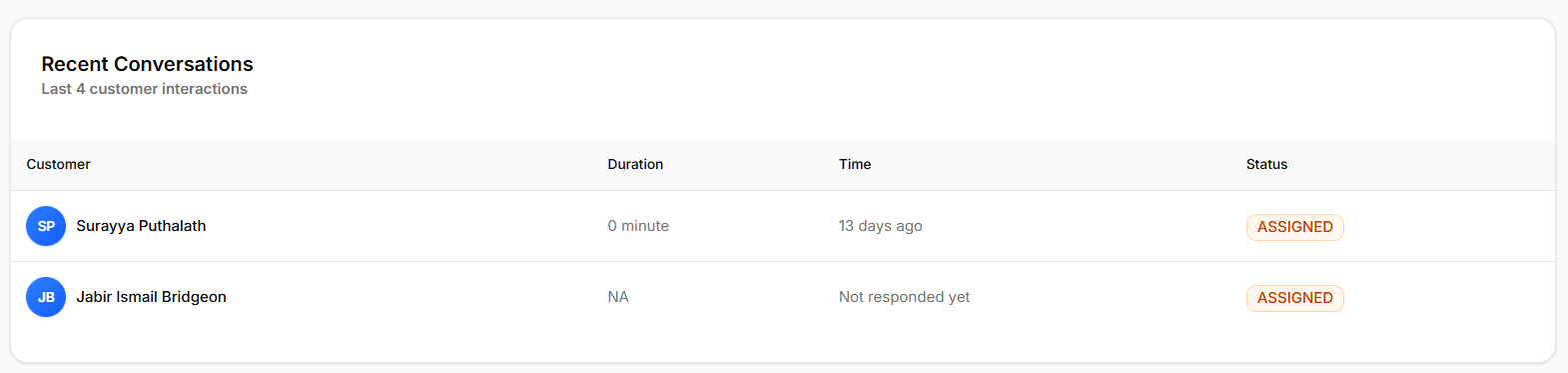
The Recent Conversations table displays the latest customer interactions handled by the agent.
Information Included
- Customer name
- Conversation duration
- Last interaction time
- Current status (Assigned / Resolved)
This section provides quick operational context.
Date Range Filter
Agent performance data is affected by the selected date range.
- Today
- Yesterday
- Last 7 Days
- Last 30 Days
- Custom Range
Changing the date range updates all metrics and charts instantly.
No Data & NA States
Some metrics may display NA or empty values when:
- The agent has not responded to any conversations
- Conversations exist but no replies were sent
- Data is unavailable for the selected date range
These states are expected and help accurately reflect activity.
Key Notes
- Metrics are calculated per selected date range
- Only assigned conversations are counted
- Bots are excluded from Agent Performance
- Data updates automatically on refresh
What’s Next?
Continue to Analytics Exports to learn how to download performance data for reporting and audits.