Create Coupon
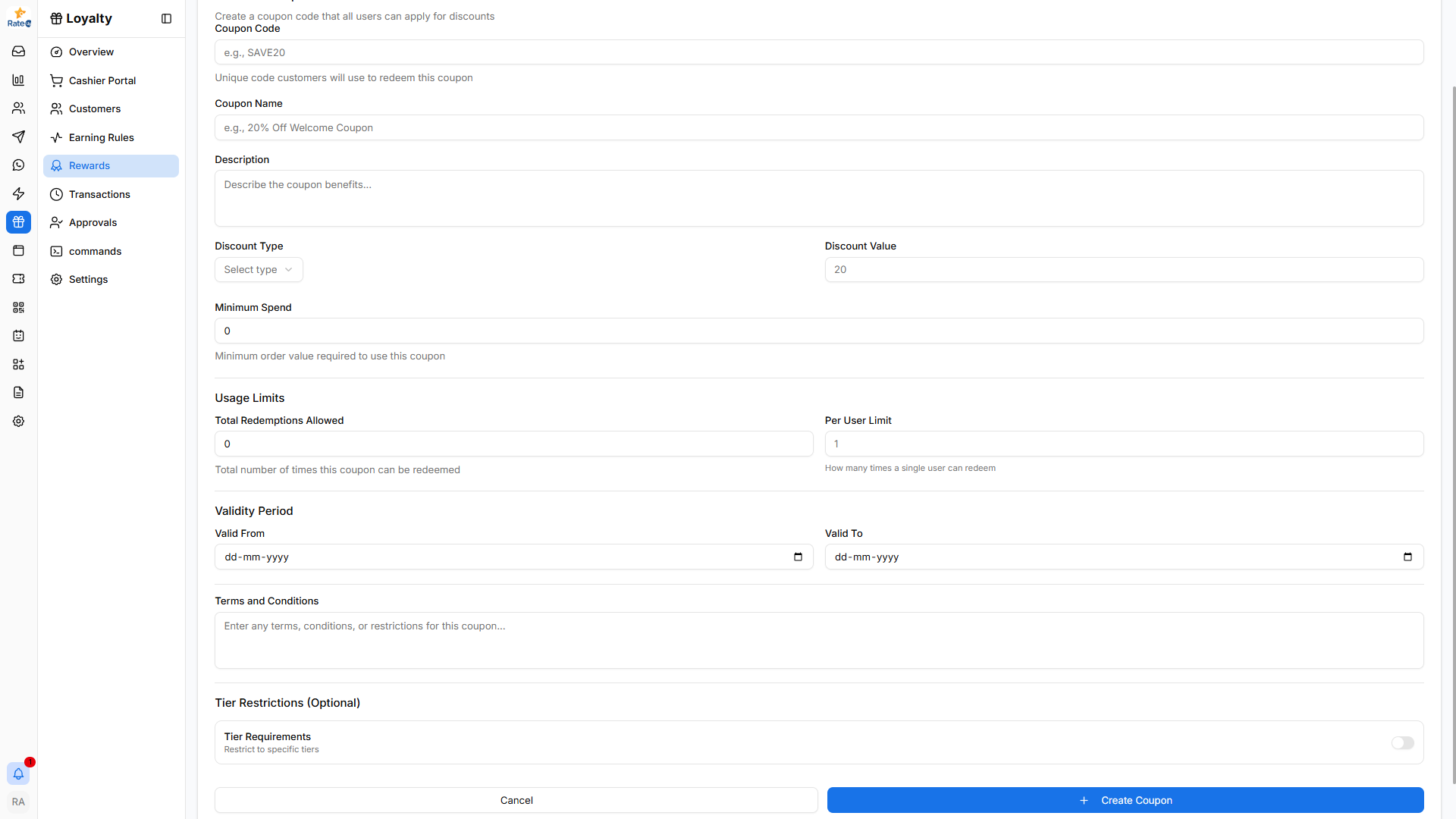
The Create Coupon page allows administrators to generate coupon codes that customers can use to receive discounts during purchases.
Creating a Coupon
To create a new coupon:
- Navigate to Loyalty from the sidebar.
- Click Rewards.
- Select the Coupons tab.
- Click Create Coupon.
The Create Coupon form will open.
Coupon Code
Enter the unique code customers will use to redeem the coupon.
Example:
- SAVE20
- WELCOME10
- DINNER300
This code will be entered by customers during checkout.
Coupon Name
Provide a descriptive name for the coupon.
Examples:
- 20% Off Weekend Offer
- Welcome Discount
- ₹300 Dinner Discount
Description
Explain what benefit the coupon provides.
Example: Enjoy 20% discount on your total bill during weekends.
Discount Type
Select how the discount will be applied.
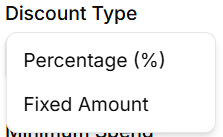
Available options:
- Percentage (%) – Applies a percentage discount.
- Fixed Amount – Applies a fixed monetary discount.
Discount Value
Specify the value of the discount.
Examples:
- 20 for a 20% discount
- 300 for ₹300 off
Minimum Spend
Defines the minimum order amount required to use the coupon.
Example:
- ₹1000 minimum purchase required.
Usage Limits
This section controls how many times the coupon can be used.
Total Redemptions Allowed
The maximum number of times the coupon can be redeemed.
Example:
- 200 total uses.
Per User Limit
Defines how many times a single customer can use the coupon.
Example:
- 1 use per user.
Validity Period
Defines when the coupon can be used.
Valid From
Start date when the coupon becomes active.
Valid To
End date when the coupon expires.
Terms and Conditions
Add any restrictions or usage conditions for the coupon.
Examples:
- Valid for dine-in orders only
- Cannot be combined with other offers
- Valid only during weekends
Tier Restrictions (Optional)
You can restrict the coupon to specific loyalty tiers.
Example:
- Available only for Gold and Platinum members.
Creating the Coupon
After configuring the coupon:
- Review the coupon details.
- Click Create Coupon.
The coupon will appear in the Coupons list and can be enabled or disabled anytime.