Register on RateUp
This guide walks you through the complete process of creating a new RateUp account.
Step 1: Open RateUp
- Visit https://rateup.app
- Click the Login button in the top-right corner of the landing page
ℹ️ RateUp uses a unified entry point. New users can register from the Login page.
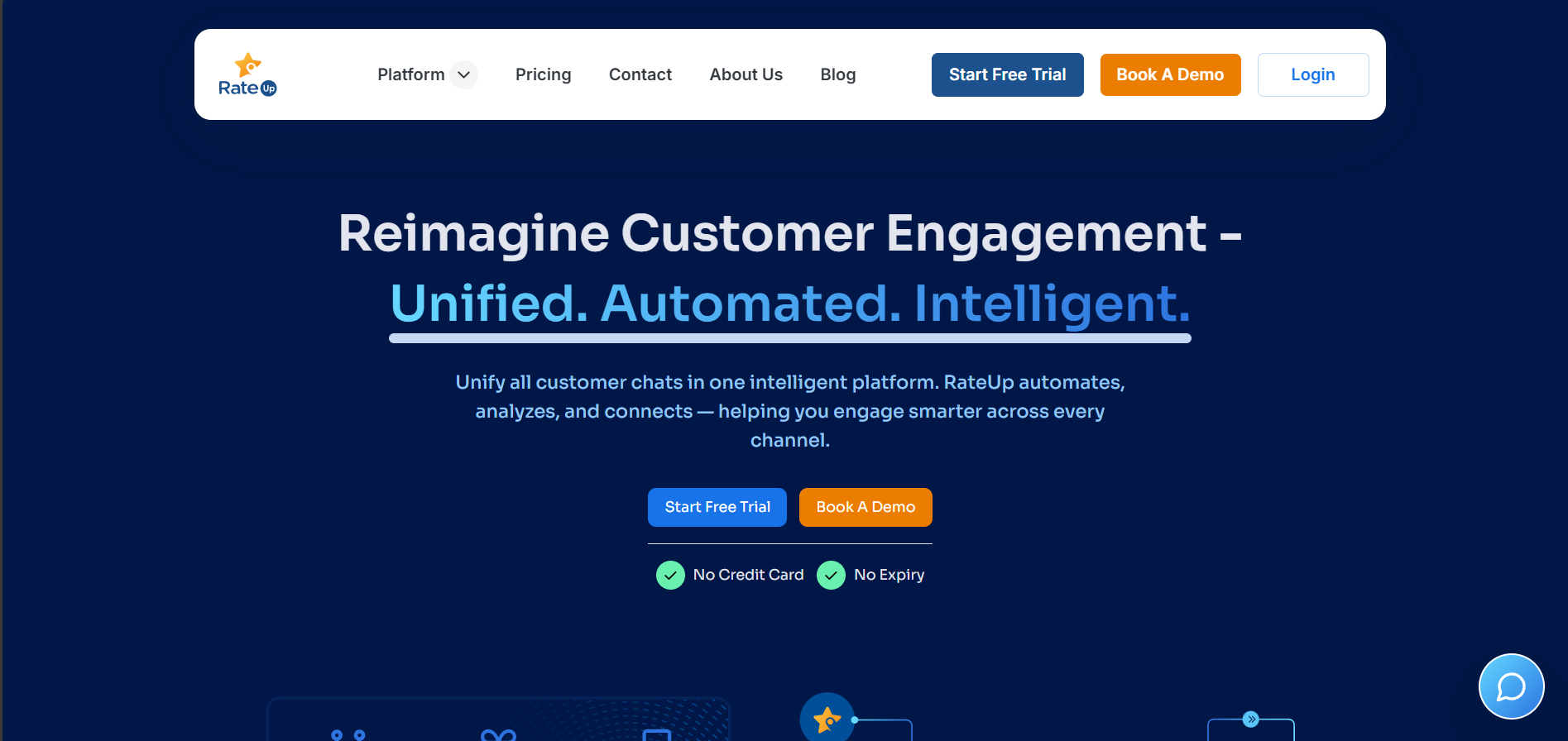
Step 2: Choose Registration Method
On the Login page, click Create account.
You can register using either:
- Continue with Google (recommended for faster setup)
- Continue with Email
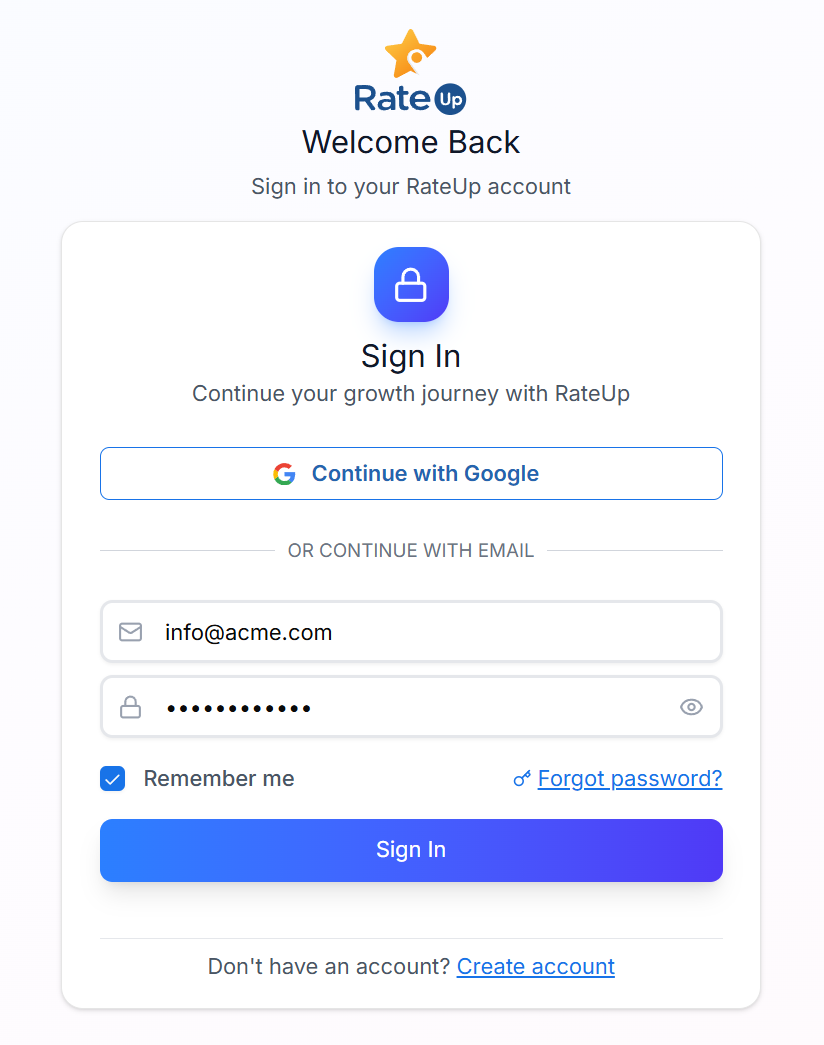
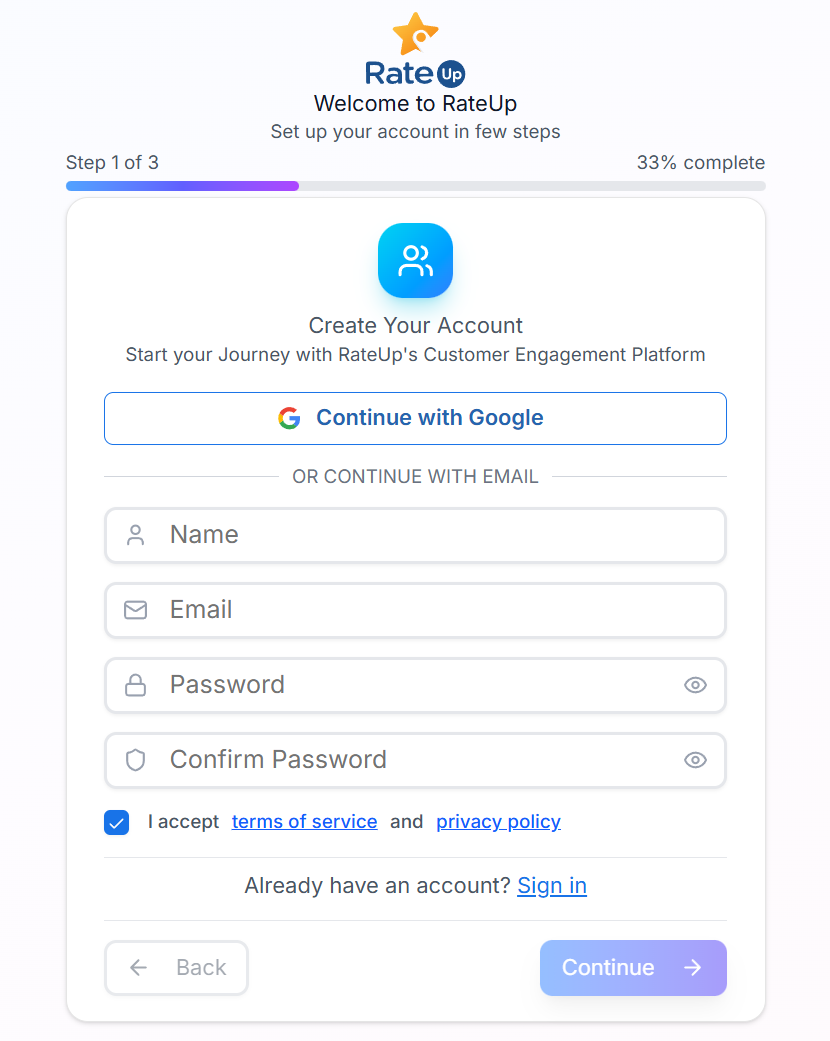
Step 3: Account Details (Step 1 of 3)
Fill in your basic account details:
- Name
- Email address
- Password
- Confirm password
- Accept the Terms of Service and Privacy Policy
Click Continue to proceed.
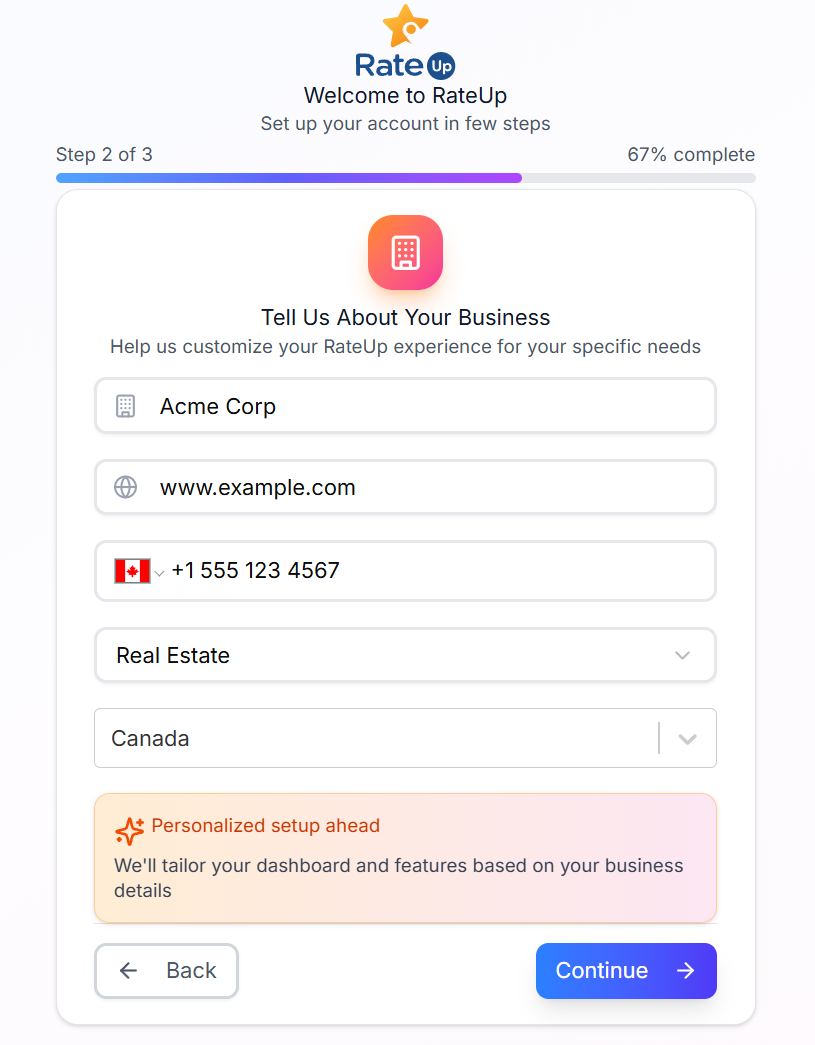
Step 4: Business Information (Step 2 of 3)
Provide details about your business to personalize your experience:
- Business Name (required)
- Website URL (optional)
- Phone Number (optional)
- Industry (required)
- Location (required)
🔧 Your dashboard and available features are customized based on this information.
Click Continue.
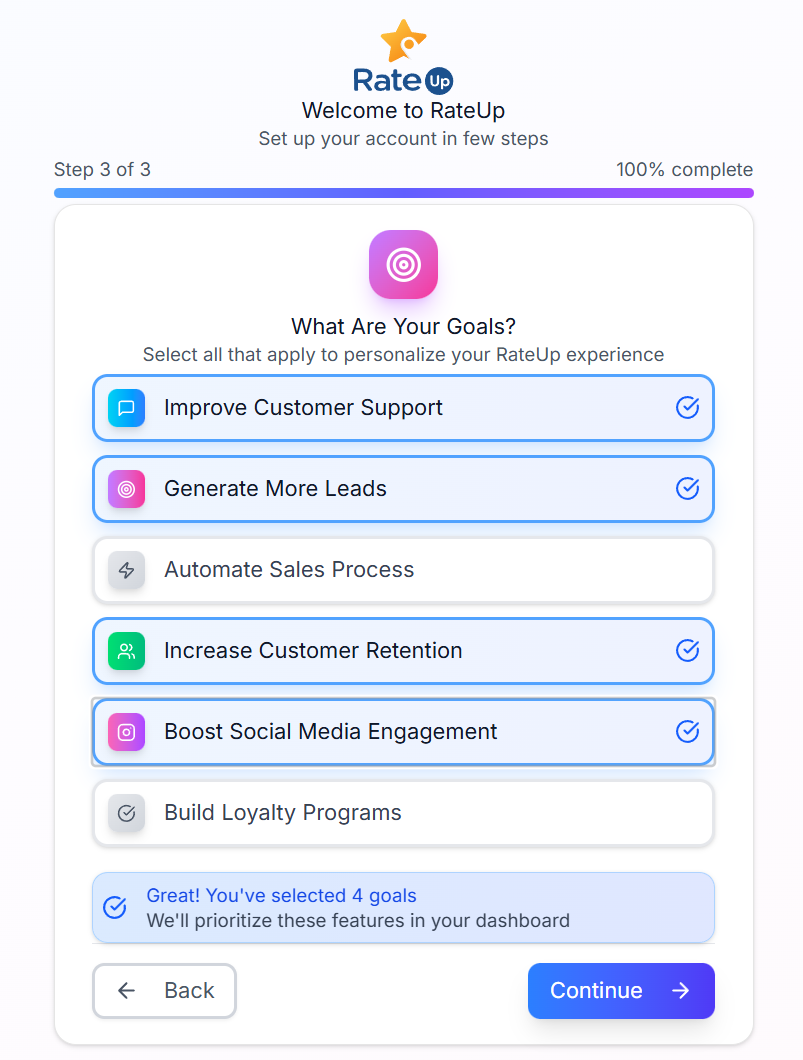
Step 5: Select Your Goals (Step 3 of 3)
Choose one or more goals that best match your needs:
- Improve Customer Support
- Generate More Leads
- Automate Sales Process
- Increase Customer Retention
- Boost Social Media Engagement
- Build Loyalty Programs
Click Continue to complete registration.
Step 6: Email Verification
- A verification email will be sent to your registered email address
- Open the email and click Verify Email
- Your account will be activated after verification
Registration Flow Summary
Register → Verify Email → Login → Access Dashboard