Create Point Reward
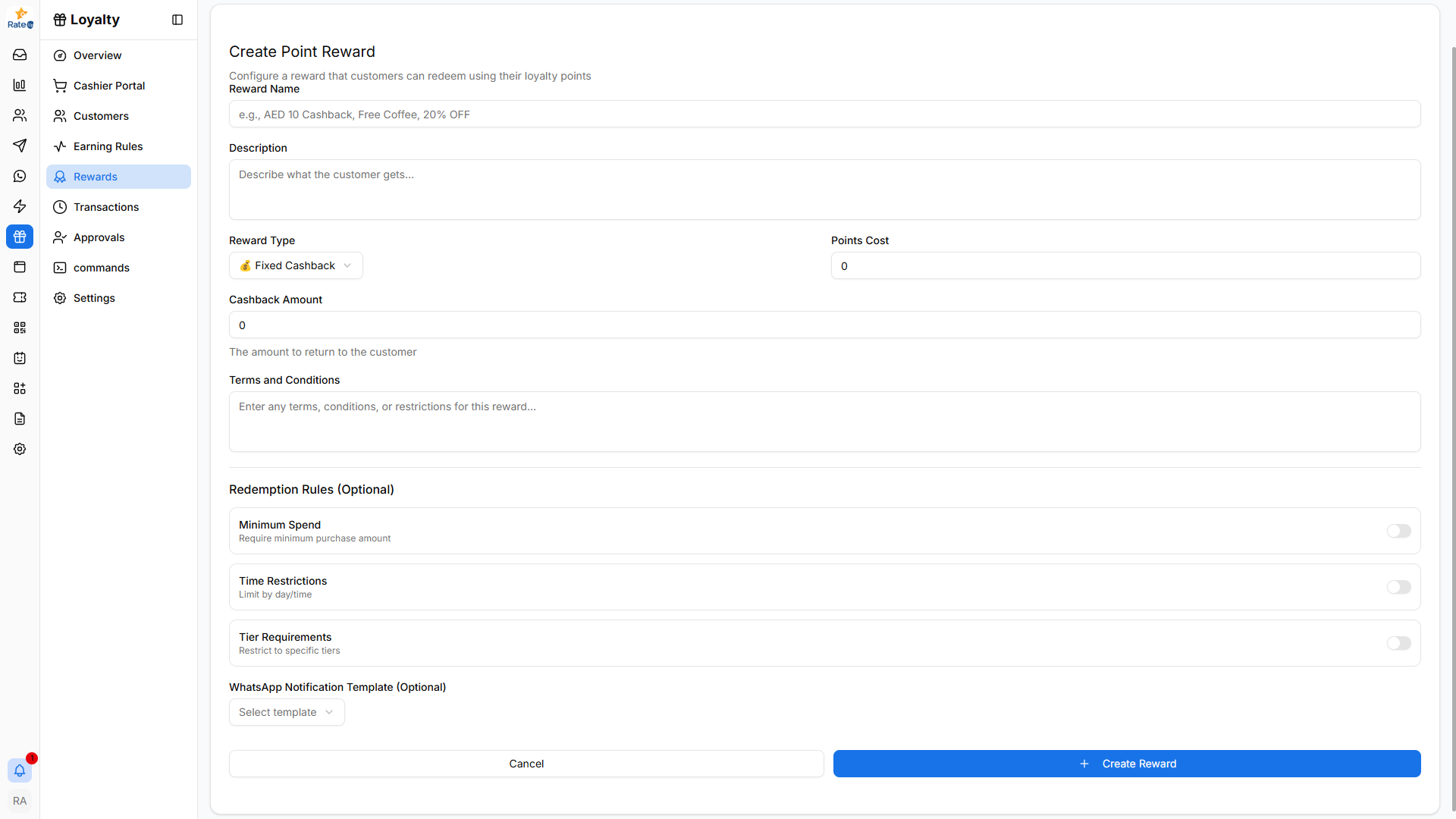
The Create Point Reward page allows administrators to configure rewards that customers can redeem using their loyalty points.
Creating a Point Reward
To create a new point-based reward:
- Navigate to Loyalty from the sidebar.
- Click Rewards.
- Select the Point Rewards tab.
- Click Create Reward.
The Create Point Reward form will open.
Reward Name
Enter the name of the reward customers will see.
Examples:
- AED 10 Cashback
- Free Coffee
- 20% Weekend Discount
Description
Provide a short explanation of what the customer receives when redeeming the reward.
Example: Redeem 2,000 points and receive AED 10 cashback on your next order.
Reward Type
Choose how the reward will be applied.
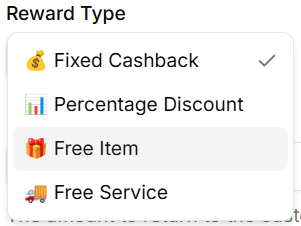
Available options include:
- Fixed Cashback – Customer receives a fixed cashback value.
- Percentage Discount – Customer receives a percentage discount.
- Free Item – Customer receives a complimentary product.
- Free Service – Customer receives a complimentary service.
Points Cost
Specify how many loyalty points are required to redeem the reward.
Example:
- 2000 points
Cashback Amount
Defines the cashback amount returned to the customer.
Example:
- ₹200 cashback
This field is mainly used when Fixed Cashback is selected.
Terms and Conditions
Enter any restrictions or conditions related to the reward.
Examples:
- Valid only for dine-in orders
- Cannot be combined with other offers
- Valid during weekends only
Redemption Rules (Optional)
You can configure additional restrictions for redeeming the reward.
Minimum Spend
Requires customers to spend a minimum amount before redeeming the reward.
Time Restrictions
Limits when the reward can be redeemed.
Tier Requirements
Restricts the reward to specific loyalty tiers.
WhatsApp Notification Template (Optional)
Select a WhatsApp template to notify customers when they redeem a reward.
Creating the Reward
After configuring the reward:
- Review the reward details.
- Click Create Reward.
The reward will appear in the Point Rewards list and can be enabled or disabled anytime.